
FULL DOCUMENTATION
This page is Y Phlow's full documentation page — a structured page designed to introduce the architecture, concepts, design principles, and creation process behind Y Phlow with deep technical description of all the concepts of the system, with Diagrams , Photos, Widgets, Guided processes and more.
Y Phlow is available to download from the app stores with this the following links:
Google Play store | Apple AppStore | Web Application
Current stable version: 0.5.8 | Released: June 2nd, 2026
HISTORY
Y Phlow began as a platform for creating polls and surveys, originally introduced under the name "Y Survey".
Early in its development, it became clear that the underlying concept extended far beyond traditional survey use cases.
What started as a simple tool for collecting answers evolved into a flexible system for building structured flows of logic, decisions, and interactions.
BASICS

Y Phlow allows you to design dynamic experiences composed of interconnected nodes, where each step can lead to multiple outcomes based on user input or predefined conditions.
These flows can represent anything from decision trees and guided processes, to onboarding experiences, user manuals, reservation environments, schedulers, exams, automation scenarios, and complex business logic.
At its core, Y Phlow is a flow-based engine for creating and managing interactive logic in a visual and structured way.
Instead of writing code, users define behavior by connecting nodes and configuring their relationships, making complex systems easier to design, understand, and maintain.
Each flow begins with a starting point and progresses through a series of nodes. Every node represents a step — a question, an action, or a decision.
Based on responses or conditions, the flow continues along different paths, allowing precise control over outcomes without sacrificing flexibility.
Y Phlow is designed to bridge the gap between ideas and execution, enabling structured thinking without the overhead of traditional development.
It provides a foundation for building systems that are both powerful and adaptable, while remaining clear and intuitive to work with.
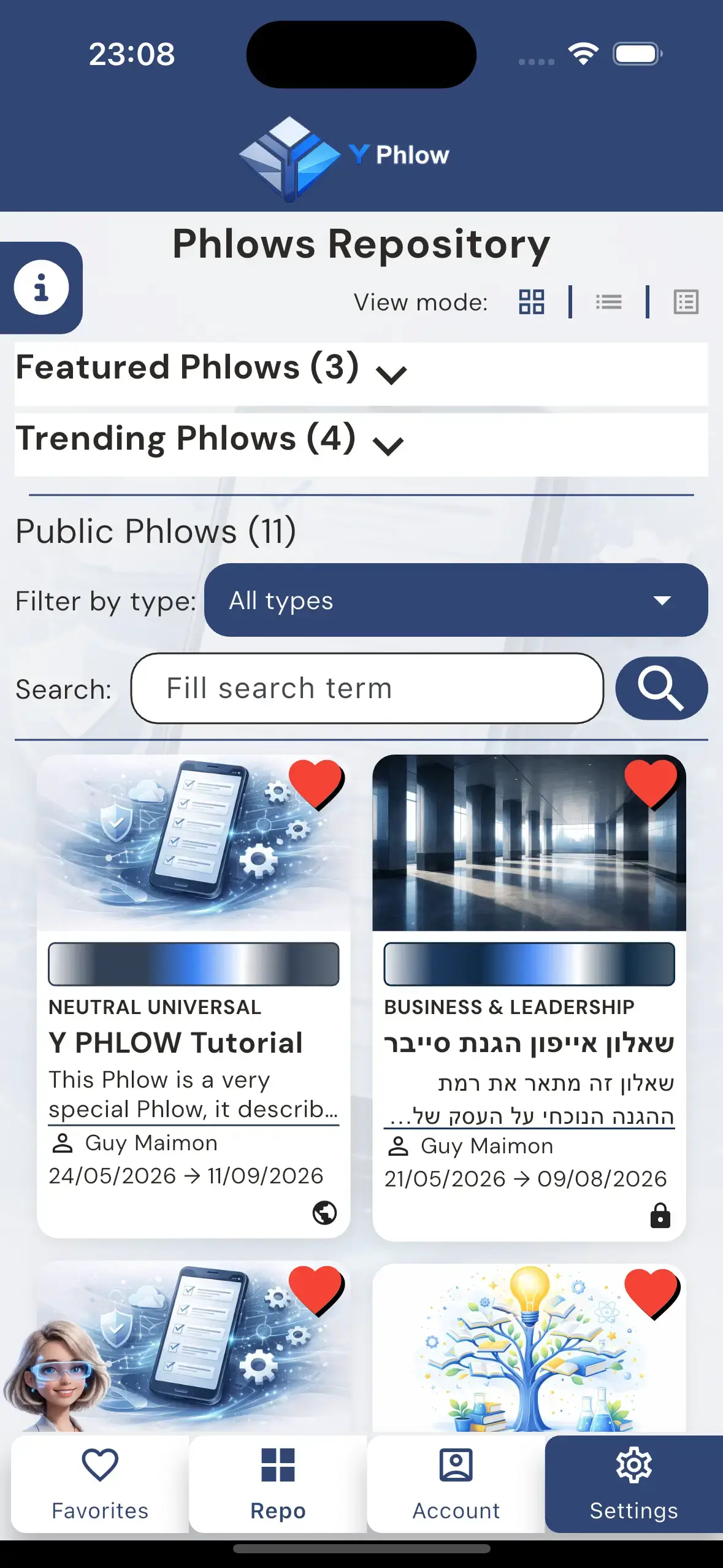
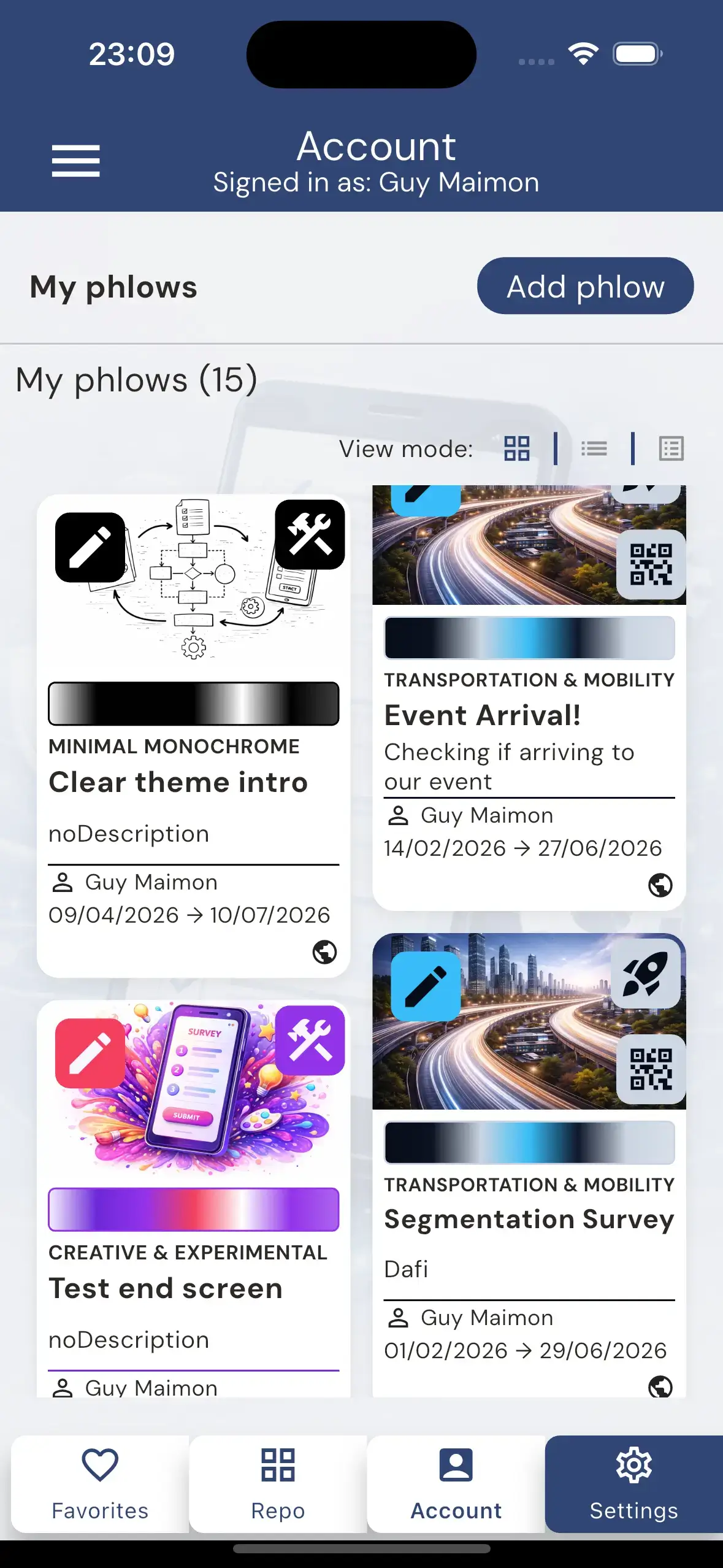
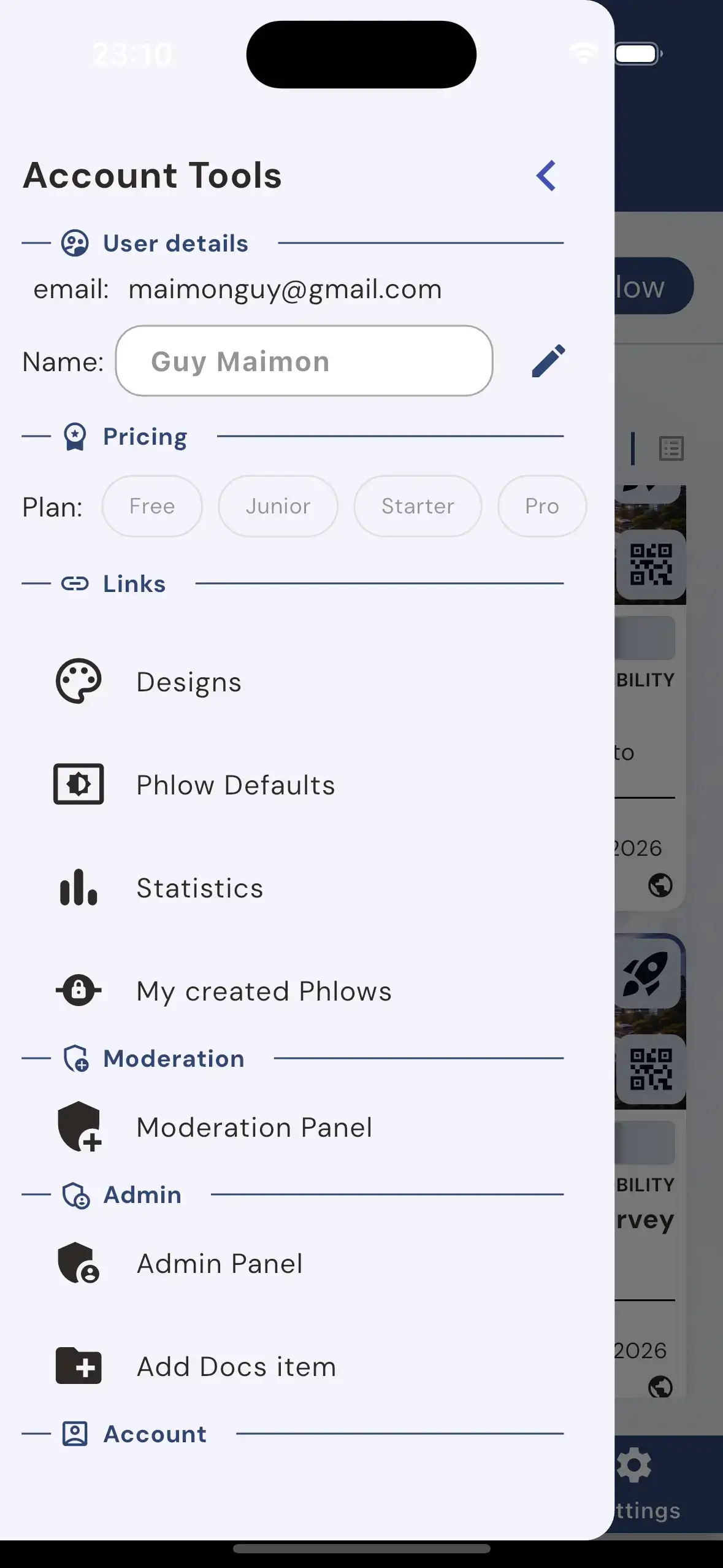
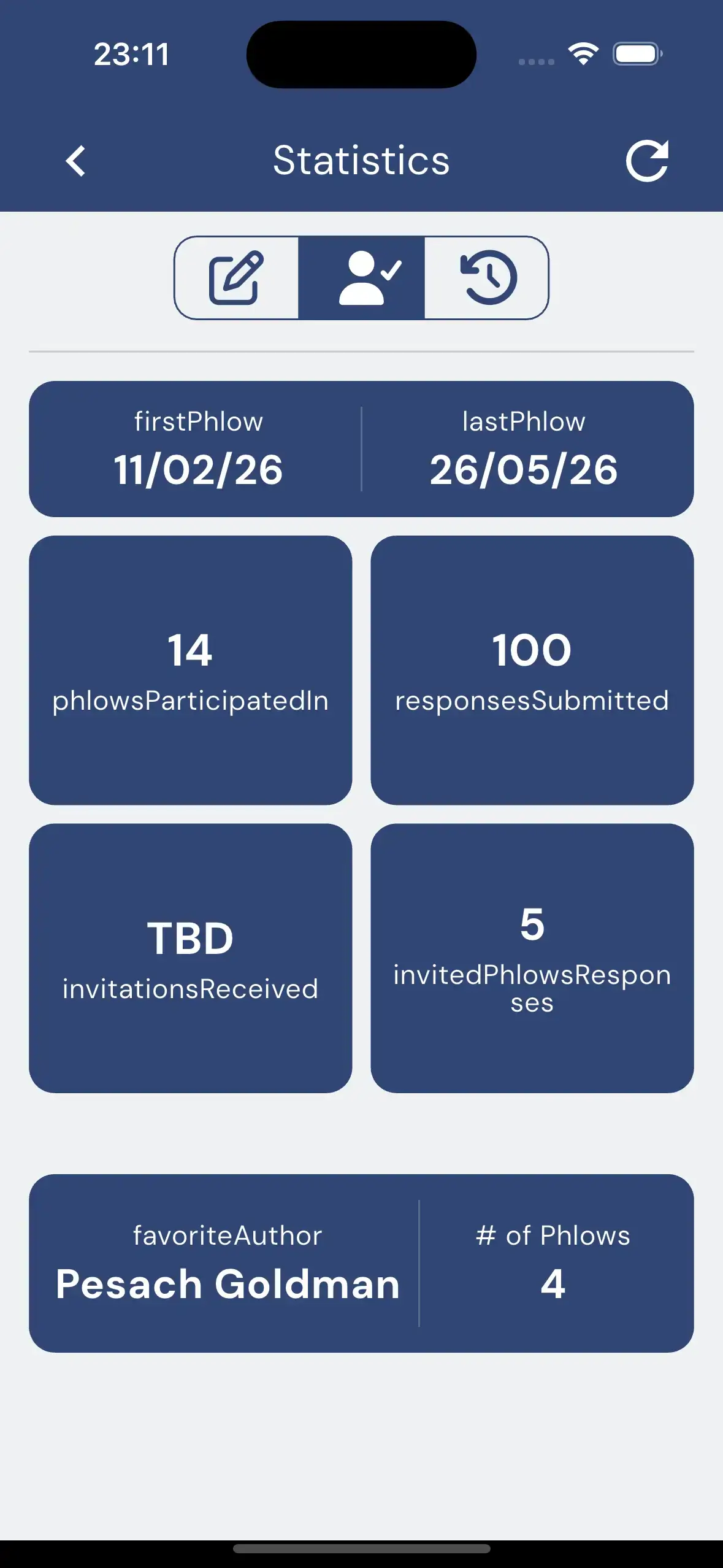
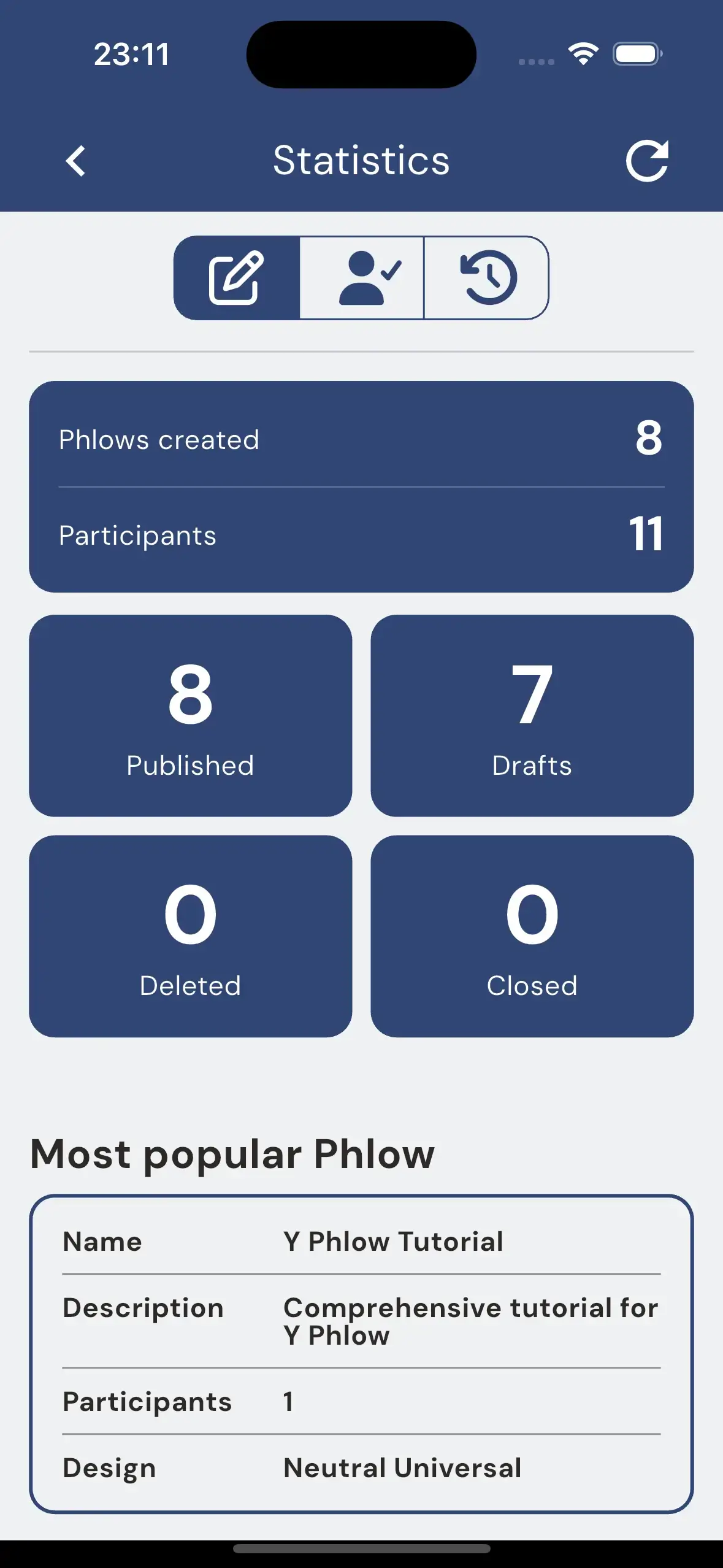
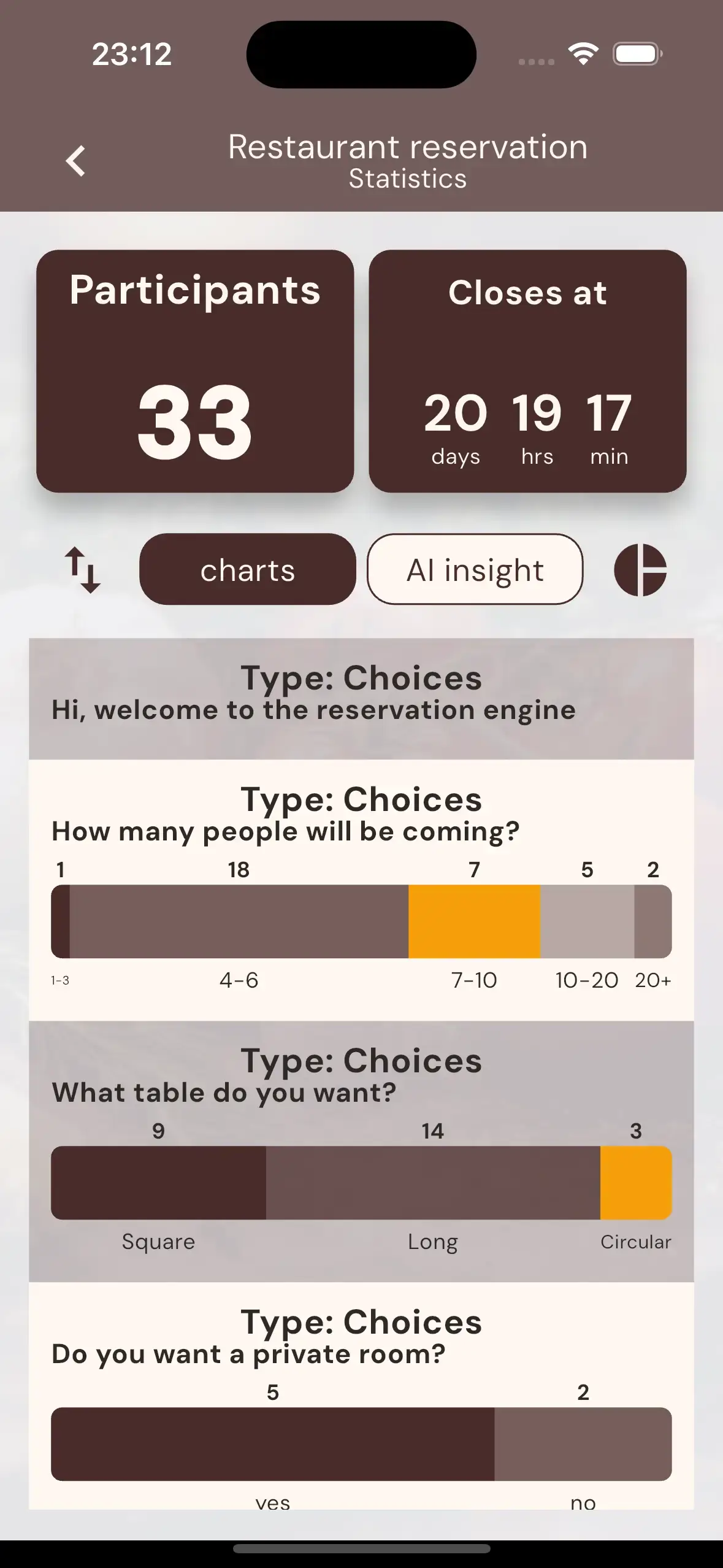
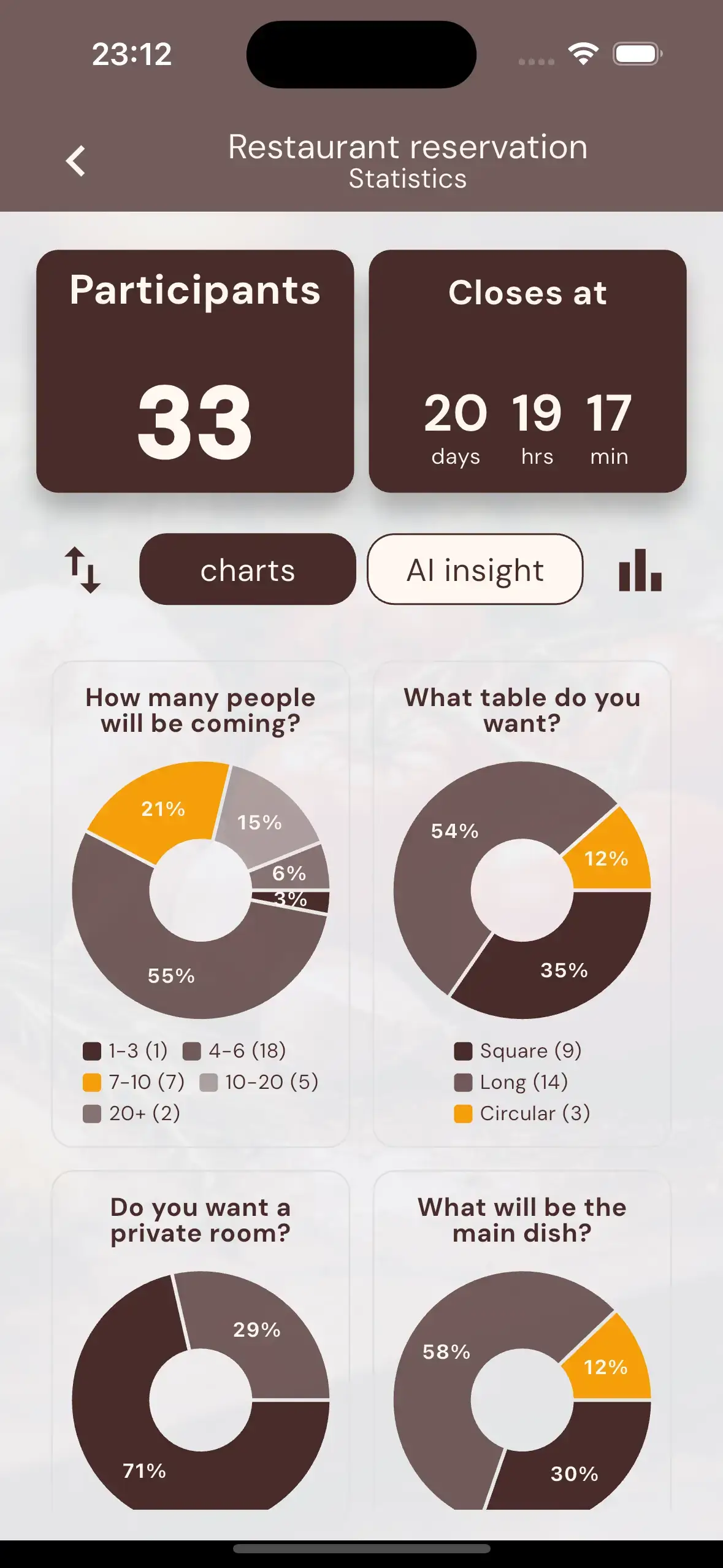
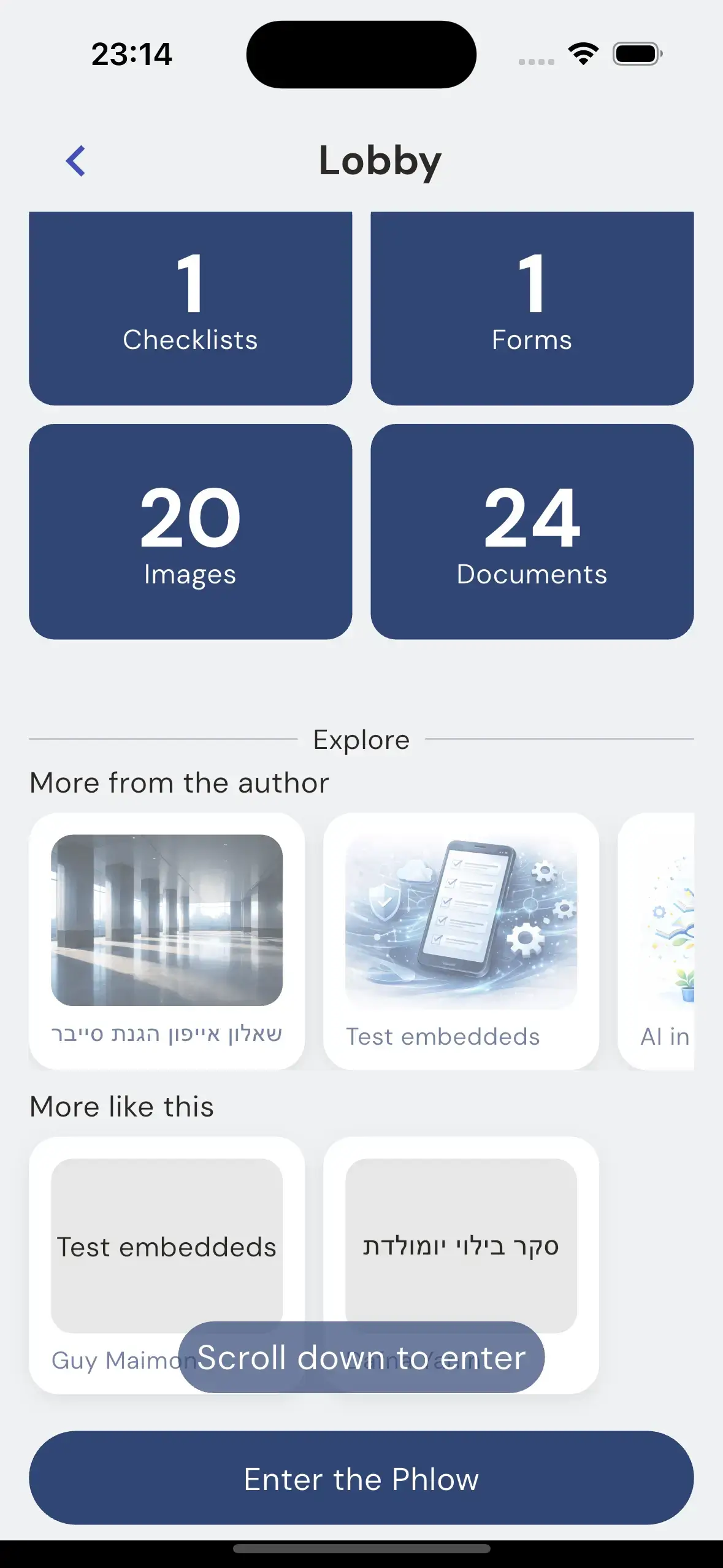
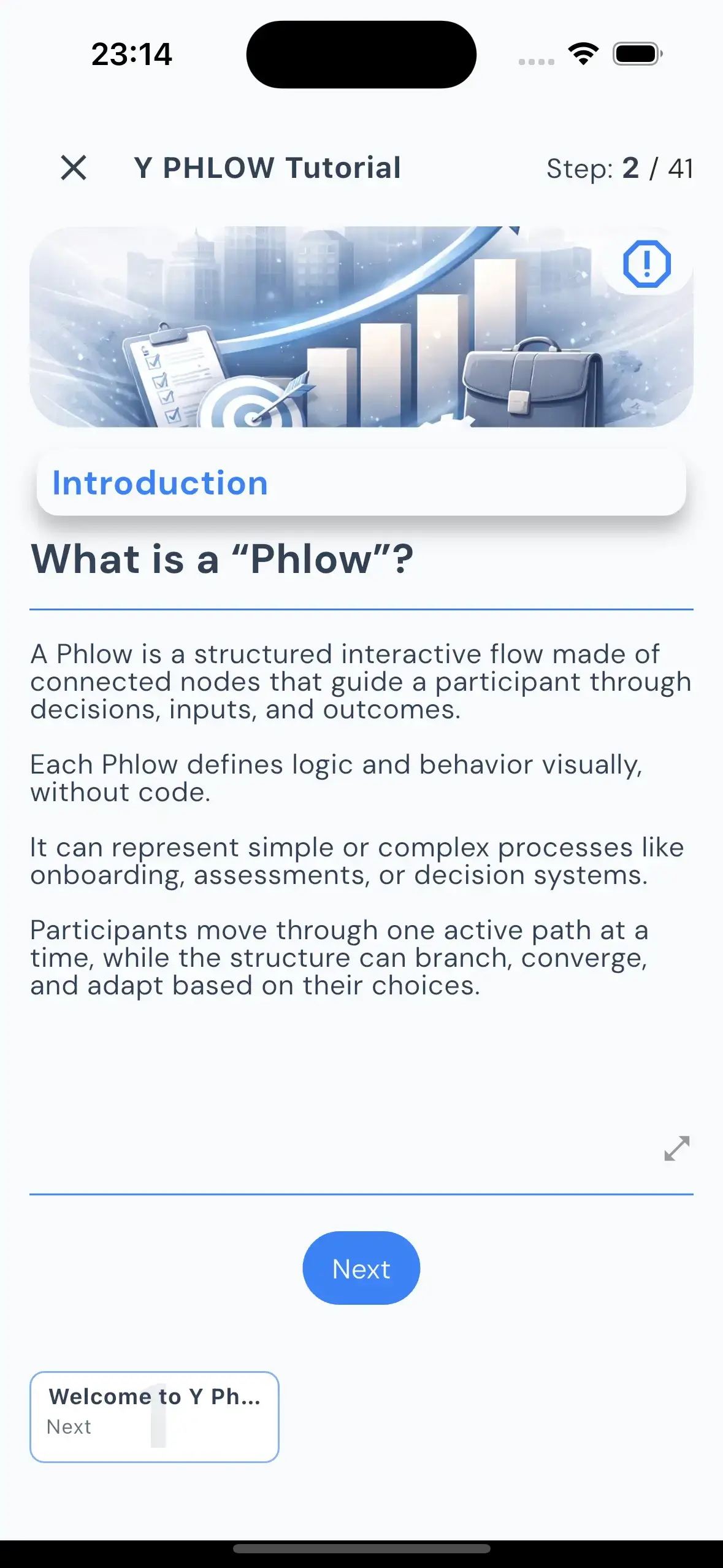
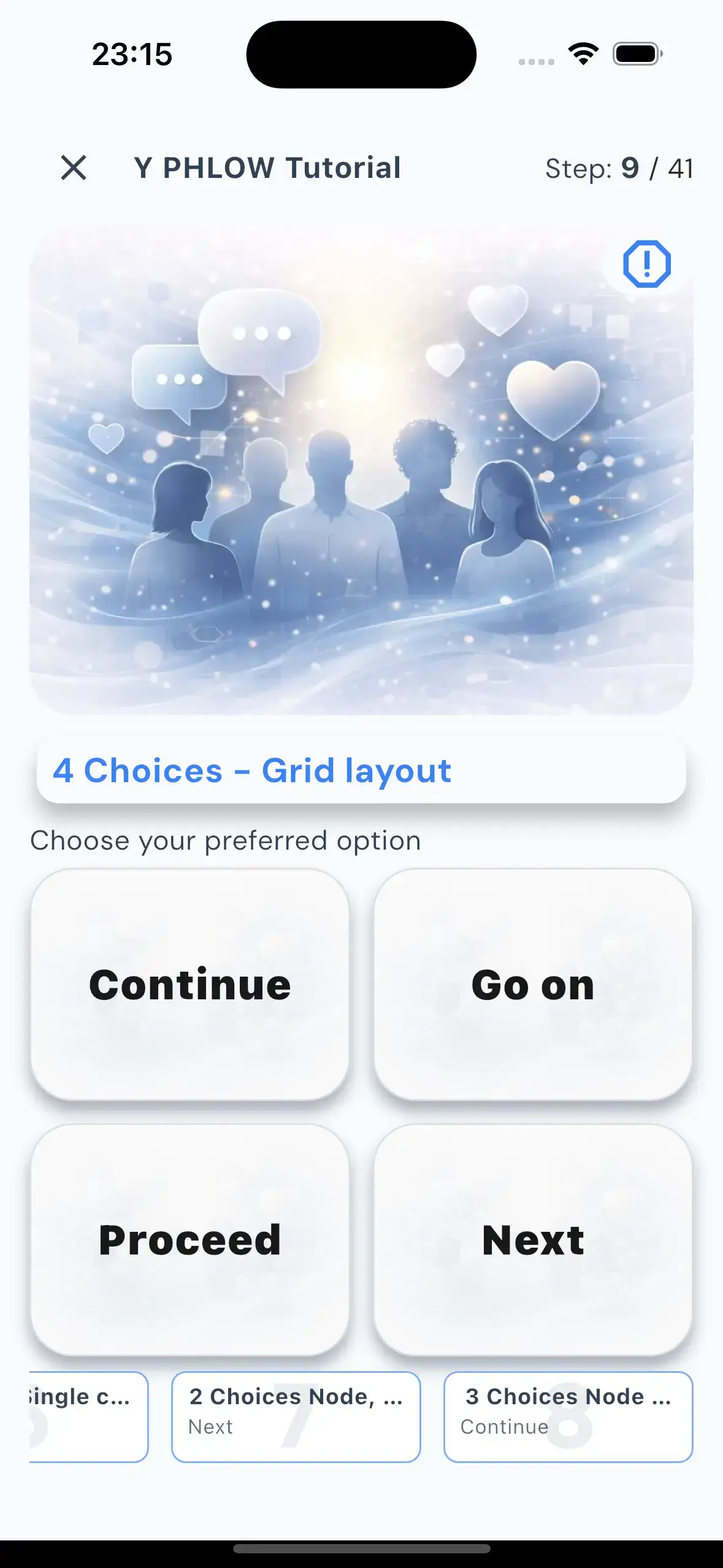
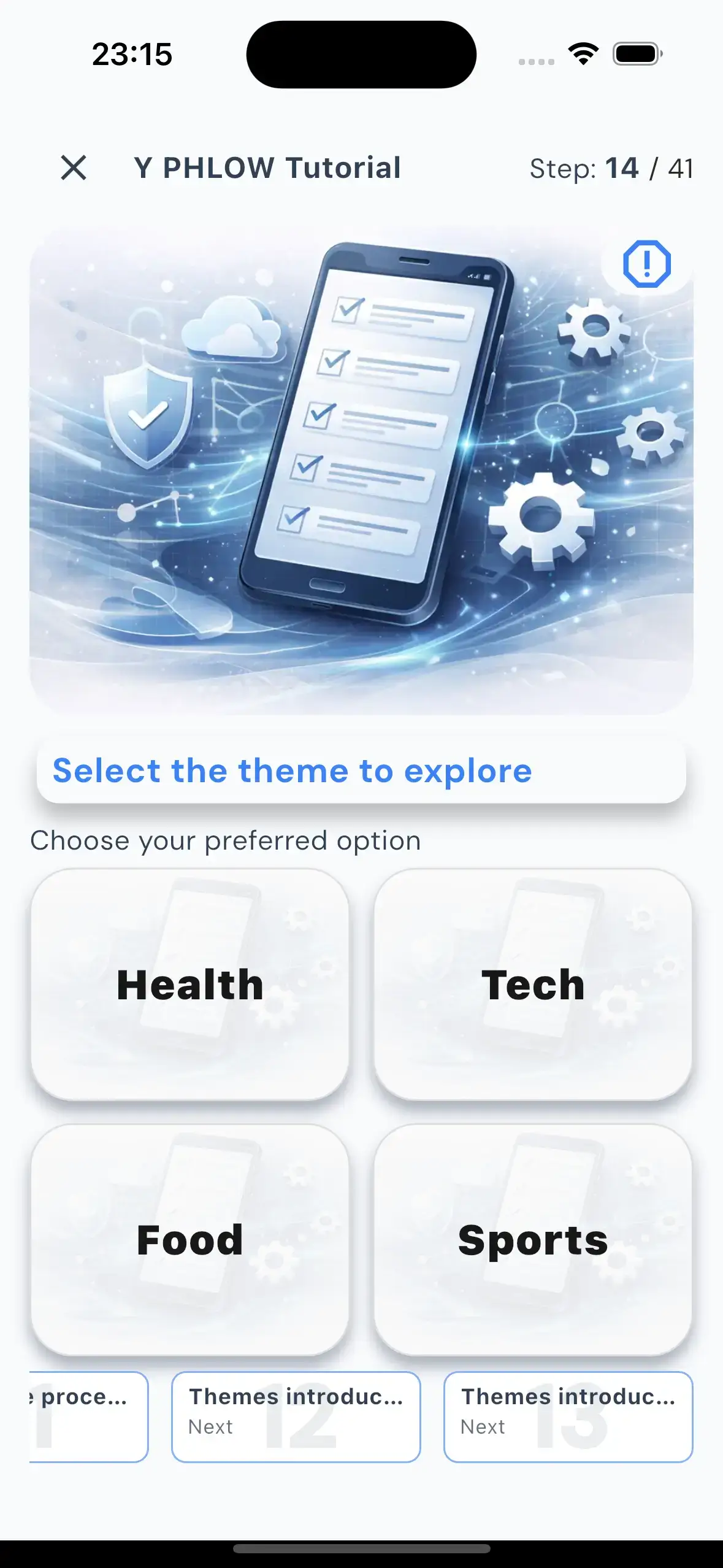
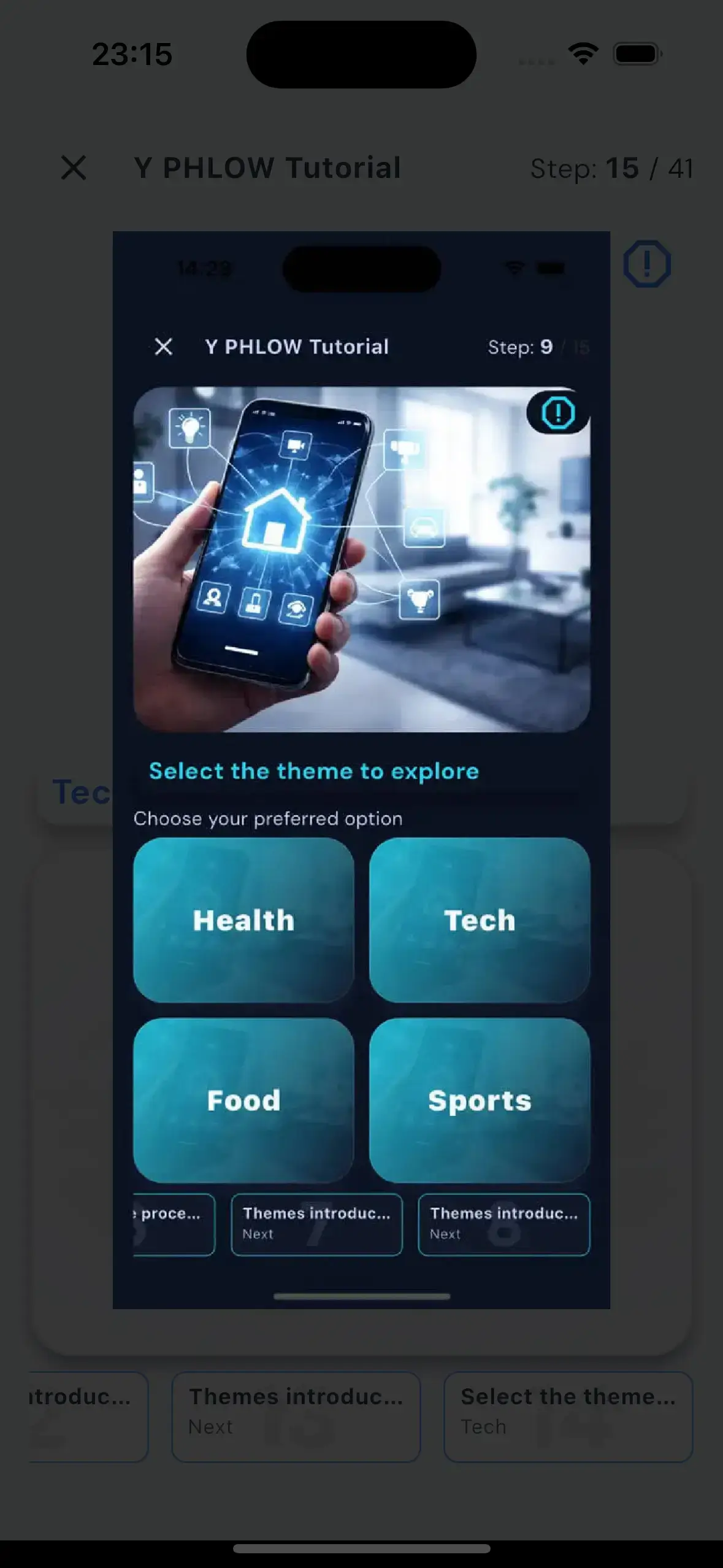
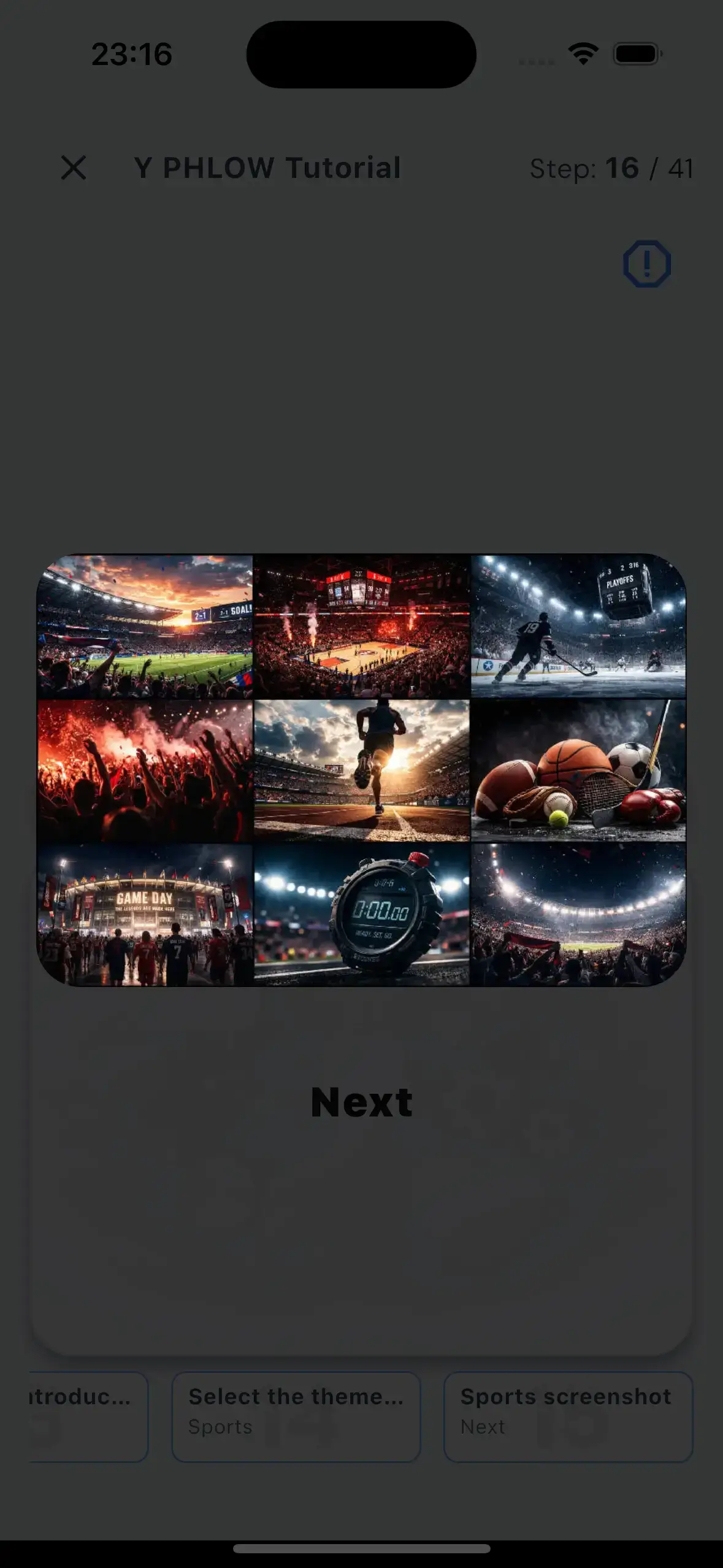
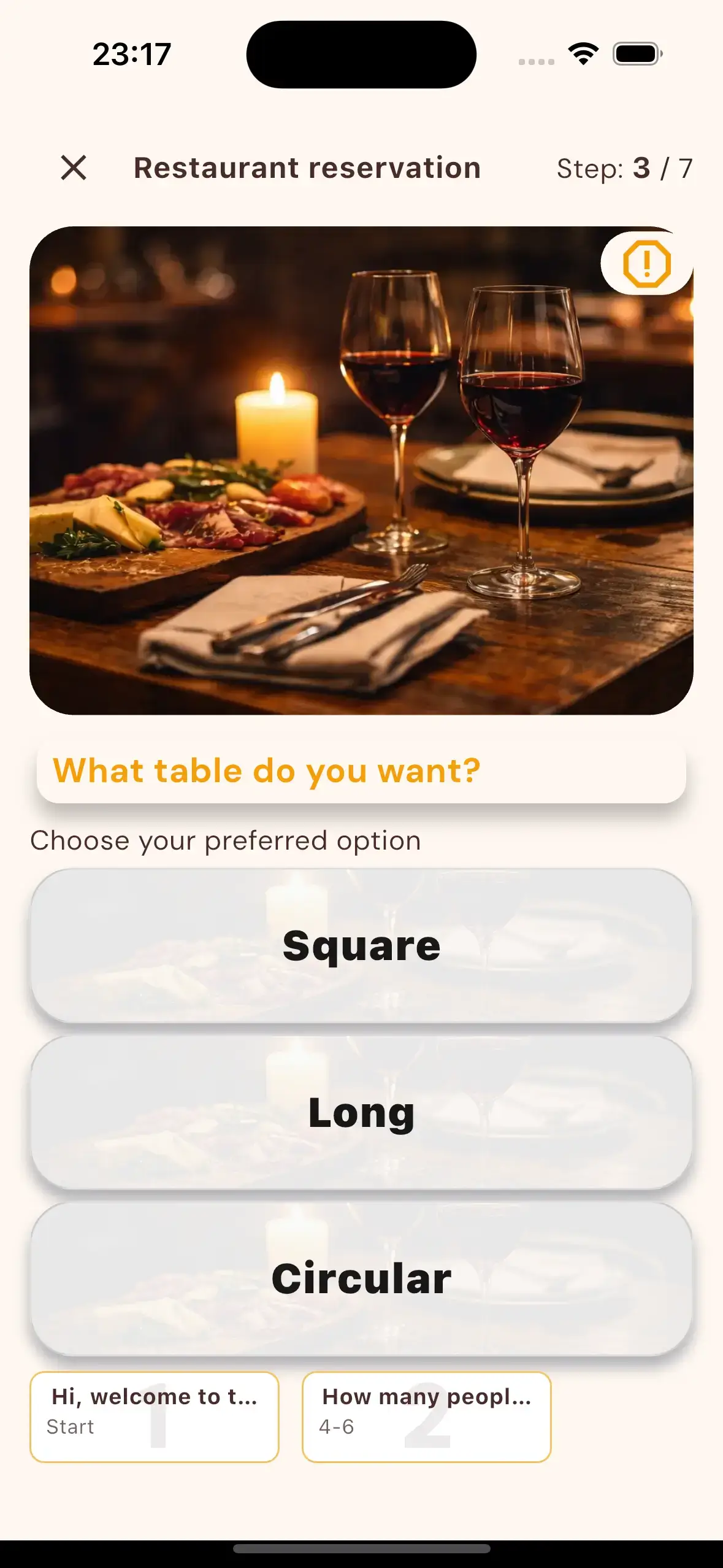
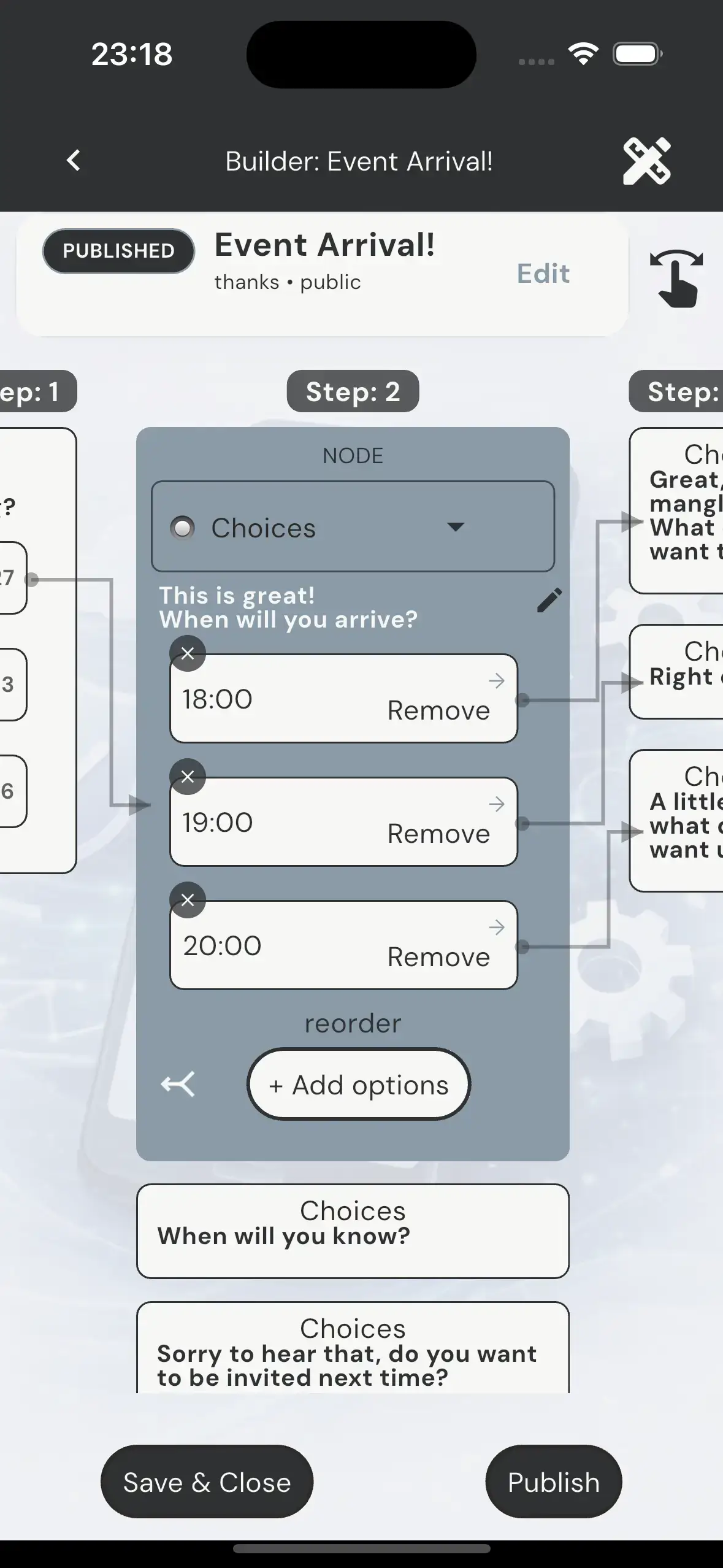
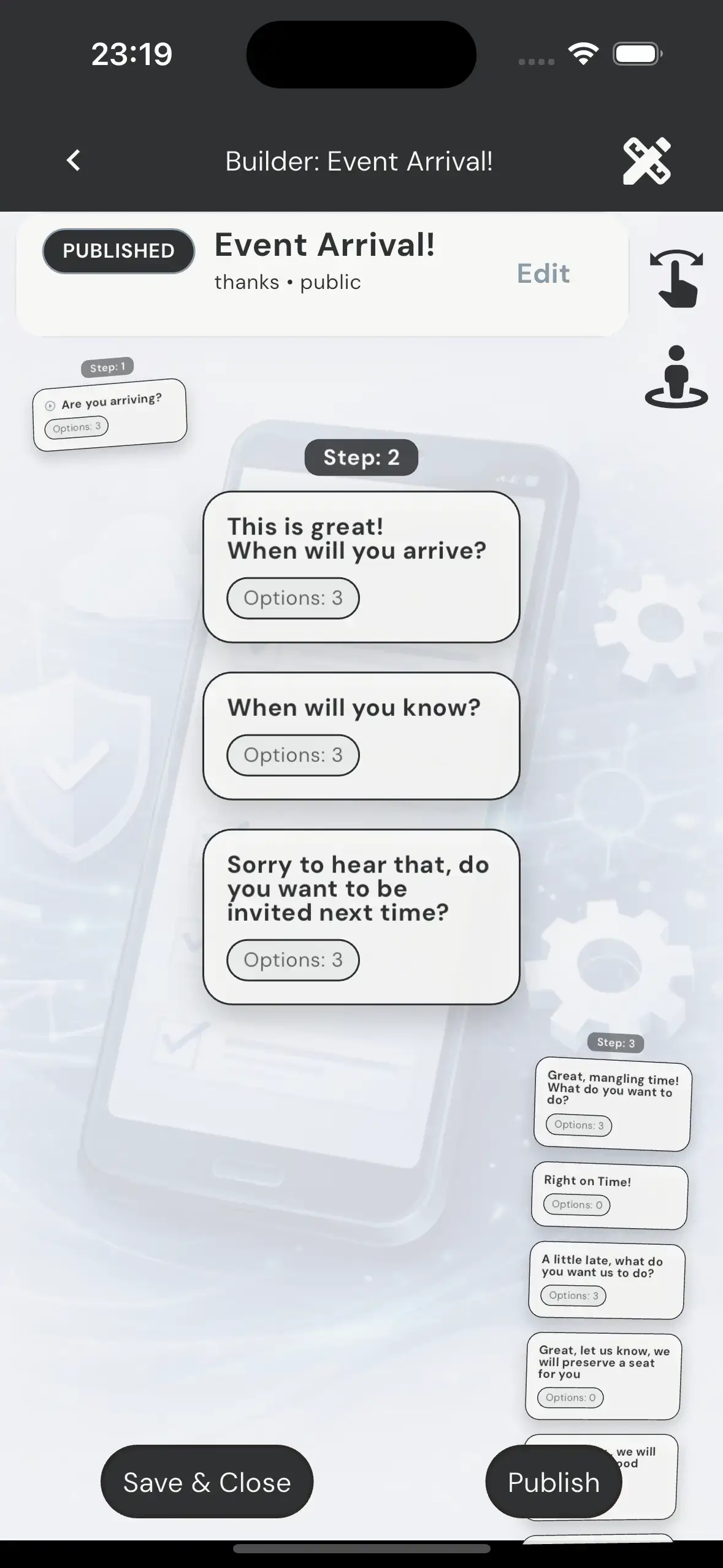
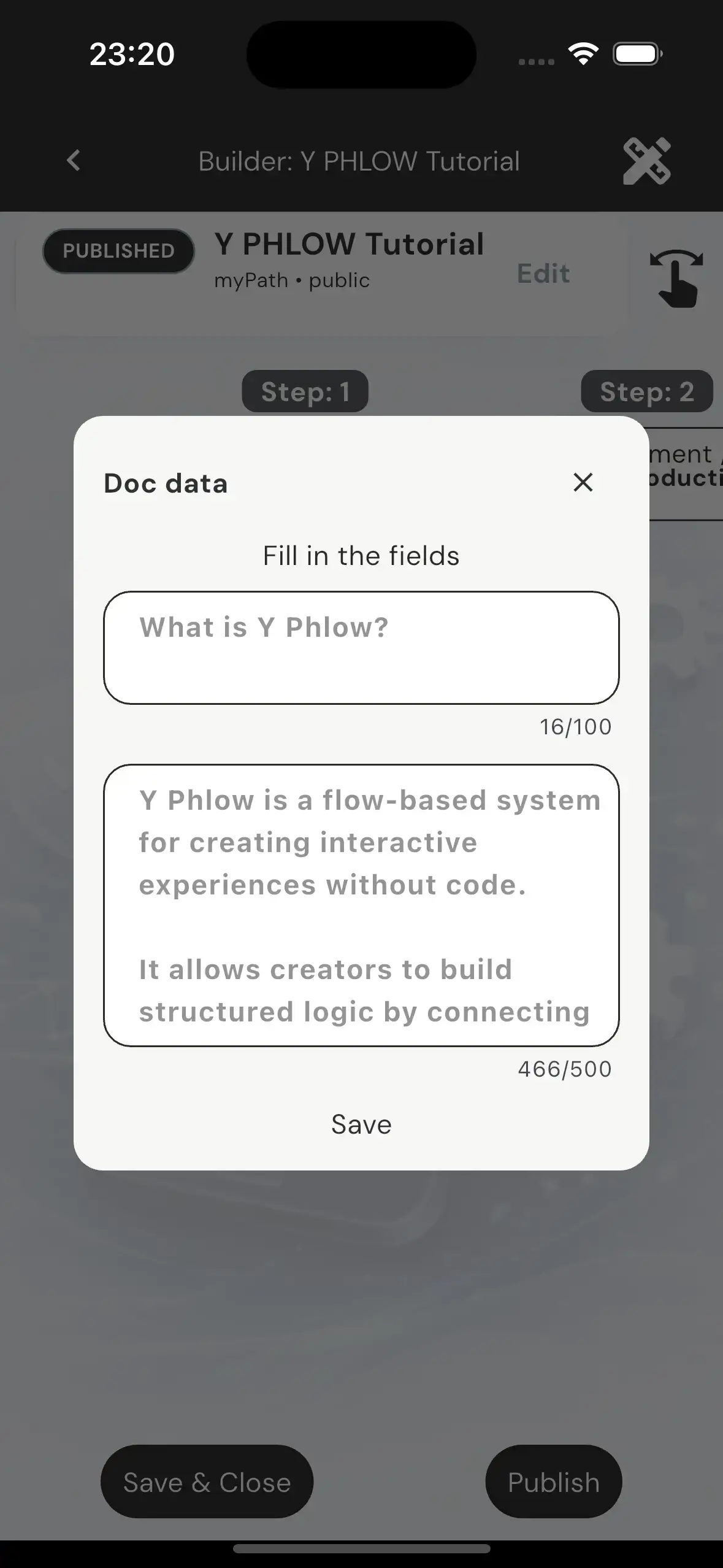

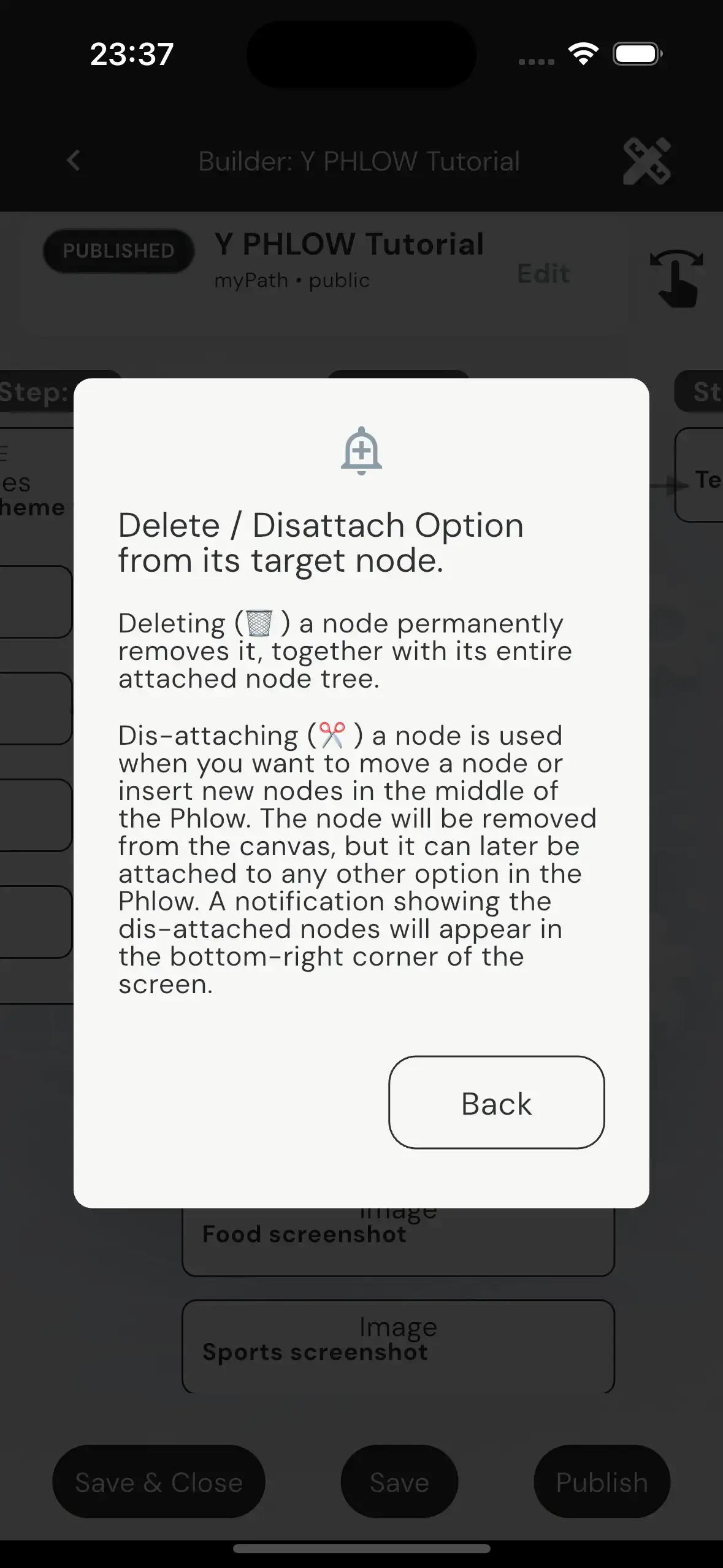
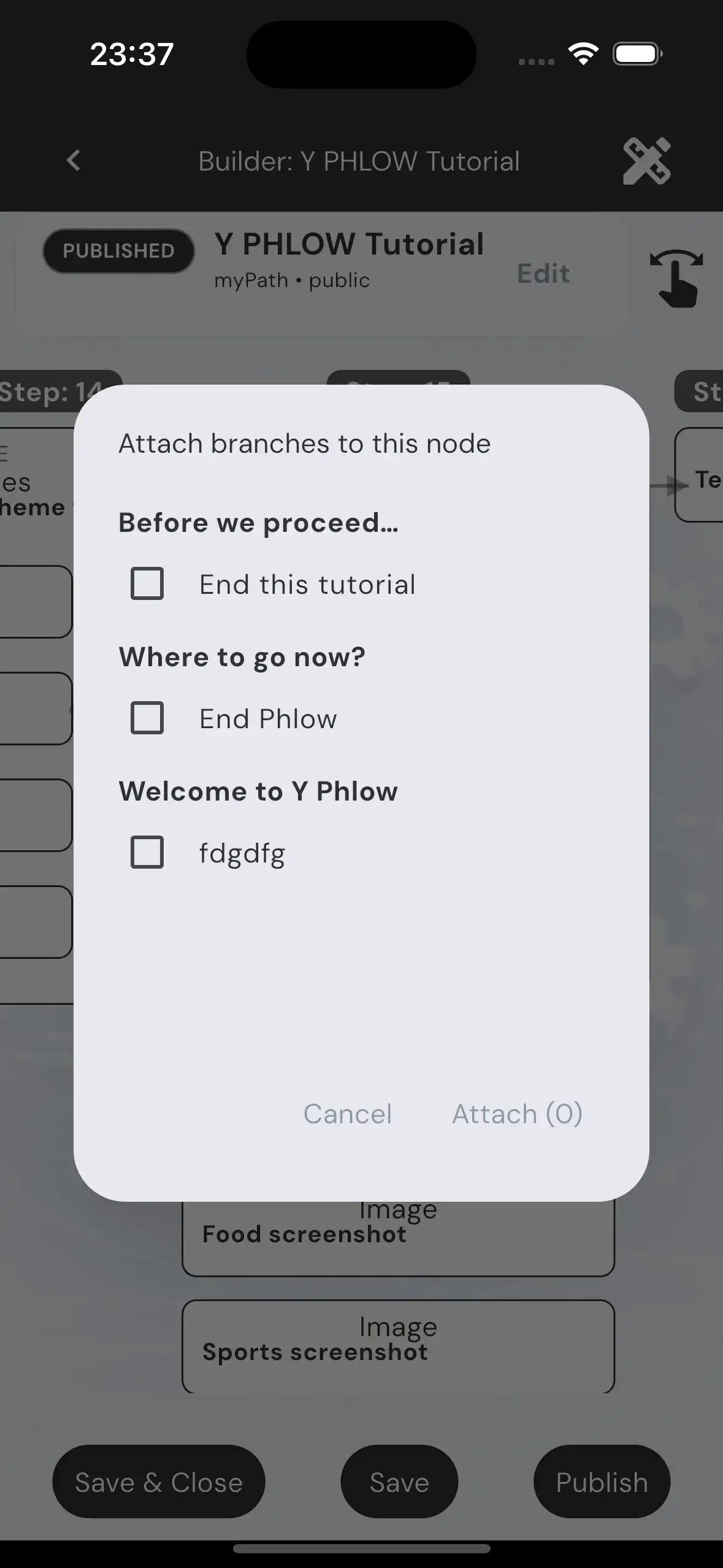
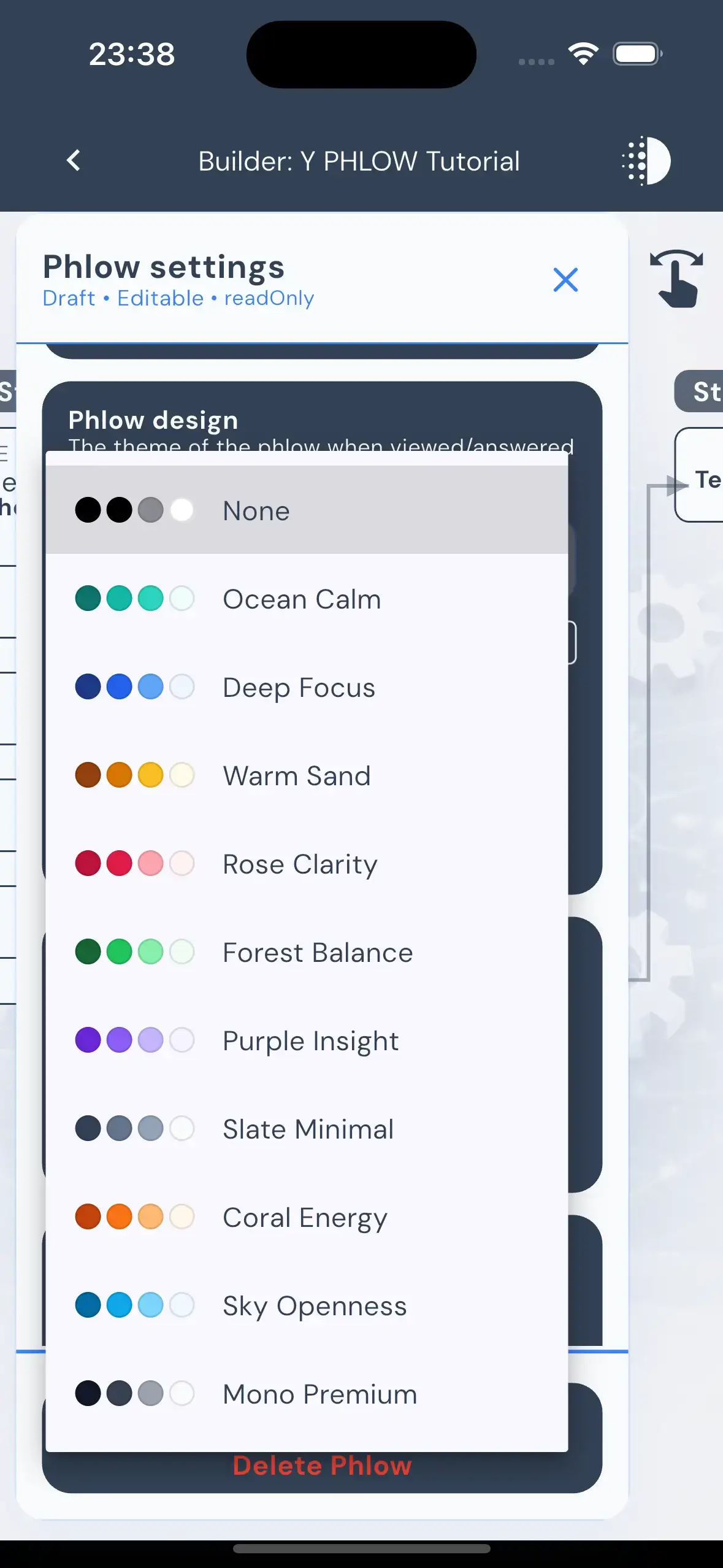


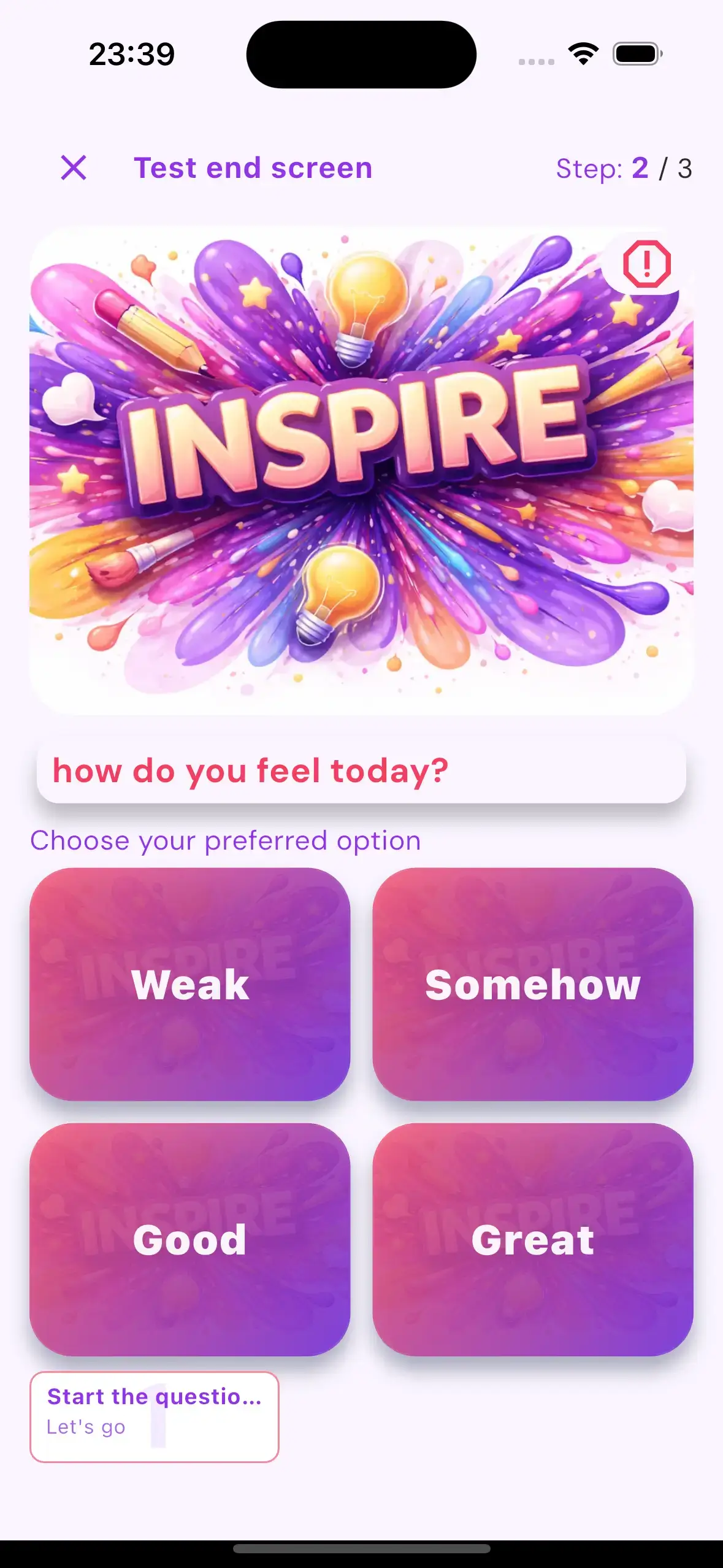
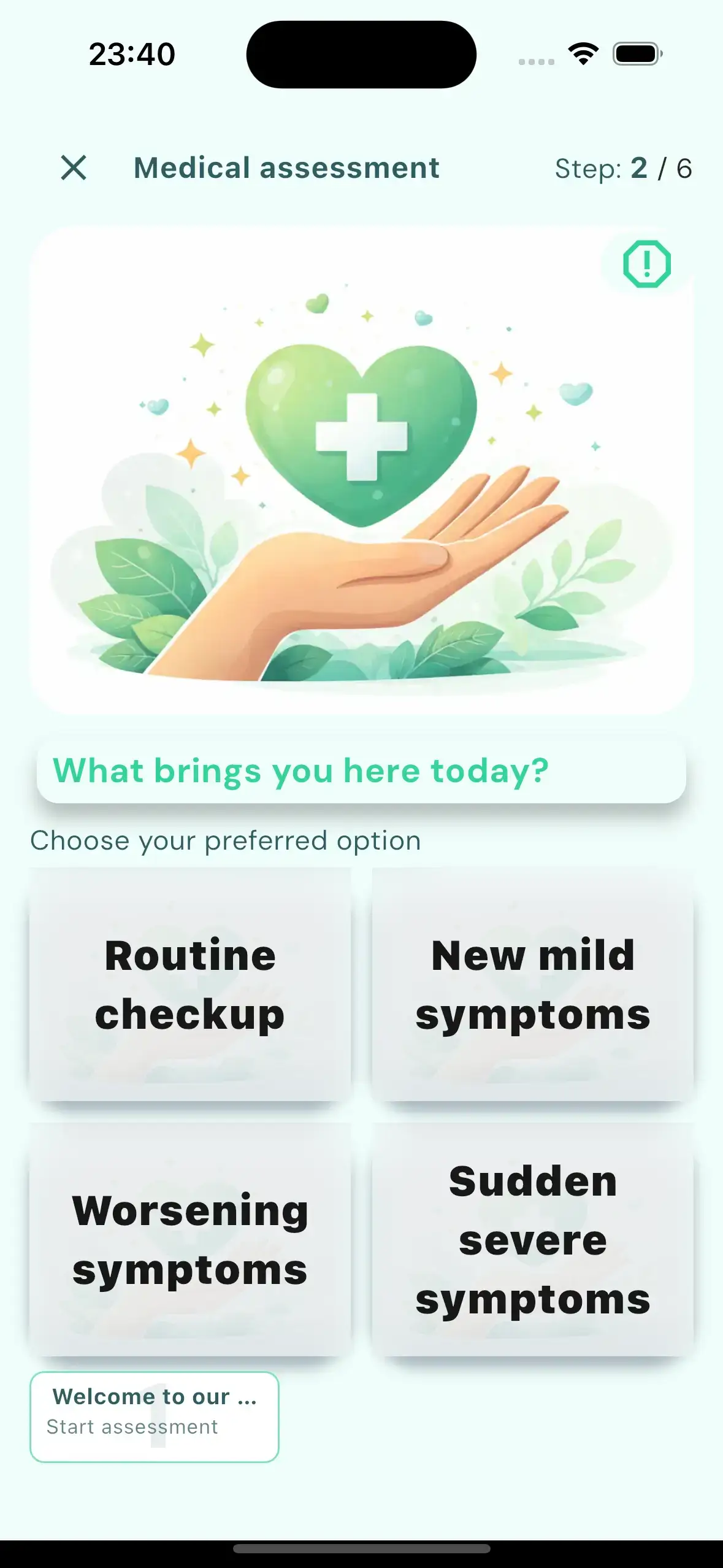
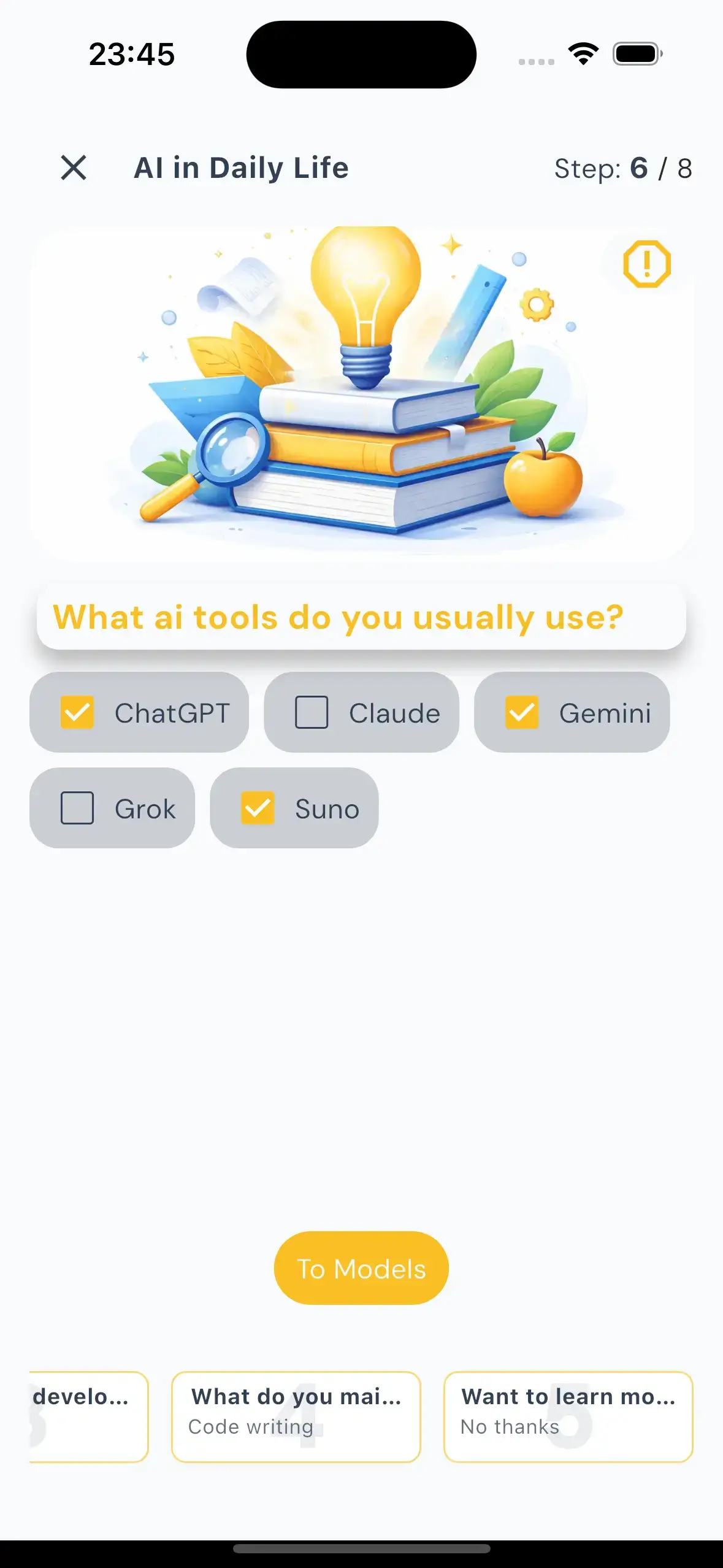
At a practical level, Y Phlow follows a clear lifecycle: the author creates a Phlow, shares it with an audience, participants move through the experience, and the system collects activity, statistics, and insights that help explain what happened and what can be improved.

ARCHITECTURE
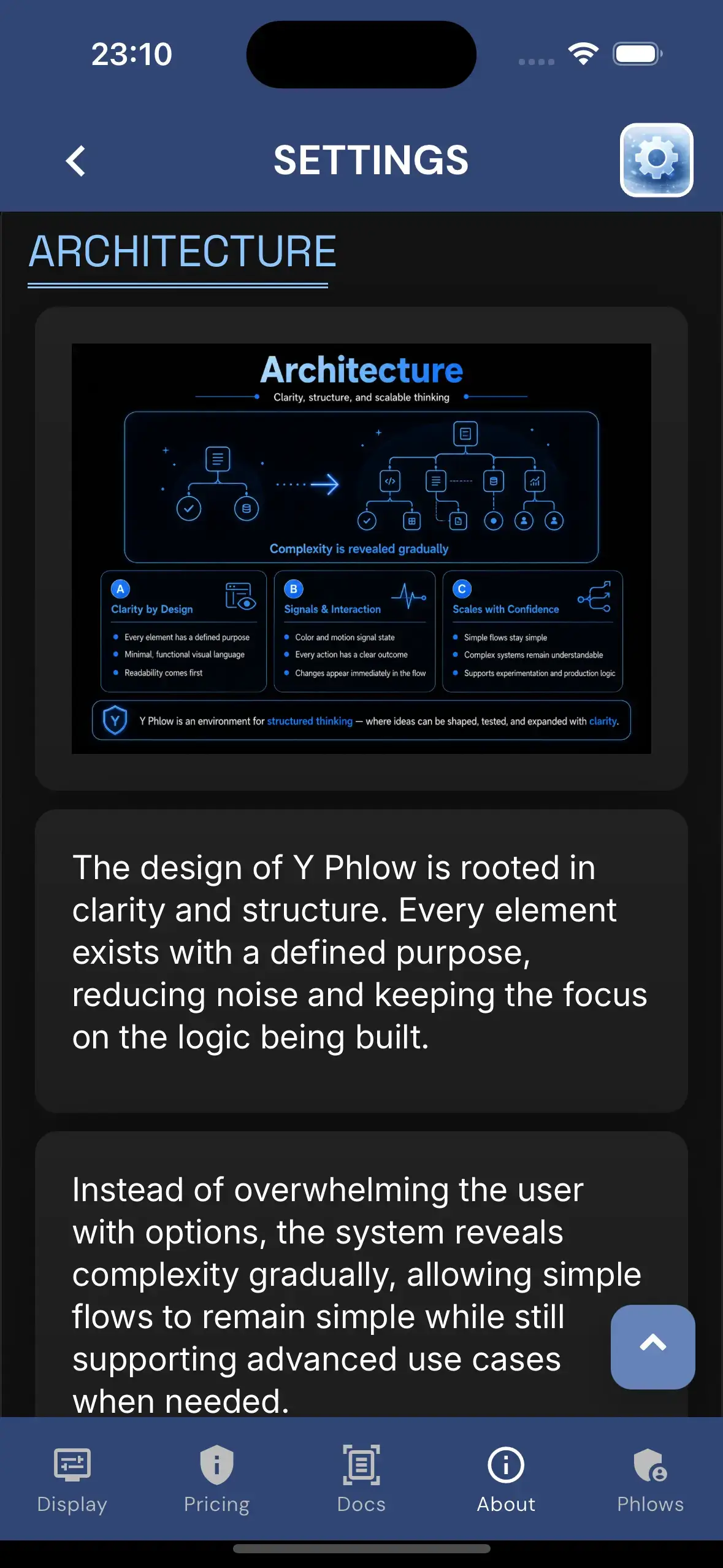
The design of Y Phlow is rooted in clarity and structure. Every element exists with a defined purpose, reducing noise and keeping the focus on the logic being built.
Instead of overwhelming the user with options, the system reveals complexity gradually, allowing simple flows to remain simple while still supporting advanced use cases when needed.
The visual language is intentionally minimal and functional. Nodes, connections, and states are presented in a way that prioritizes readability and immediate understanding.
Color and motion are used carefully — not as decoration, but as signals that communicate state, transitions, and relationships between elements.
Interactions are designed to feel precise and predictable. Every action has a clear outcome, and every change is immediately reflected in the structure of the flow.
This approach allows users to build with confidence, knowing that the system behaves consistently even as flows grow in size and complexity.
A key principle behind Y Phlow is the ability to scale ideas without losing clarity. What begins as a small flow can evolve into a complex system while remaining understandable.
The structure is designed to support both quick experimentation and long-term, production-level logic.
Ultimately, Y Phlow is designed not just as a tool, but as an environment for structured thinking — where ideas can be shaped, tested, and expanded in a controlled and intuitive way.
DESIGN

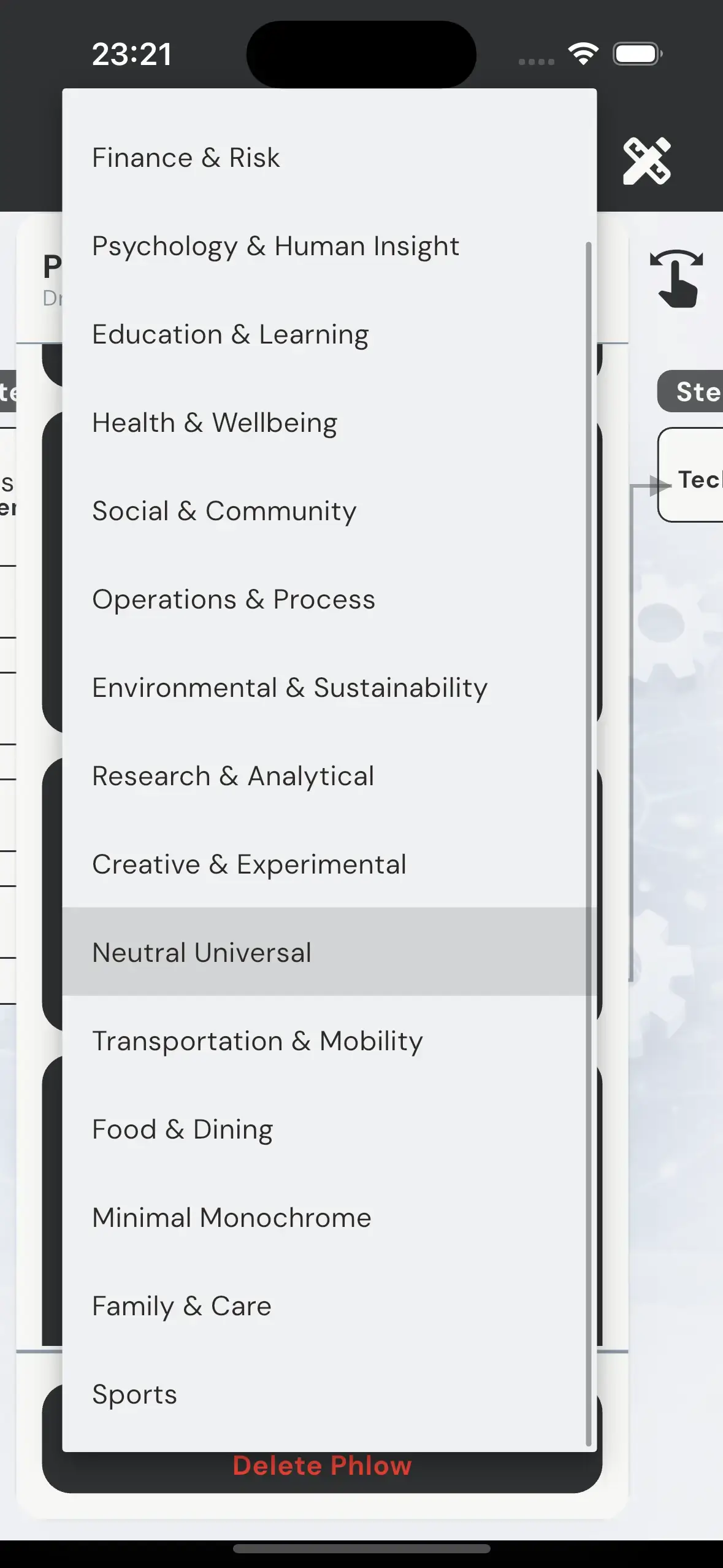
Y Phlow includes a system of design themes, each defining a complete visual and behavioral layer for a Phlow.
A theme is not limited to colors or styling. It controls the full experience — including imagery, color palette, typography, button styles, spacing, overlays, and motion behavior.
Each theme encapsulates a precise combination of visual identity and interaction patterns, from background composition and contrast mode, to animation profiles, motion intensity, and selection behavior.
This allows every Phlow to present its content in a way that matches its intent — whether structured and analytical, calm and introspective, or bold and high-energy.
For example, a business-oriented Phlow can adopt a structured and restrained visual language, while a technology-focused Phlow can shift toward high contrast, dynamic motion, and a more futuristic tone.
Similarly, flows centered around human insight or learning can use softer transitions, warmer palettes, and more gradual interaction patterns.
Themes are selected by the author during creation, applying a consistent design system across the entire flow without the need for manual adjustments.
This ensures that even complex flows maintain a coherent and intentional visual identity from start to finish.
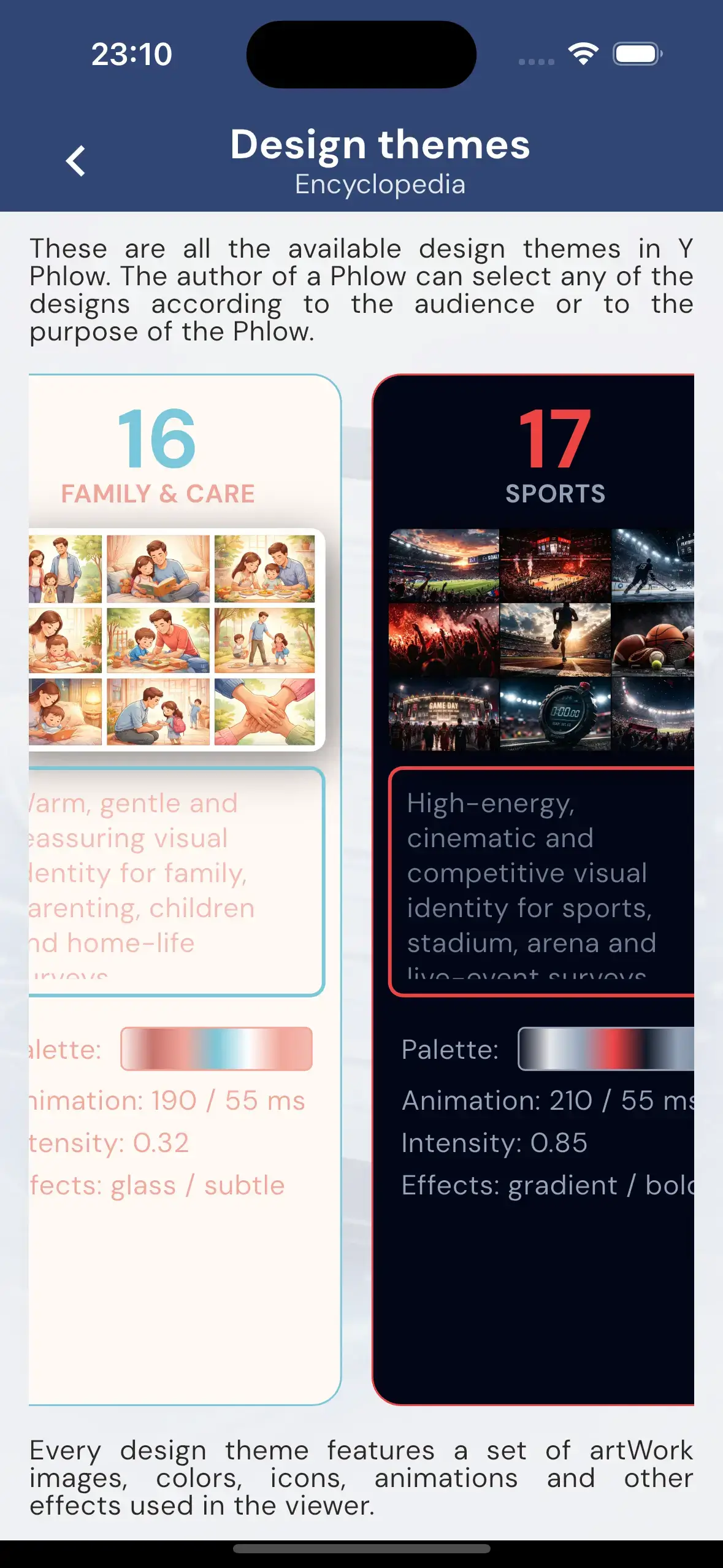
The theme library includes over 20 designs and continues to evolve, expanding the range of experiences that can be created.
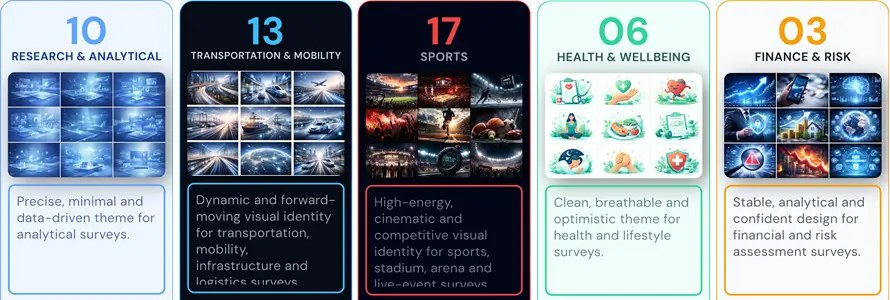
All themes can be explored in the Theme Encyclopedia within the app, where each design is presented in context, including its visual style and motion characteristics.
By combining structure with expressive design layers, Y Phlow allows the same underlying logic to take on entirely different forms — adapting to the purpose it serves.
PHLOW EVALUATION

Y Phlow supports built-in evaluation mechanisms that allow each flow to produce a meaningful outcome for the participant.
As users progress through a Phlow, values can be assigned to their selections, enabling the system to collect and process data throughout the entire experience.
Each option within a node can carry evaluation data. As participants move forward, these values accumulate, forming the basis for the final result.
This approach allows evaluation to remain distributed and contextual, rather than relying on a single calculation at the end.
Different evaluation modes are available, allowing flows to be tailored to specific needs — from simple scoring models, to rule-based logic, compliance checks, or combinations of multiple approaches.
This flexibility makes it possible to use the same system for assessments, decision support, validation processes, or structured analysis.
At the end of the Phlow, the collected data is translated into a clear outcome, such as a score, a pass or fail result, or a compliance status.
The result reflects the full path taken by the participant, providing a consistent and traceable evaluation of their input.
By embedding evaluation directly into the flow structure, Y Phlow enables the creation of experiences that are not only interactive, but also measurable and actionable.
SAFETY AND MODERATION

Y Phlow includes a strict safety and moderation layer to ensure that all published content meets clear and consistent standards.
Before a Phlow can be published, it undergoes an automated moderation process that analyzes all content across its nodes and options.
This process is designed to detect offensive, inappropriate, or unsafe material, ensuring that every Phlow aligns with a defined 'family-safe' threshold.
Phlows that do not meet this standard are blocked from publication.
In cases of repeated or intentional violations, administrative actions may be taken to maintain the integrity of the platform.
In addition to automated moderation, Y Phlow empowers participants to report content directly.
A reporting option is available within every node, allowing users to flag either an entire Phlow or specific elements as inappropriate.
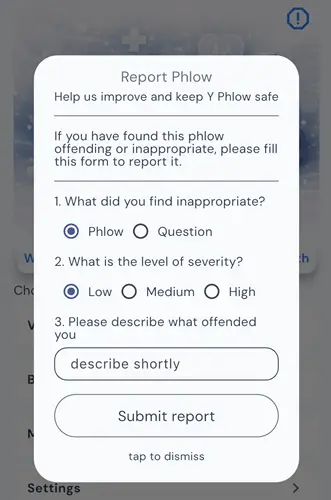
This combination of automated moderation and community feedback ensures that Y Phlow remains a safe and reliable environment for both creators and participants.
STATISTICS AND INSIGHTS

Y Phlow provides a comprehensive statistics layer, allowing authors to monitor and understand how participants interact with their published flows.
Authors can track participation in real time, gaining visibility into how users progress through each stage of the Phlow.
Each node includes its own distribution data, with clear breakdowns showing how participants respond to every available option.
This structure enables detailed analysis at a granular level, making it possible to identify patterns, drop-off points, and dominant choices across the flow.
In addition to raw data, Y Phlow offers AI-generated insights that help interpret the results.
These insights highlight meaningful trends and observations, supporting authors in understanding the broader implications of participant behavior.
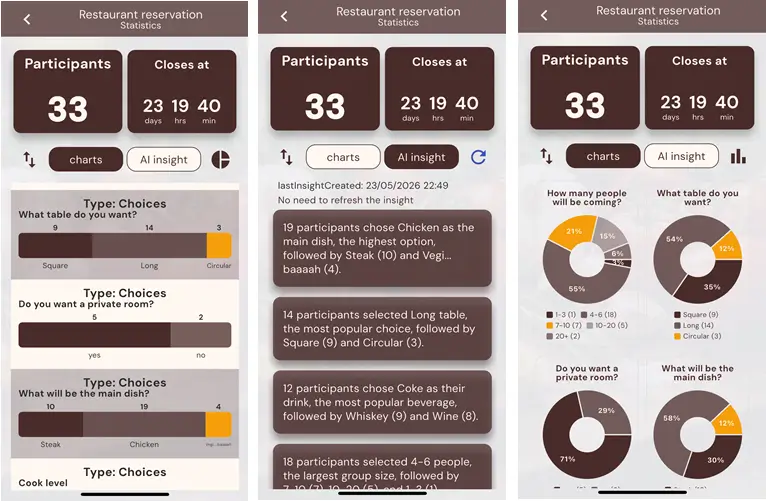
By combining structured data with intelligent analysis, Y Phlow transforms participation into actionable understanding.
PHILLIS - AI ASSISTANT

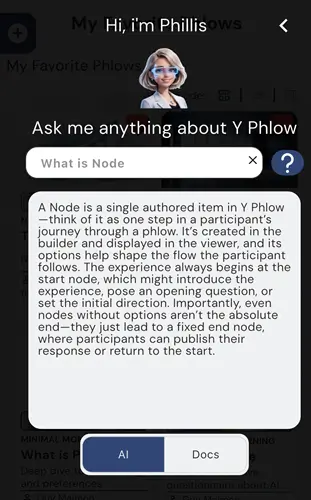
Y Phlow includes an integrated AI assistant, Phillis, designed to support users throughout the entire experience.
Phillis is equipped with the full knowledge base of Y Phlow, enabling it to answer questions about features, structure, and best practices.
Whether navigating the platform or building a Phlow, users can rely on immediate, context-aware guidance.
Phillis is accessible from the main interface as well as during the creation process, providing assistance exactly where it is needed.
Its role is to reduce friction, clarify decisions, and help users move forward without interrupting their workflow.
By embedding assistance directly into the system, Y Phlow ensures that support is always available without requiring external documentation or guidance.
Phillis reflects the broader approach of Y Phlow — combining structure, clarity, and accessibility into a single, cohesive environment.
PHLOW CREATION PROCESS

A Phlow begins as a draft the moment the author opens the creation screen, even before any content is defined.
The building process starts with the creation of a start node. This is the first authored step and must be defined manually by the author.
The start node establishes the initial context and direction of the entire Phlow.
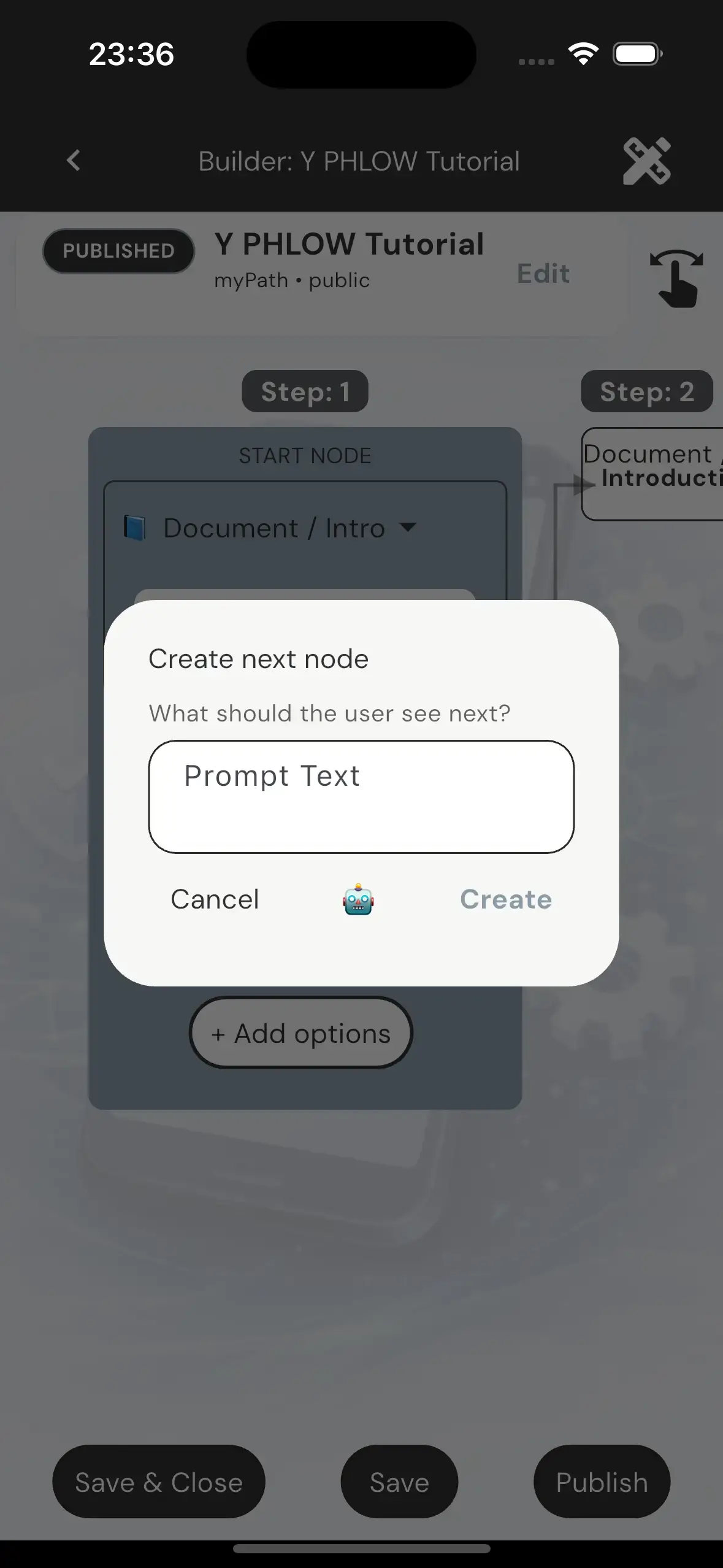
From that point forward, the Phlow is built through a repeated pattern: creating options, and connecting each option to a next node.
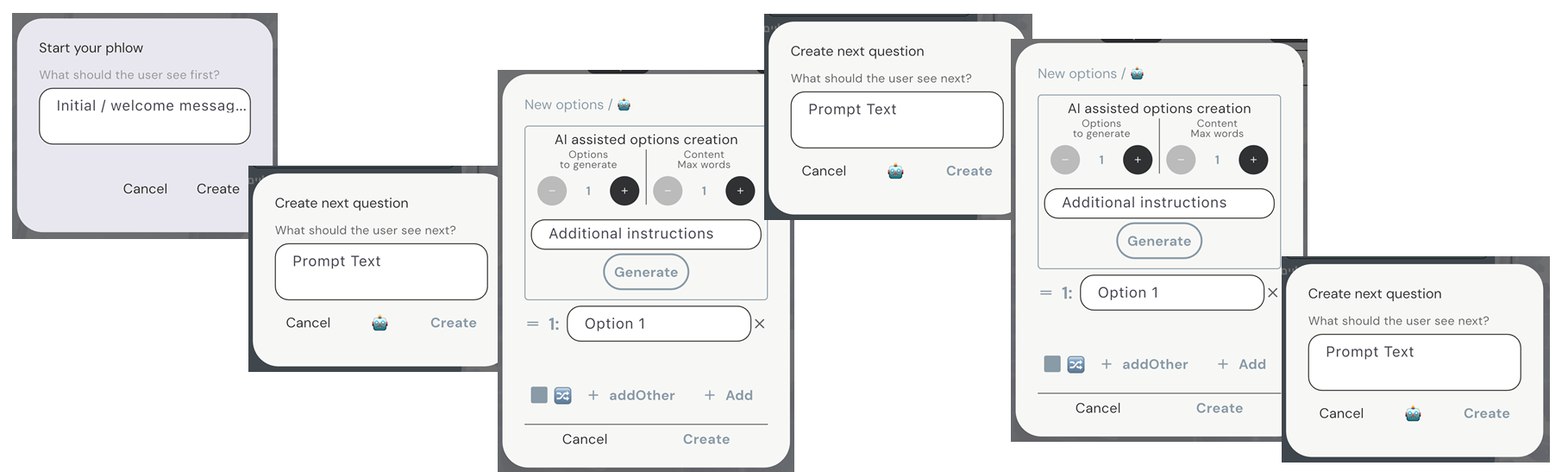
The entire creation process is conducted on a visual canvas, which serves as the central workspace for building a Phlow.
The structure is presented through a two-dimensional view, with optional depth-based visualization, allowing the author to understand the flow both locally and as part of a broader structure.
At every step, the author works on a single active node while simultaneously seeing its context — including parent nodes, sibling nodes, and connected child nodes.
This continuous visibility ensures that each decision is made with full awareness of where it comes from and where it leads.
Visual connectors link nodes and options, forming clear paths between steps and making the overall structure immediately understandable.
This visual representation simplifies complex branching logic, allowing the author to follow and shape participant routes with clarity and precision.
By combining structure with visual continuity, the canvas transforms the building process into an intuitive and controlled experience.
Each option represents a possible path, and each connected node becomes the next step in that path.
By continuing this process, the author gradually expands the Phlow into a branching structure where different participants may follow different routes.
Routes may diverge into separate paths or converge into shared nodes, allowing flexible and efficient design of complex logic.
The builder is centered around the active node. At any moment, the author focuses on a single node while seeing its context — including parent nodes, sibling nodes, and connected child nodes.

This approach allows the author to build step by step, while always understanding the structure in relation to the full Phlow.
Authors move through the structure by navigating between nodes, making any node active and continuing the build from that point.
This enables both linear progression and non-linear editing, depending on how the Phlow evolves.
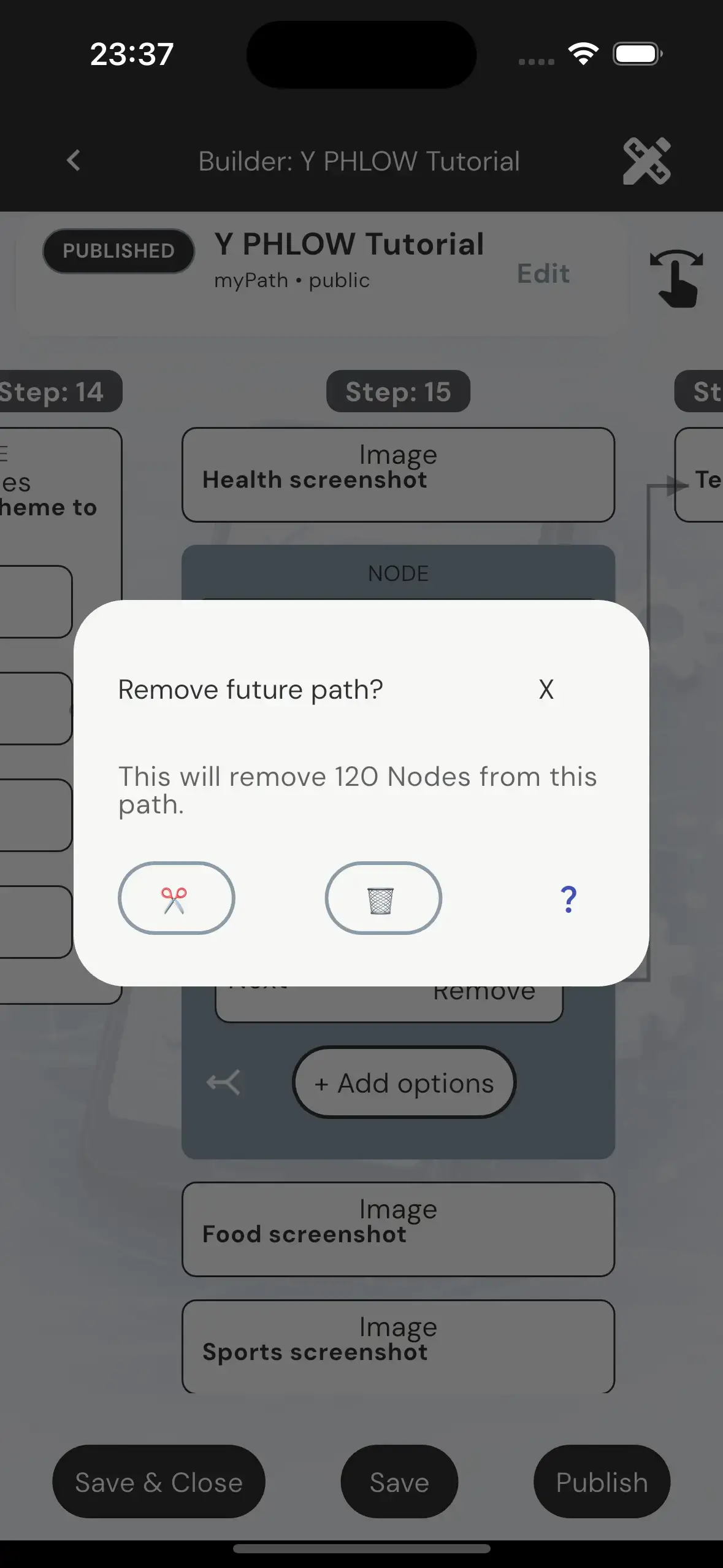
Nodes can be reused across multiple paths by attaching available options to existing nodes.
This allows different routes to converge into shared logic without duplicating content.
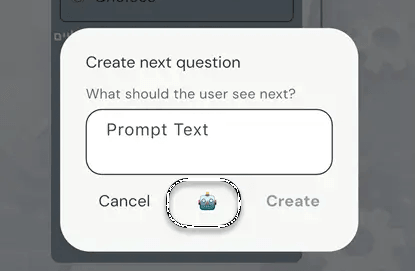
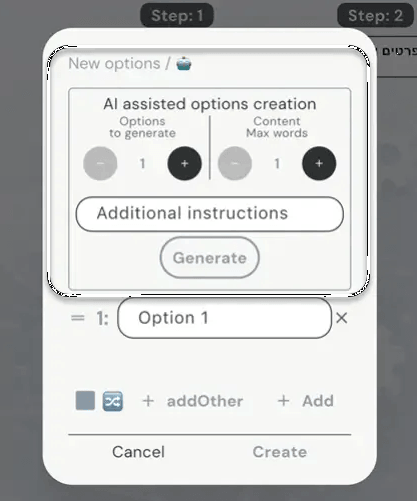
Throughout the creation process, AI assistance is available to support the author.
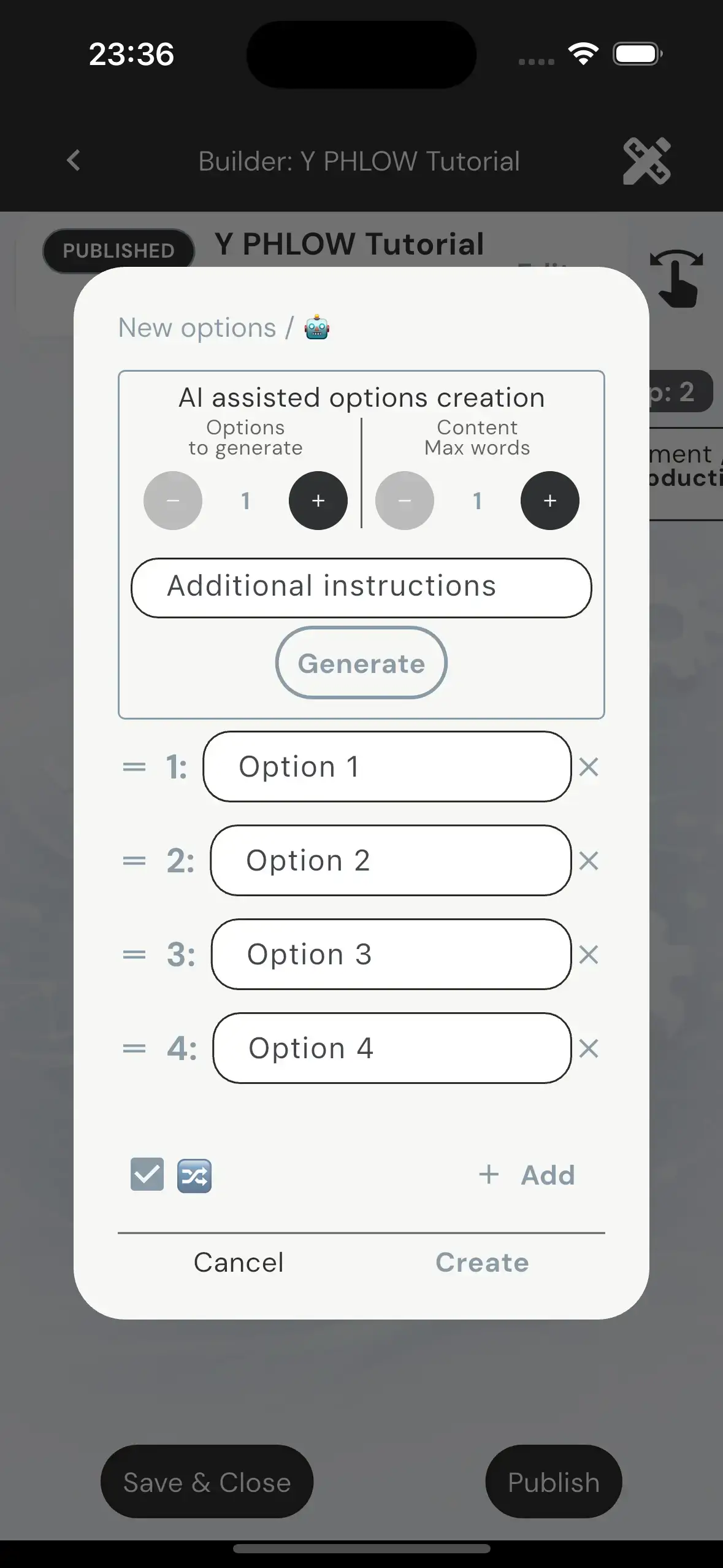
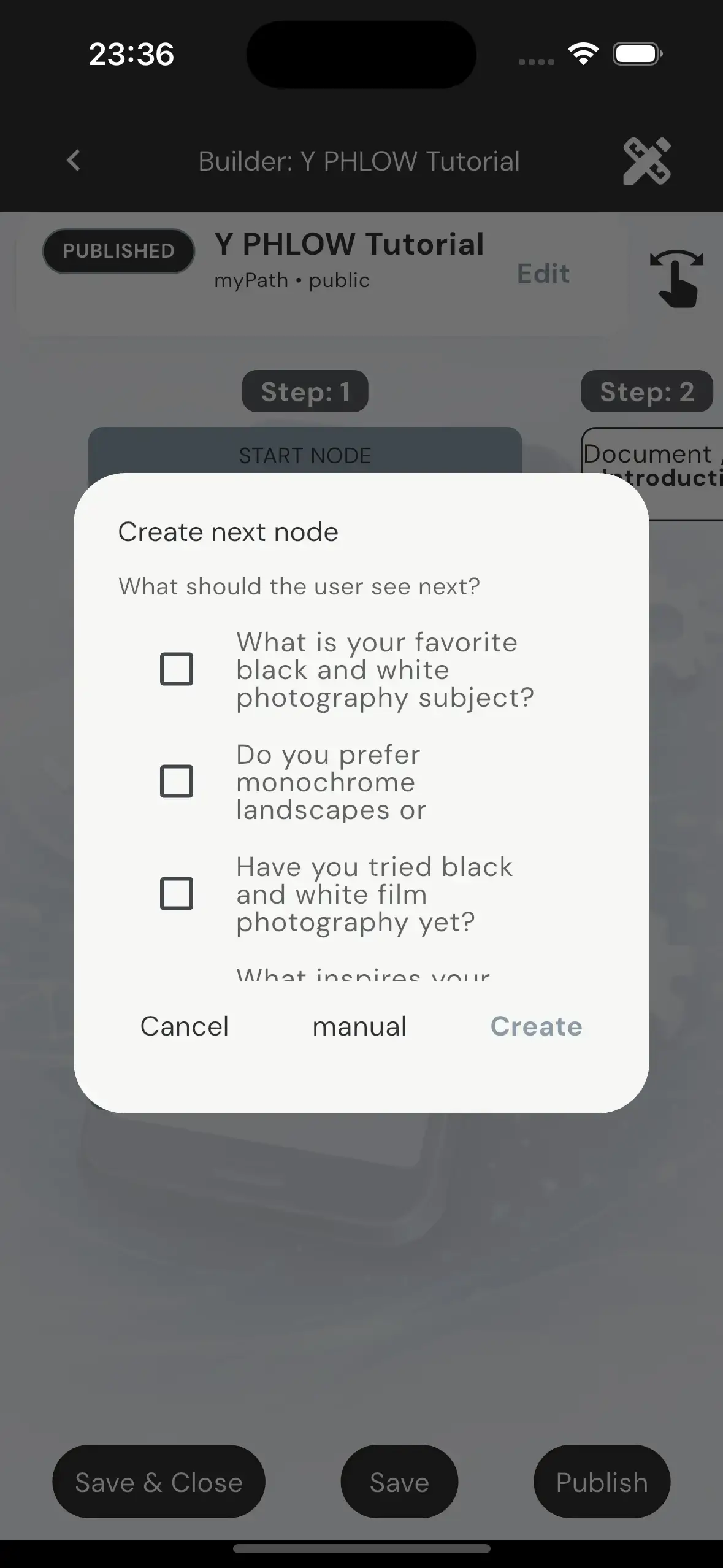
Options and node prompts can be generated based on the current context, helping accelerate creation while maintaining relevance and consistency.
The author remains fully in control, with the ability to accept, refine, or replace any generated content.
The author remains fully in control, with the ability to accept, refine, or replace any generated content.
AI assistance enhances the process, but does not replace author intent or decision-making.
A Phlow can be saved as a draft, edited over time, and published only when ready.
Publishing includes moderation and validation before the Phlow becomes available to participants.
By combining structured building with contextual assistance, Y Phlow enables the creation of complex, adaptable flows through a controlled and intuitive process.
NODES

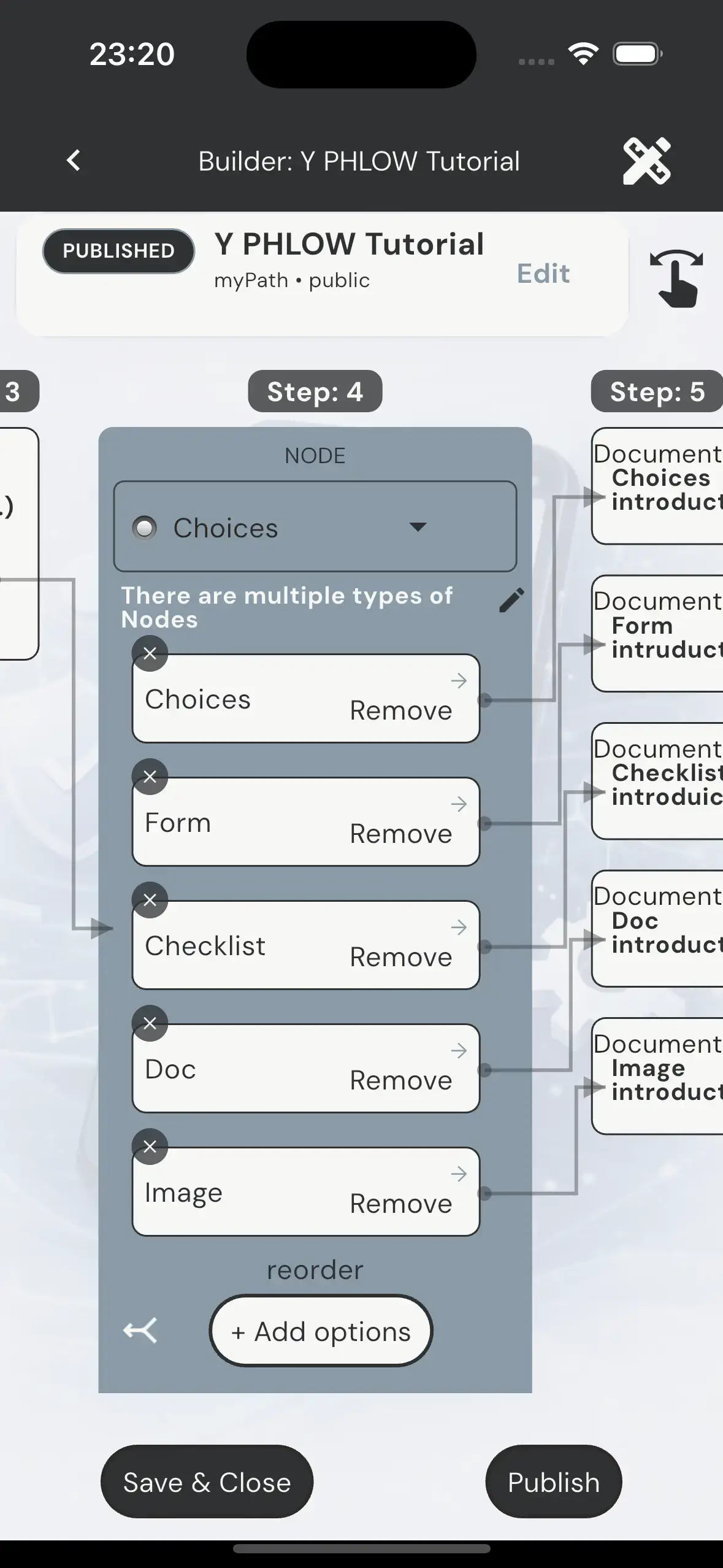
A Node is the core building unit of a Phlow. It represents a single step in an interactive flow, where the participant experiences a prompt, optional content, and a set of navigation options that determine the next step in the journey.
A Phlow is composed of multiple nodes connected together in a directed structure. Each participant experiences only one active node at a time, based on the option they selected in the previous step. The underlying graph may branch and converge, but the participant always follows a single path through it.
Navigation in a Phlow is strictly controlled by the author. Each option in a node defines the next destination node. The system does not allow reverse navigation through options, ensuring that the structure remains deterministic and forward-driven. Participants may only move backwards through the breadcrumb system, which resets and rebuilds the path from the selected point.
Nodes are not uniform. Each NodeType defines a different interaction model and layout structure. While all nodes share the same structural shell, their internal content behaves differently depending on type.
There are five NodeTypes: Choices, Form, Checklist, Image, and Doc. Each type defines how content is presented, how the participant interacts with it, and how much of the screen is allocated to each section such as artwork, prompt, content, and options.
Choices nodes are the default interaction type. They contain a prompt, theme-based artwork, and a set of options. Each option leads to another node, forming the branching structure of the Phlow.
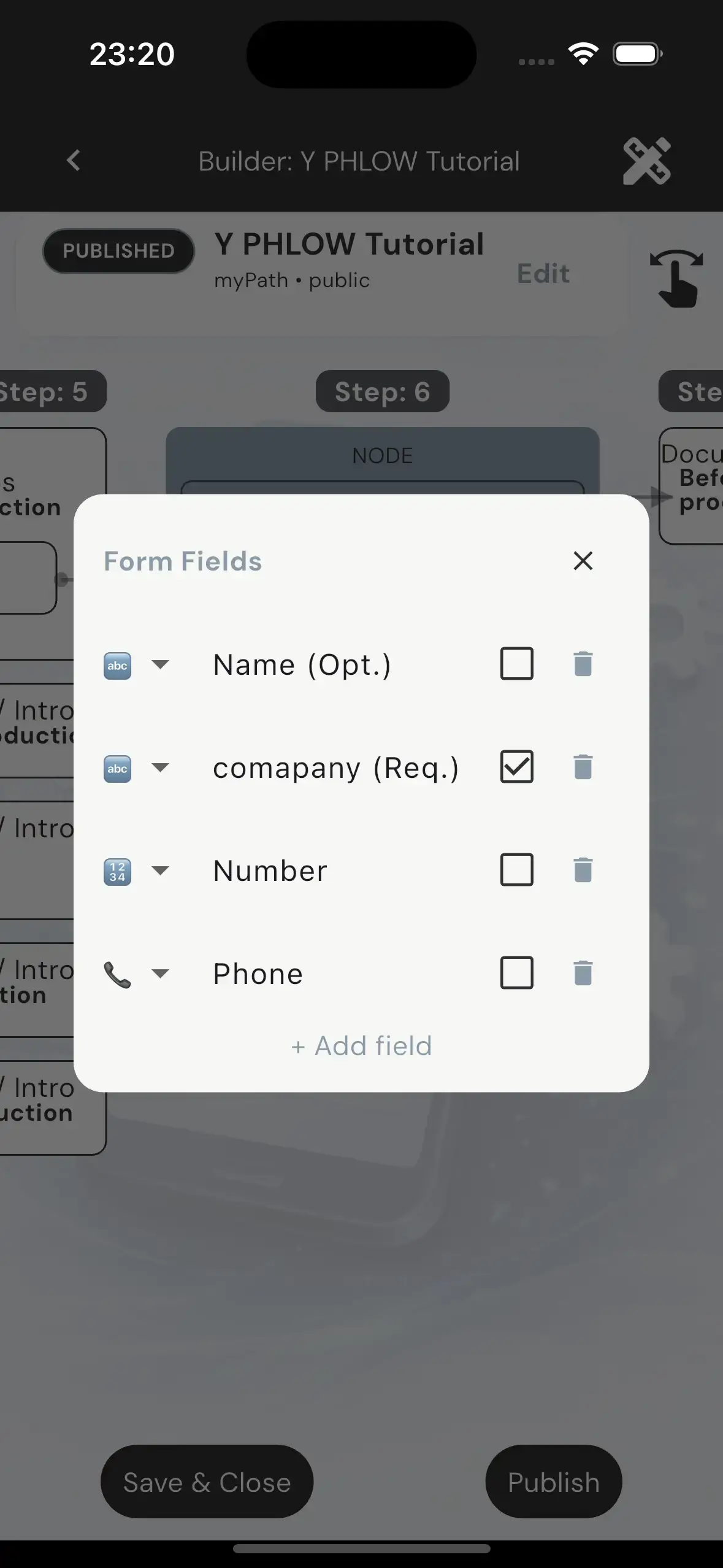
Form nodes introduce structured input. They include a prompt, reduced artwork, and a content area composed of input fields. These fields may be required or optional, but they do not affect navigation logic. Navigation is always controlled by options.
Checklist nodes allow participants to select multiple items from a scrollable, wrapped layout of checkboxes. Unlike forms, checklist selections are optional and do not impose validation rules. They exist purely as a flexible selection layer within the node.
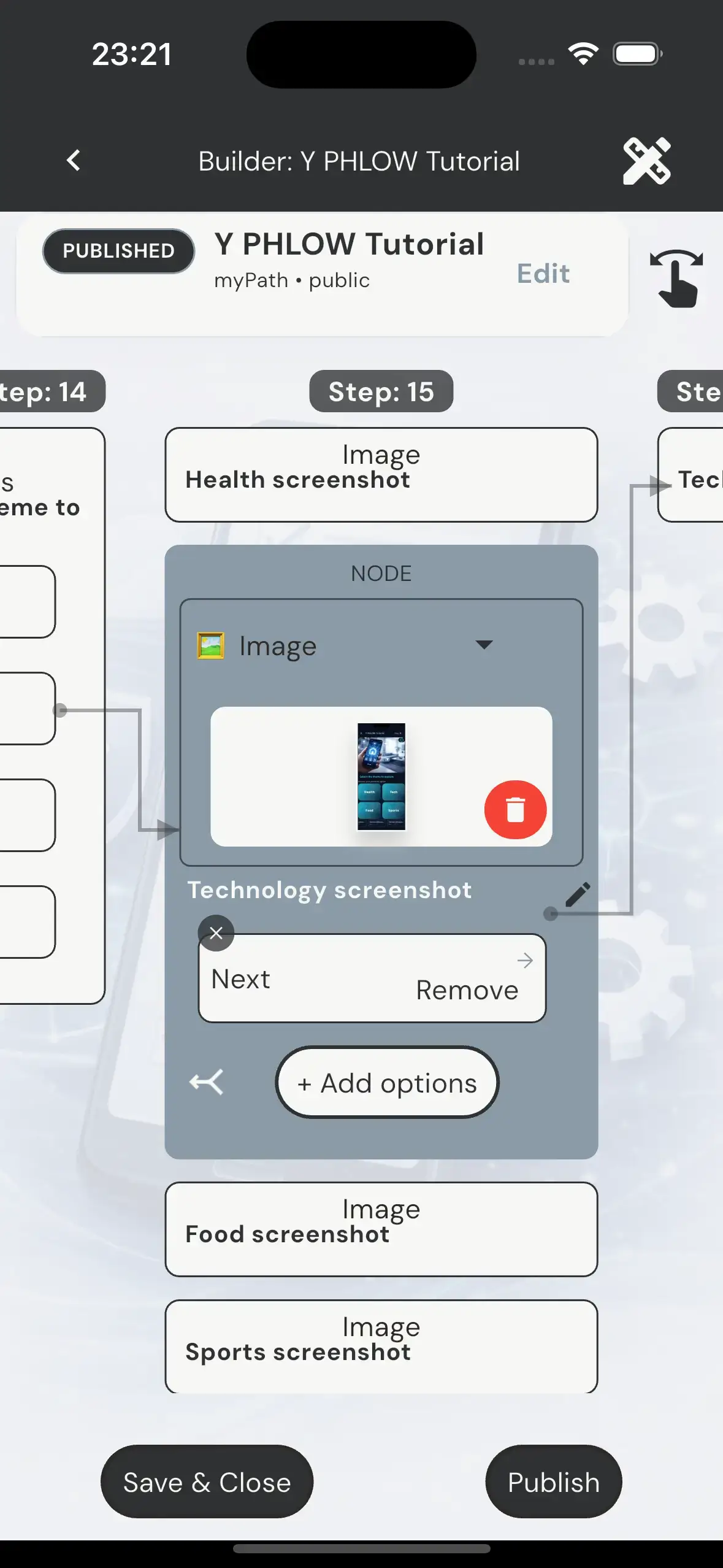
Image nodes are identical in structure to Choices nodes, but replace theme-based artwork with a fixed image defined by the author. This image serves only as visual context and has no impact on navigation or logic.
Doc nodes are informational nodes that present structured text content. They include a short title and a scrollable text area of up to 500 characters. These nodes are purely descriptive and do not involve input or selection behavior.

Nodes do not have titles. The only global title in the system belongs to the Phlow itself and appears at the top of the viewer screen. Nodes are defined solely by their Prompt, Content, Options, and navigation behavior.
WHITE LABEL TEMPLATES & READ-ONLY ARCHITACTURE
Introduction

Some Phlows in Y Phlow are created and maintained by the Y Phlow team as Template Phlows.
These Phlows are designed to serve as structured foundations that other users can adopt, customize, and publish for their own audiences.
When a user with an Ultimate plan acquires a Template Phlow, the system creates a duplicated copy of the original Phlow and transfers authorship of that copy to the user. This duplicated version becomes a White-label Phlow — a customizable instance of the original structure.

Although Template Phlows are typically configured as Read-only Phlows, they still allow controlled customization through a multi-layer permission system. This architecture enables authors to adapt content and branding to their own needs, while preserving the integrity of the original structure, navigation, and evaluation logic.
Introduction

At the Phlow level, a Read-only configuration locks the structural behavior of the entire Phlow.
When a Phlow is configured as Read-only, the duplicated author cannot modify:
- Navigation paths
- Node connections
- Flow structure
- Evaluation mode
- Routing behavior between nodes and options
This ensures that the logic and execution path defined by the original creator remain fully intact.
At the same time, the duplicated author can still customize several presentation-level aspects of the Phlow, including:
- Phlow title
- Description
- Branding information
- Logo image
- Important informational sections
- Design Mood (text color mood override)
- and more.....
The Design Theme itself remains fixed and cannot be replaced.
Similarly, the artwork library associated with the design theme is locked and cannot be modified.
This balance allows Template Phlows to maintain a consistent structure and identity while still supporting White-label adaptation for different audiences and use cases.
Although the Design theme is locked in a Read-only Phlow, the author can select "Color mood" which overrides the basic colors of the design theme.
Per demand, a new color mood can be added to Y Phlow, for a specific author or group of authors, this customized mood will override the design theme just like the predefined color moods.
Inside a Read-only Phlow, each individual Node can define its own editing permissions.
A Node can be configured as either:
- Editable
- Read-only
Editable Nodes allow the duplicated author to modify the content of the Node without affecting the structure of the Phlow itself.

Depending on the Node Type, editable changes may include:
- Changing the Prompt
- Modifying option labels
- Changing the Node Type itself
- Editing Form fields
- Editing Checklist items
- Editing document content
Even in editable Nodes, structural restrictions still apply:
- Options cannot be added or removed
- Evaluation values cannot be modified
- Navigation targets cannot be changed
- Routing between Nodes remains locked
This allows controlled content customization while preserving the integrity of the original navigation graph.
Read-only Nodes, on the other hand, are fully locked and cannot be modified by the duplicated author.
Some Read-only Nodes include an additional permission layer called CanAttach.
CanAttach acts as a controlled override system for specific editable surfaces inside an otherwise locked Node.
A Node can only enable CanAttach if the Node itself is configured as Read-only.

When CanAttach is enabled, the duplicated author is allowed to modify selected content elements while the Node structure and navigation remain completely locked.
Allowed modifications include:
- Changing the Prompt of any Node Type
- Changing the image of an Image Node
- Changing the document title and document data of a Doc Node
All other restrictions remain enforced:
- Navigation cannot be modified
- Options cannot be added or removed
- Evaluation values remain locked
- Node routing remains immutable
This permission model enables highly controlled White-label customization while ensuring that the core structure and logic of the original Phlow remain protected.
Final words
The Template permission architecture of Y Phlow is designed to balance flexibility with structural integrity.
By separating permissions into Phlow-level, Node-level, and in-node override layers, Y Phlow enables large-scale reusable systems that can be safely adapted for different organizations, audiences, and purposes without compromising the original logic and navigation architecture.
This approach allows Template Phlows to function both as protected frameworks and as customizable experiences, supporting scalable White-label distribution while maintaining consistency, reliability, and authorial control.
CLOSING NOTES
While this overview covers the core concepts, the full depth of Y Phlow is best understood through experience. Explore the Phlows repository and start building your own flows.
✨ Did you notice the hidden pattern?
Hover or tap the cards and watch the right border.
The colors follow a logic of their own.
Think you’ve figured it out?
Tell us: yphlow@yahaloms.com
Built and designed by Yahalom Software