
FULL DOCUMENTATION
This page is Y Phlow's full documentation page — a structured page designed to introduce the architecture, concepts, design principles, and creation process behind Y Phlow with deep technical description of all the concepts of the system, with Diagrams , Photos, Widgets, Guided processes and more.
Y Phlow is available to download free from the mobile app stores and features a web app with featured Phlows



Google Play store | Apple AppStore | Web Application
Current stable version: 0.9.1 | Published: June 23rd, 2026
HISTORY
Y Phlow began as a platform for creating polls and surveys, originally introduced under the name "Y Survey".
Early in its development, it became clear that the underlying concept extended far beyond traditional survey use cases.
What started as a simple tool for collecting answers evolved into a flexible system for building structured flows of logic, decisions, and interactions.
BASICS

Y Phlow allows you to design dynamic experiences composed of interconnected nodes, where each step can lead to multiple outcomes based on user input or predefined conditions.
These flows can represent anything from decision trees and guided processes, to onboarding experiences, user manuals, reservation environments, schedulers, exams, automation scenarios, and complex business logic.
At its core, Y Phlow is a flow-based engine for creating and managing interactive logic in a visual and structured way.
Instead of writing code, users define behavior by connecting nodes and configuring their relationships, making complex systems easier to design, understand, and maintain.
Each flow begins with a starting point and progresses through a series of nodes. Every node represents a step — a question, an action, or a decision.
Based on responses or conditions, the flow continues along different paths, allowing precise control over outcomes without sacrificing flexibility.
Y Phlow is designed to bridge the gap between ideas and execution, enabling structured thinking without the overhead of traditional development.
It provides a foundation for building systems that are both powerful and adaptable, while remaining clear and intuitive to work with.
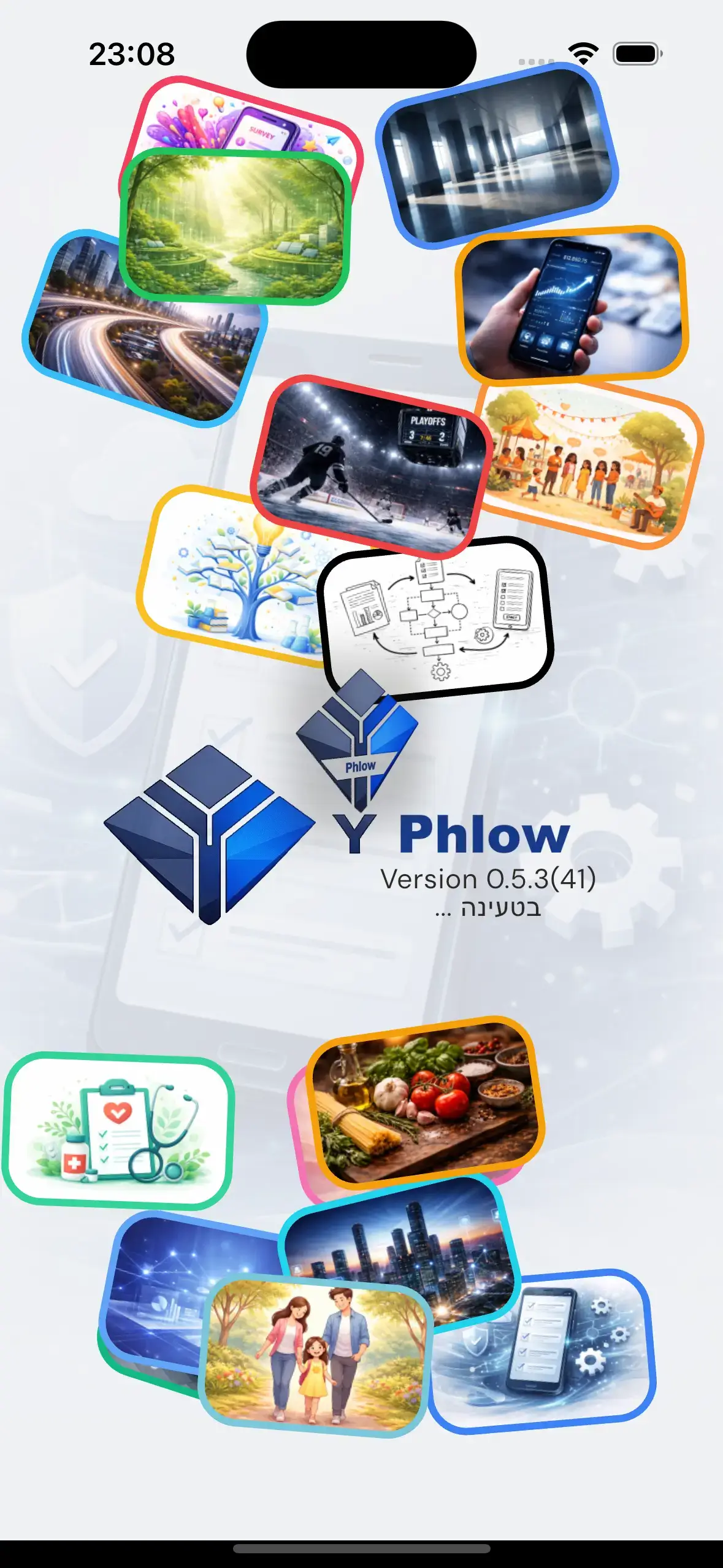
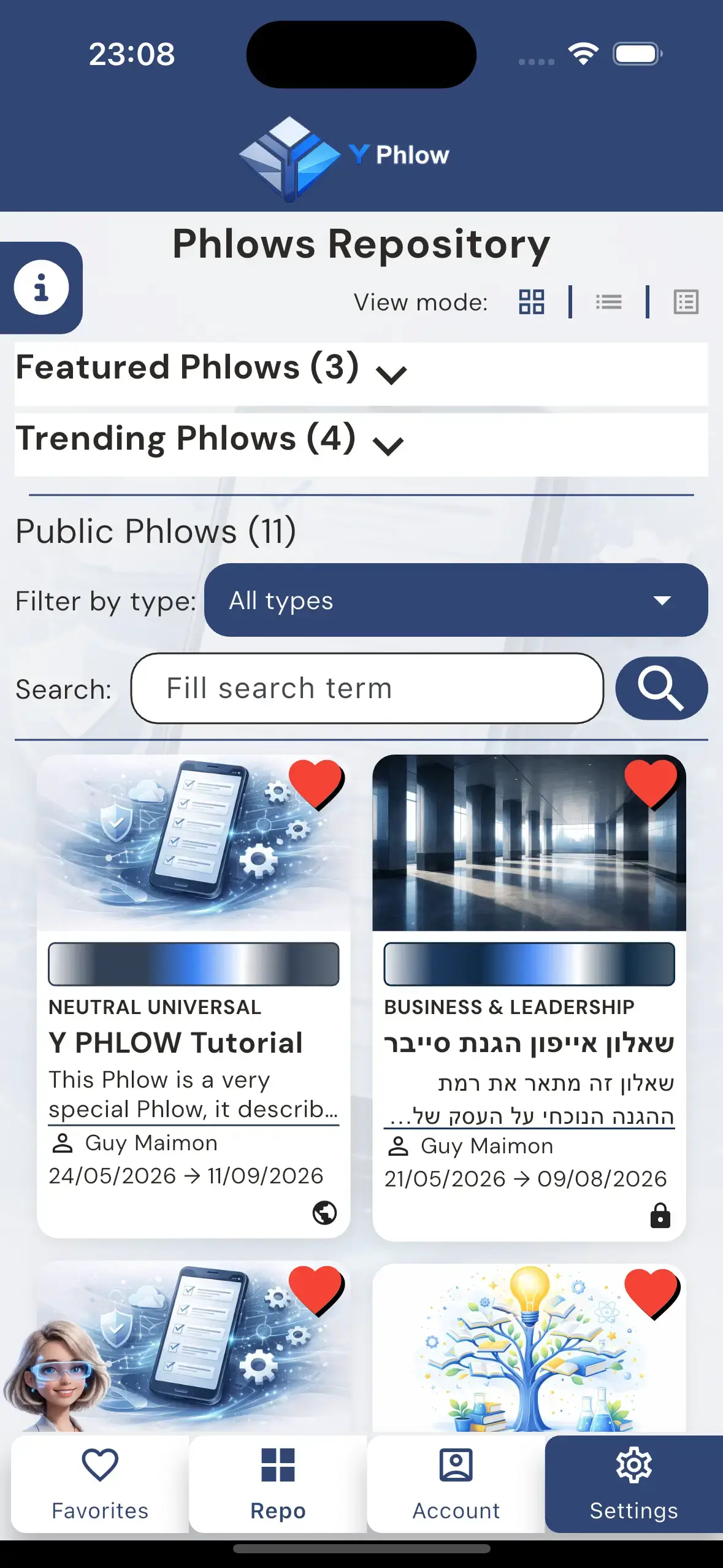
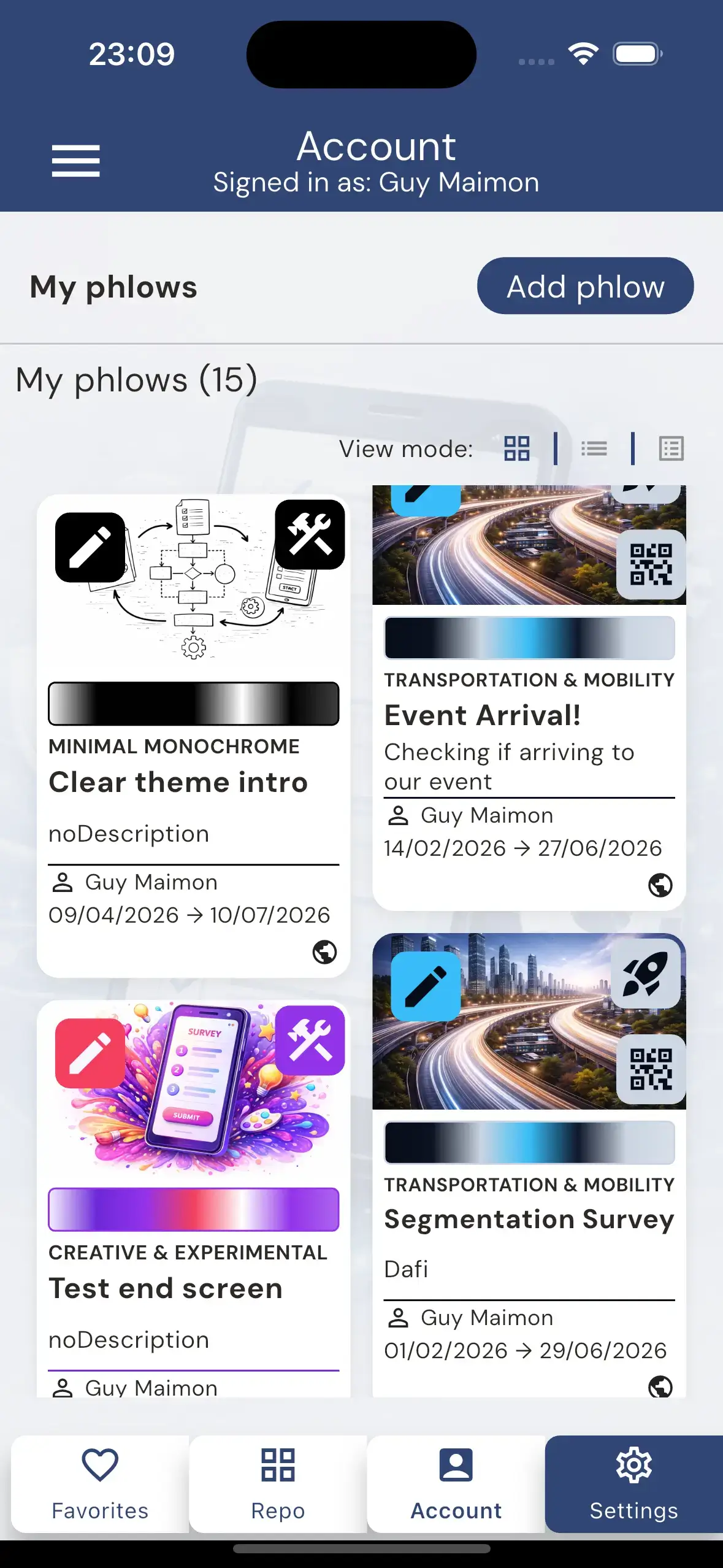
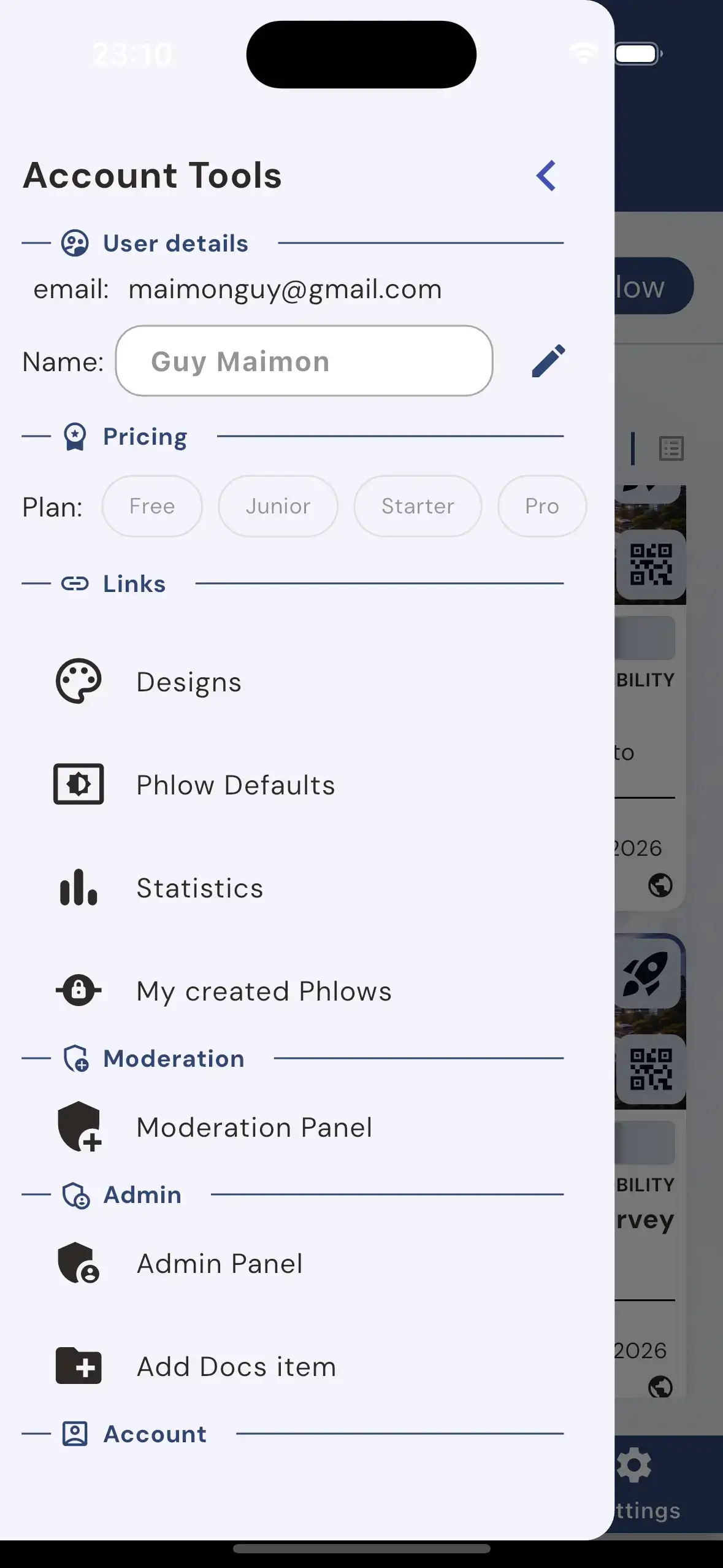
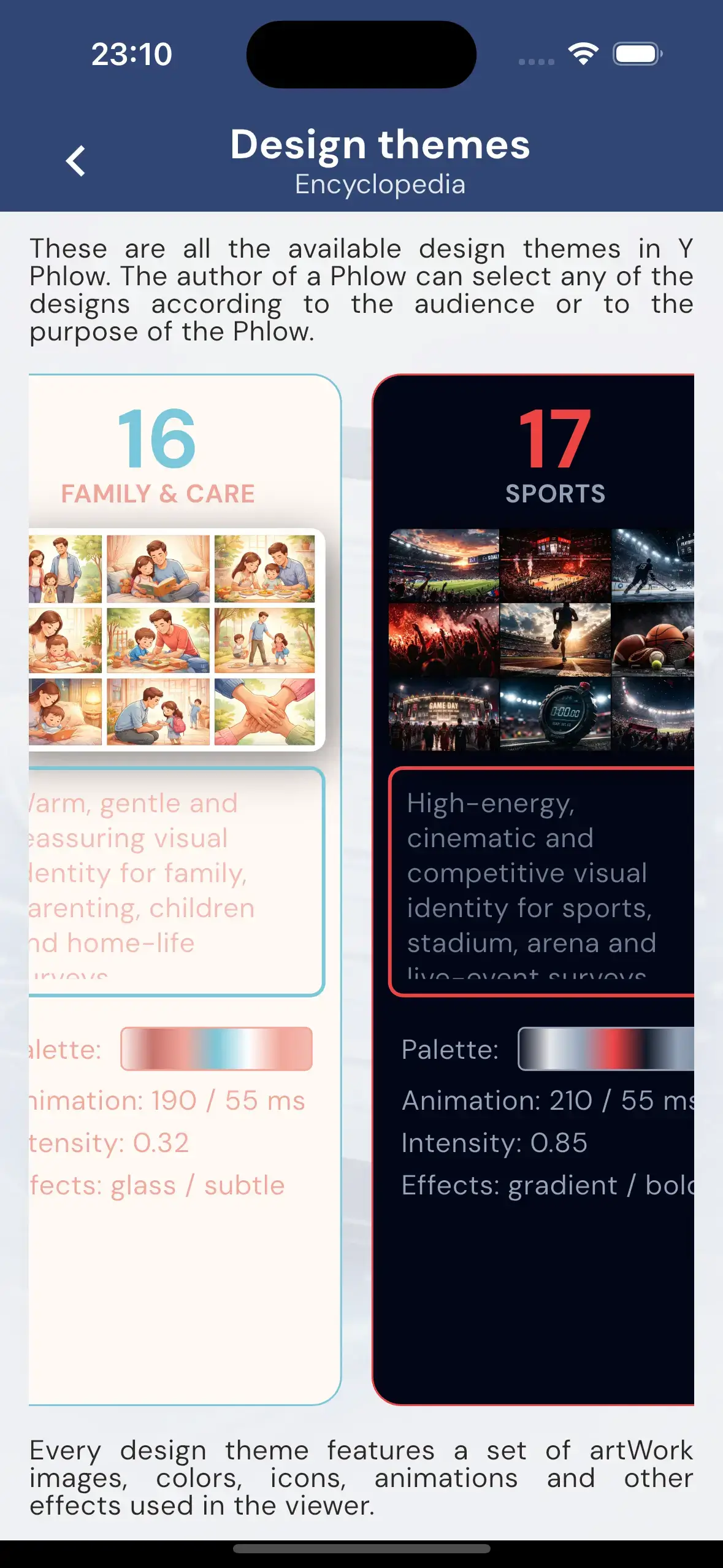
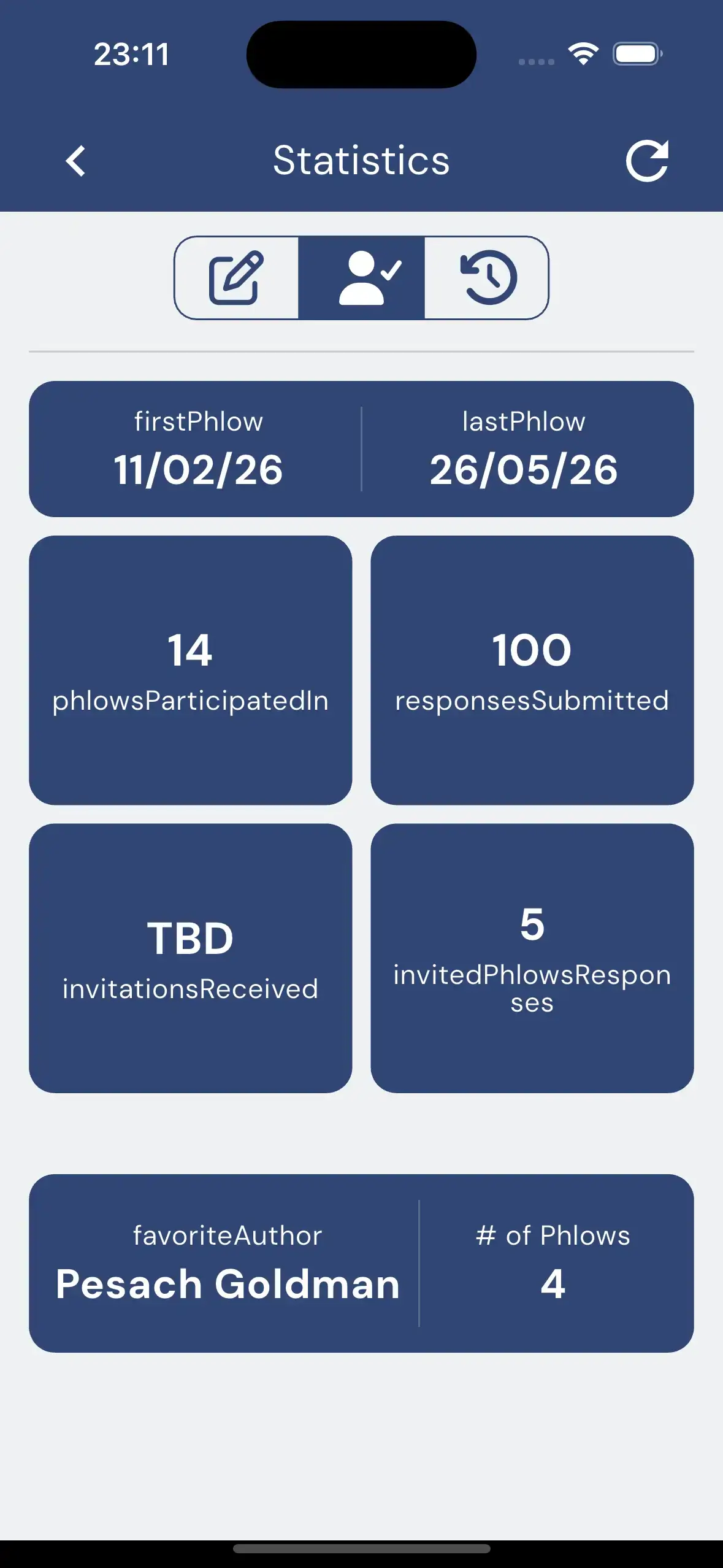
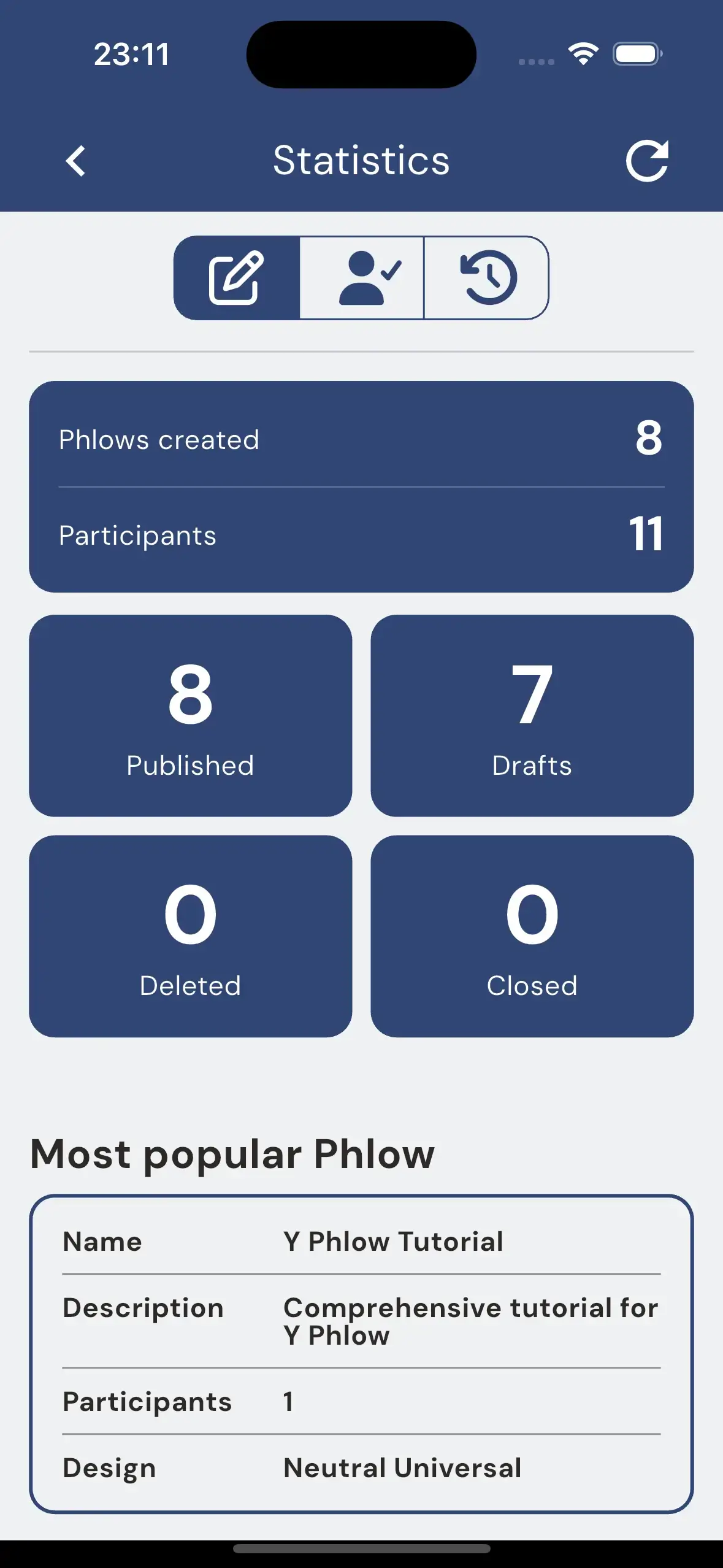
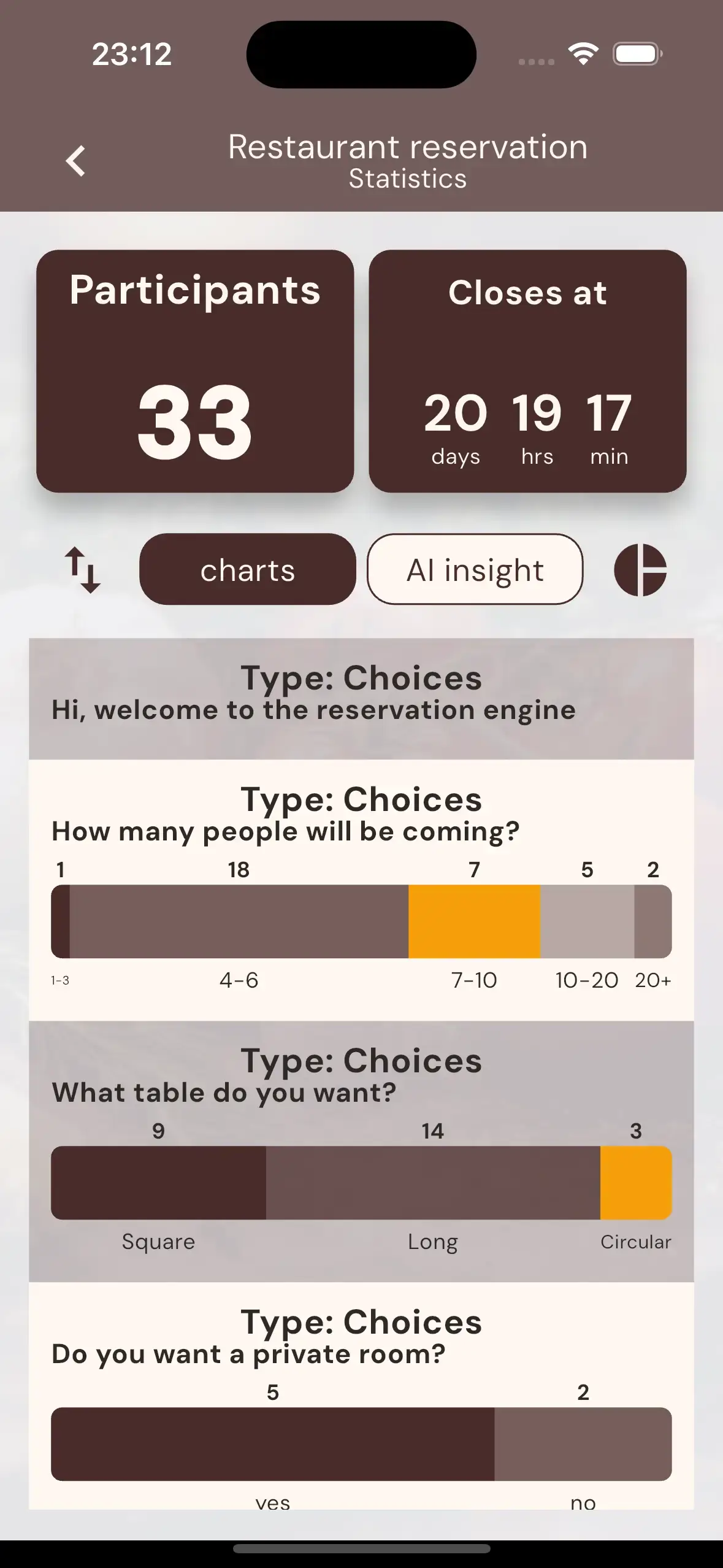
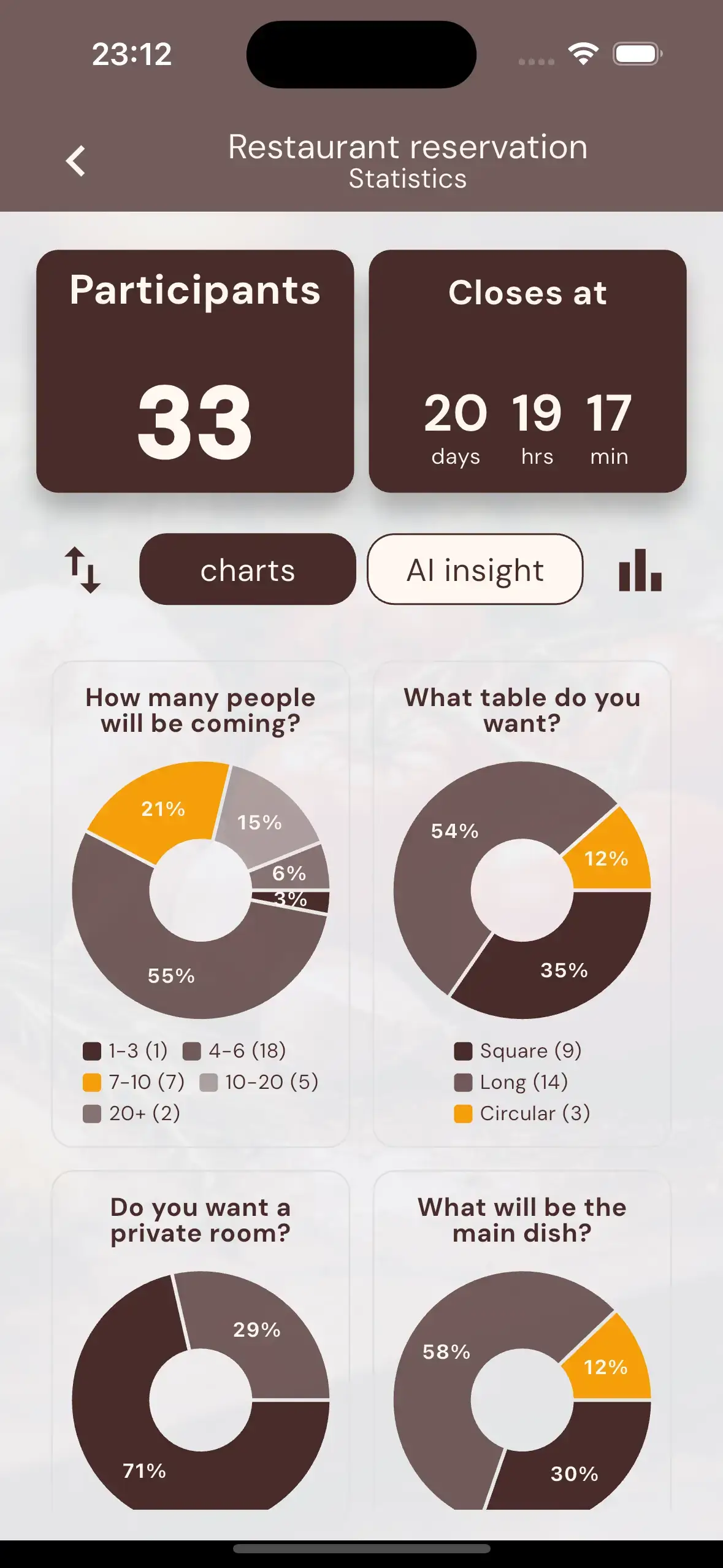
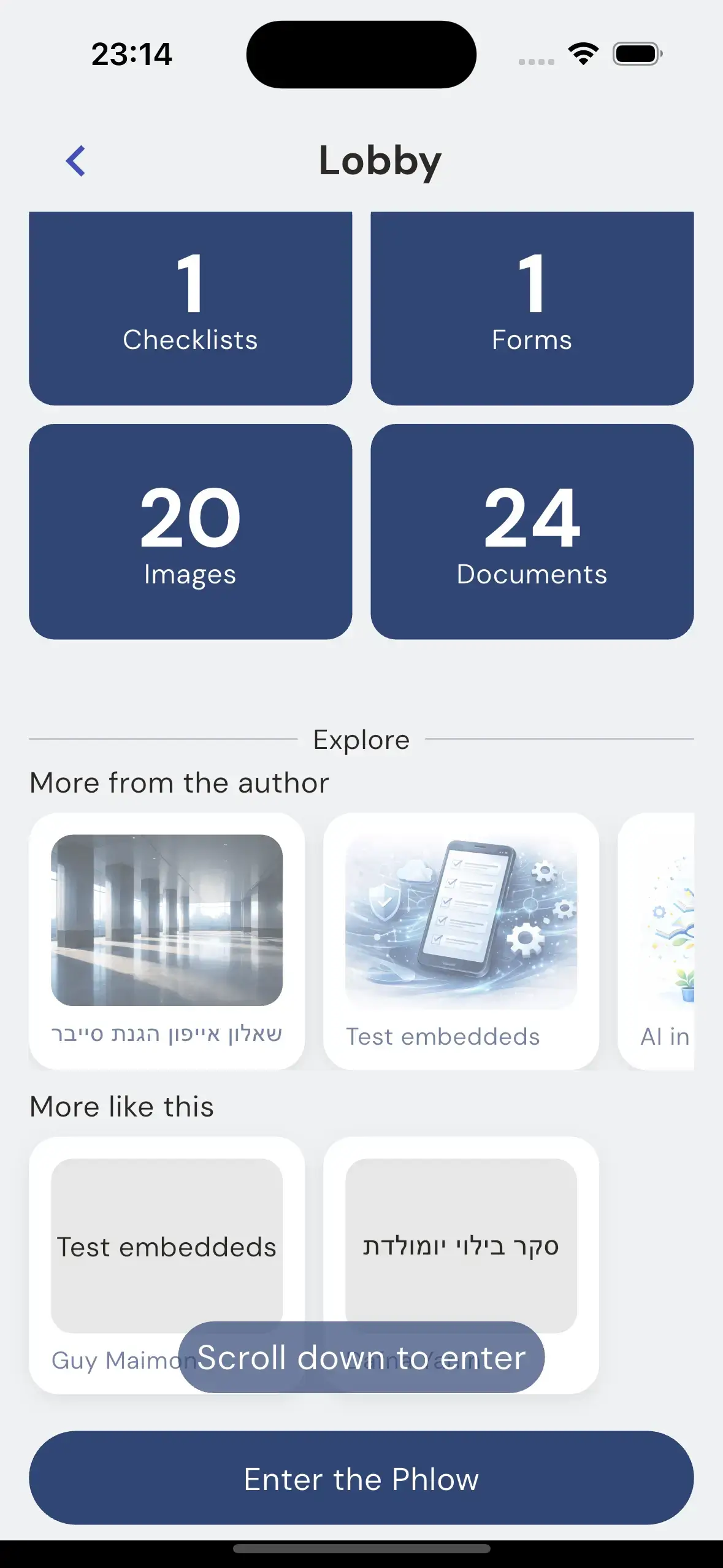
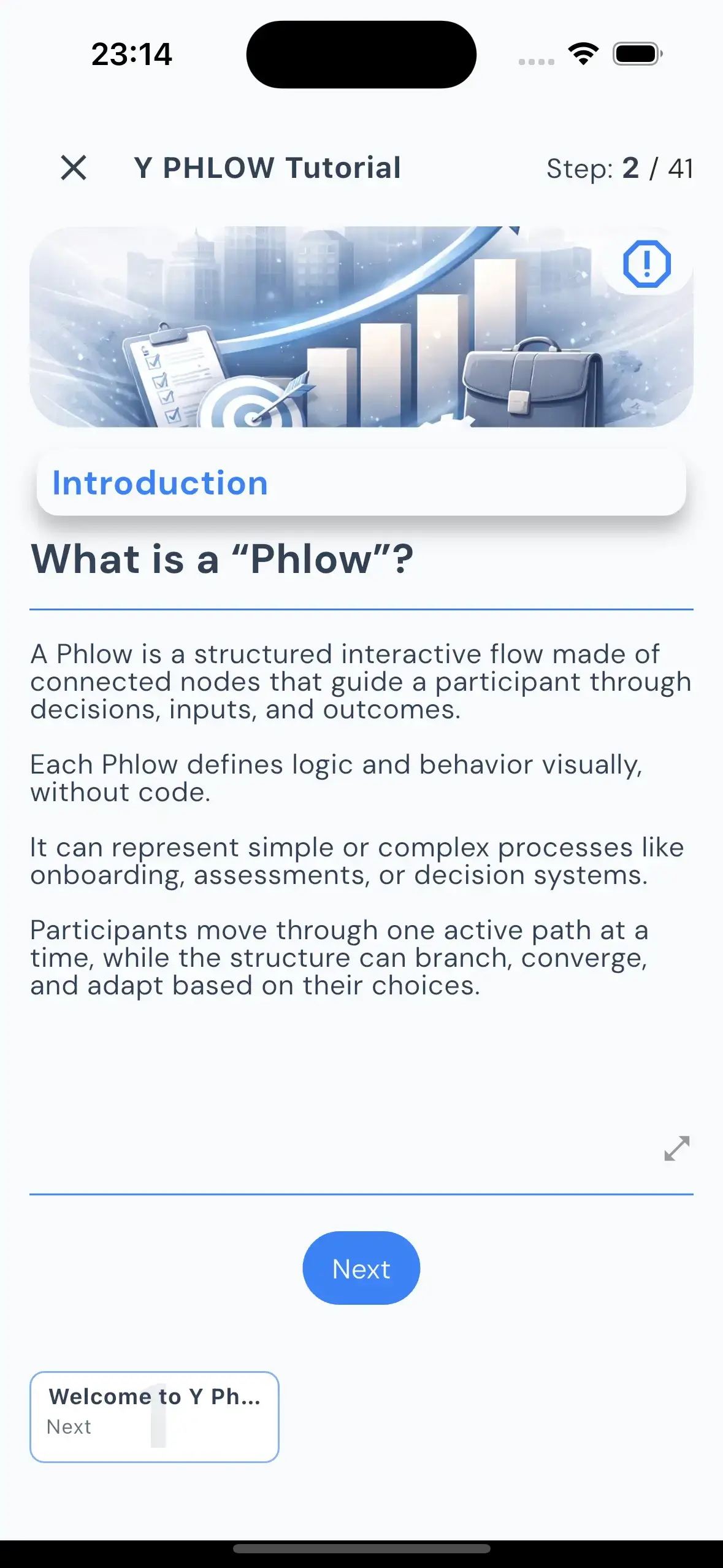
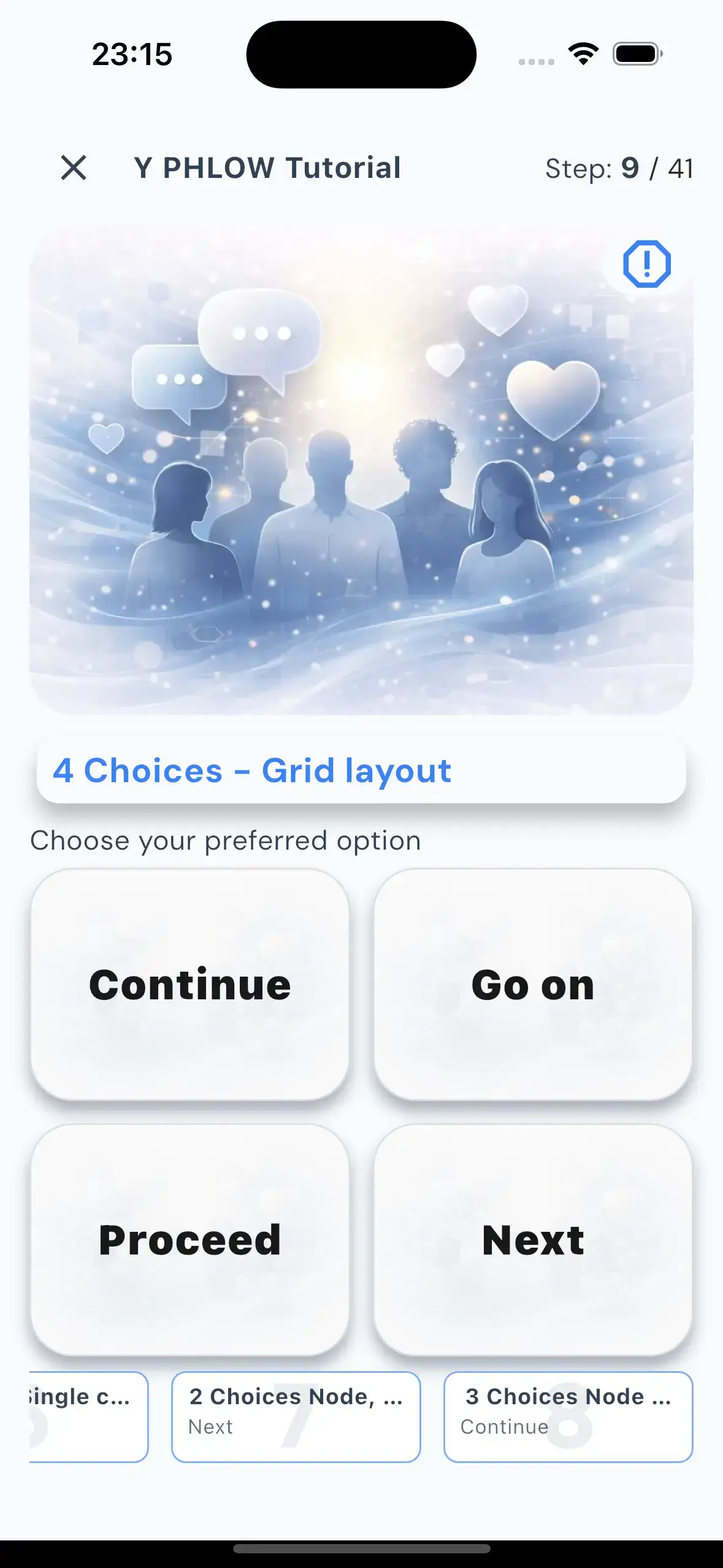
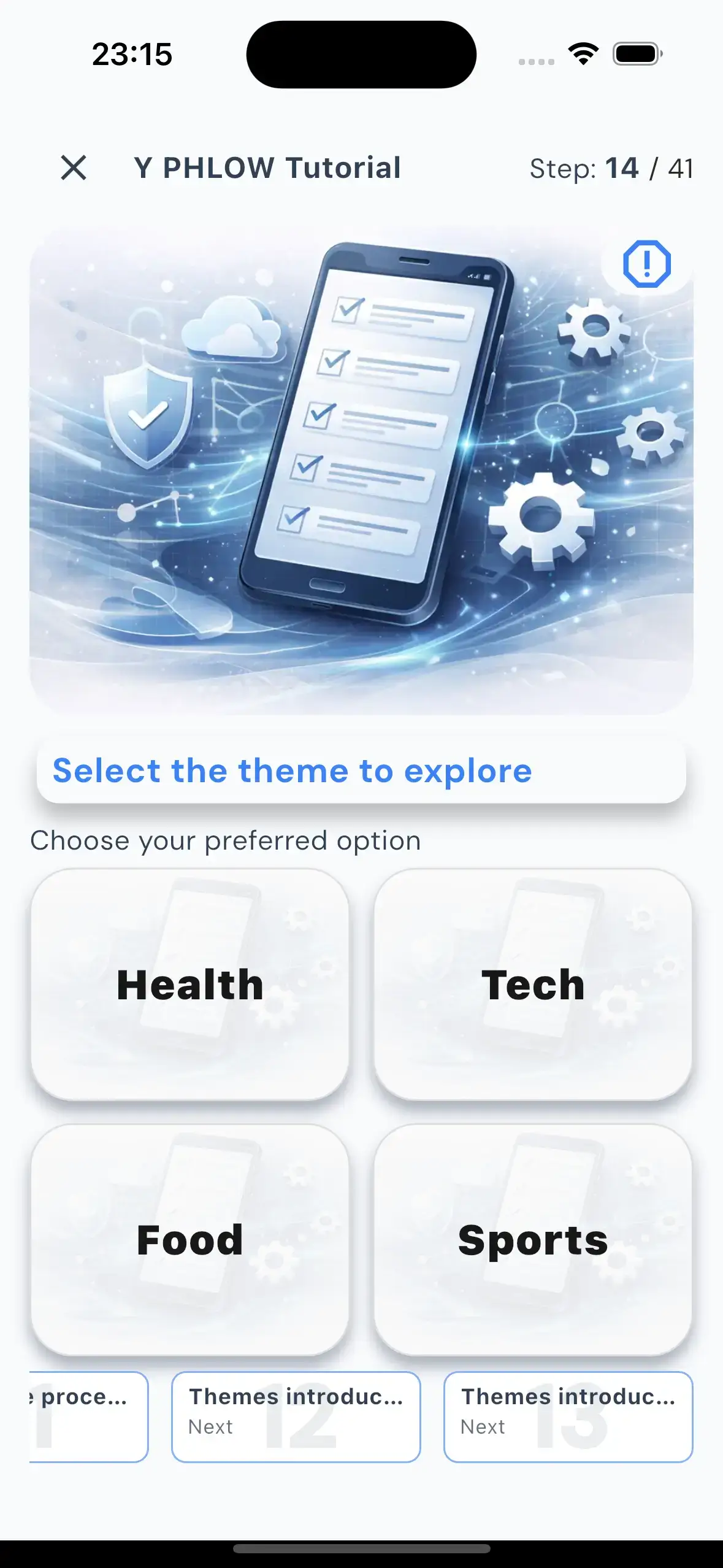
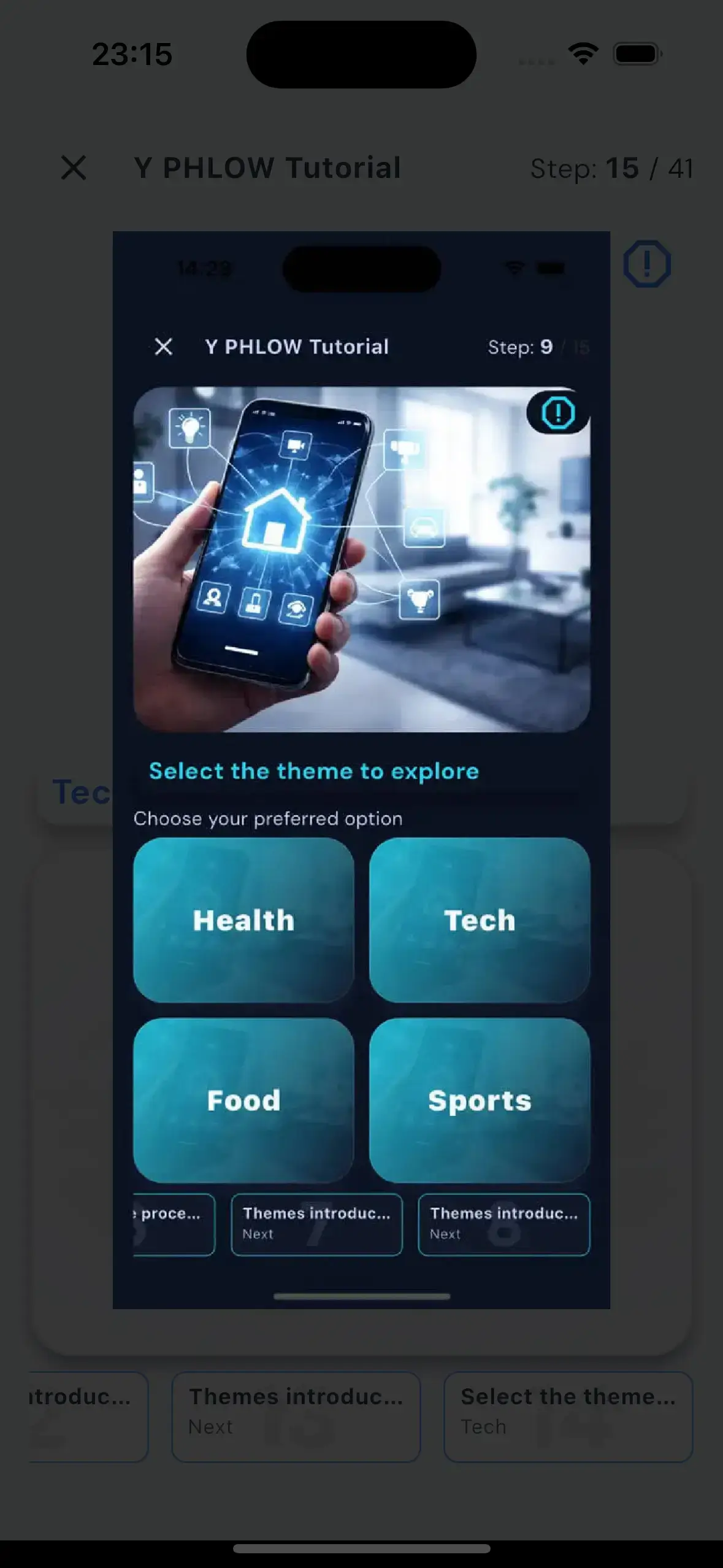
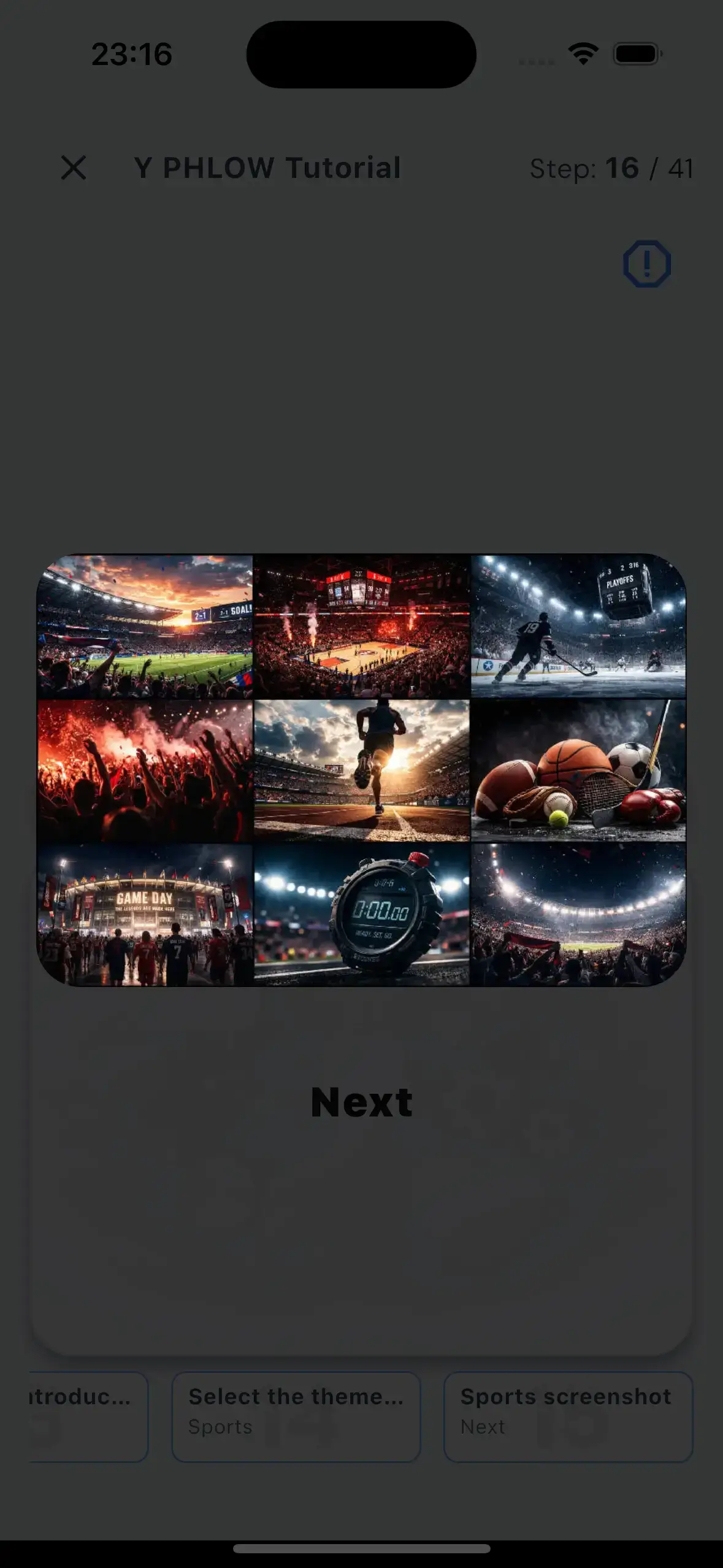
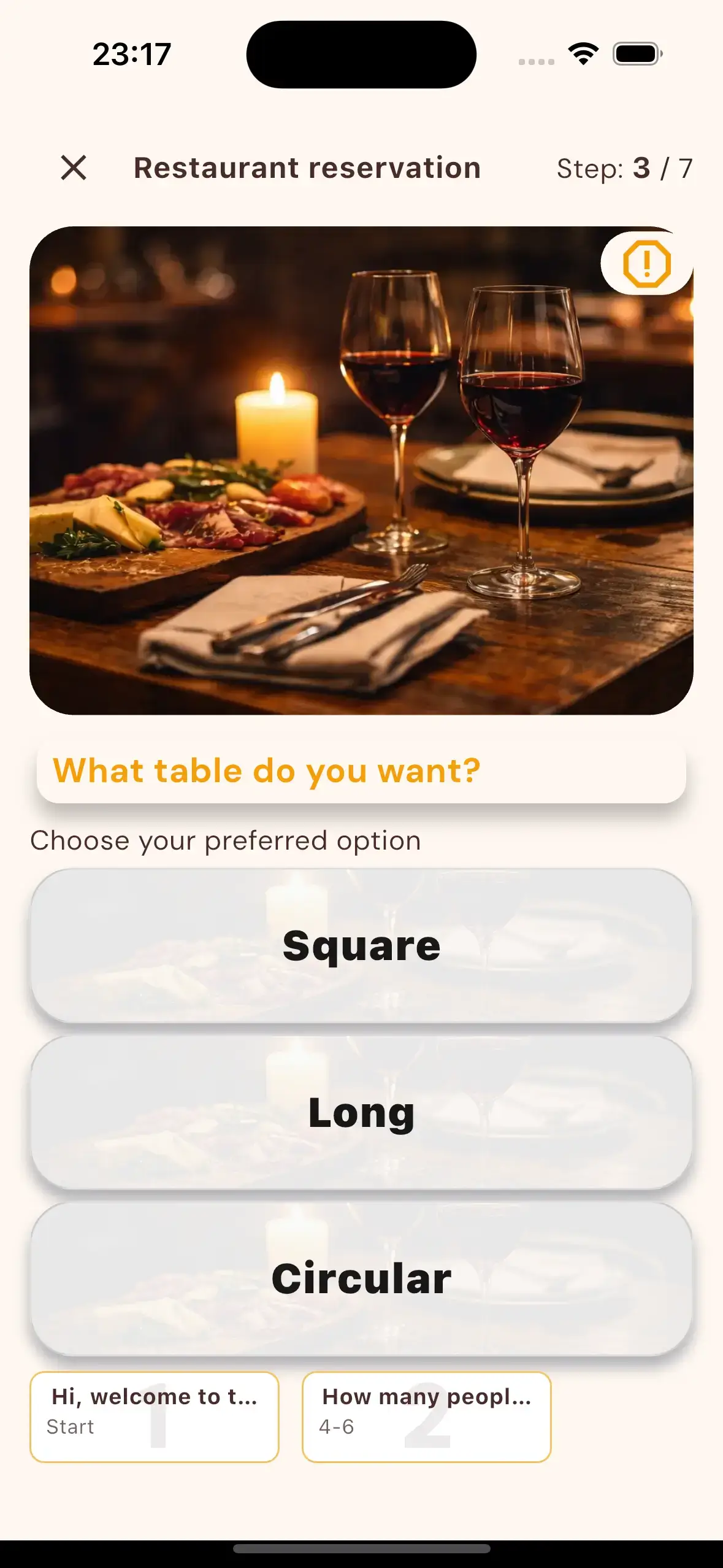
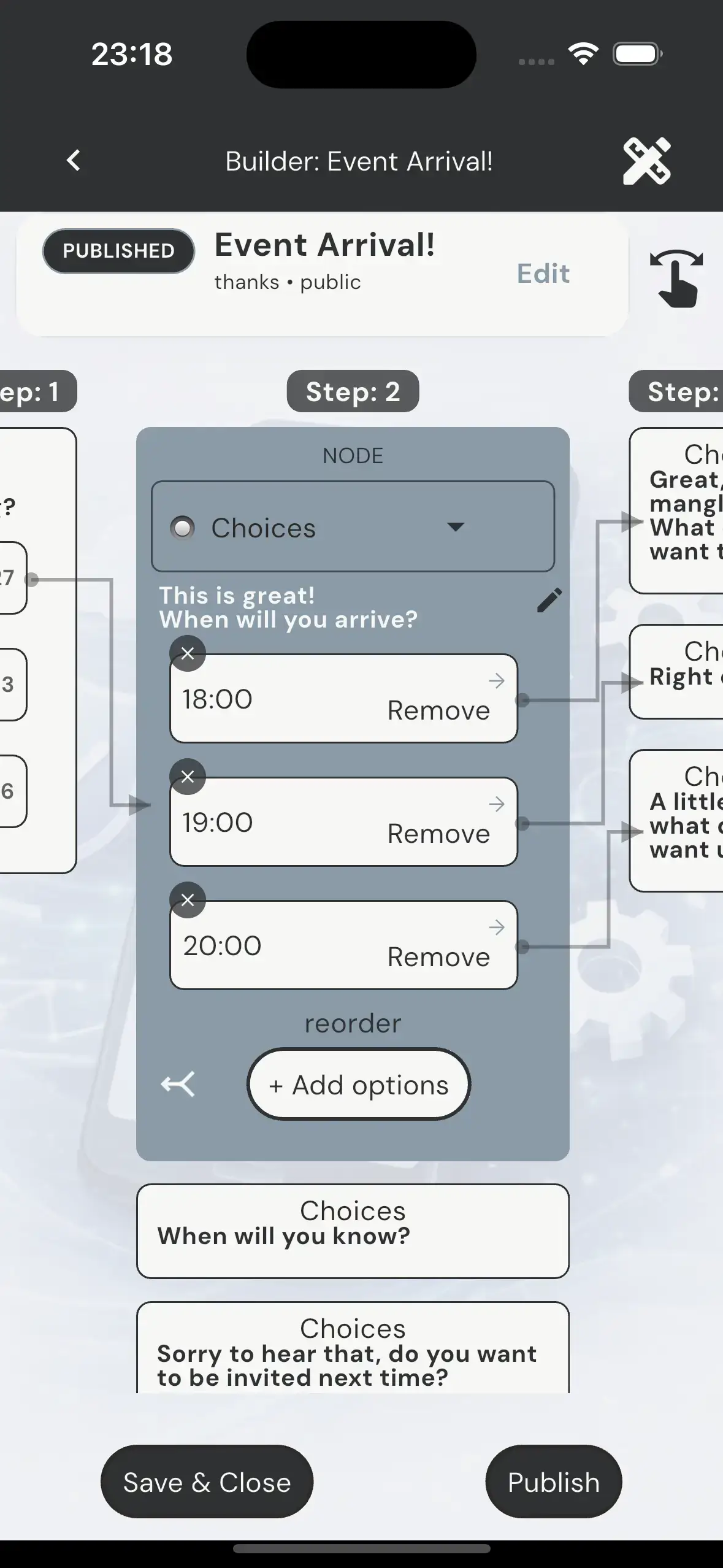
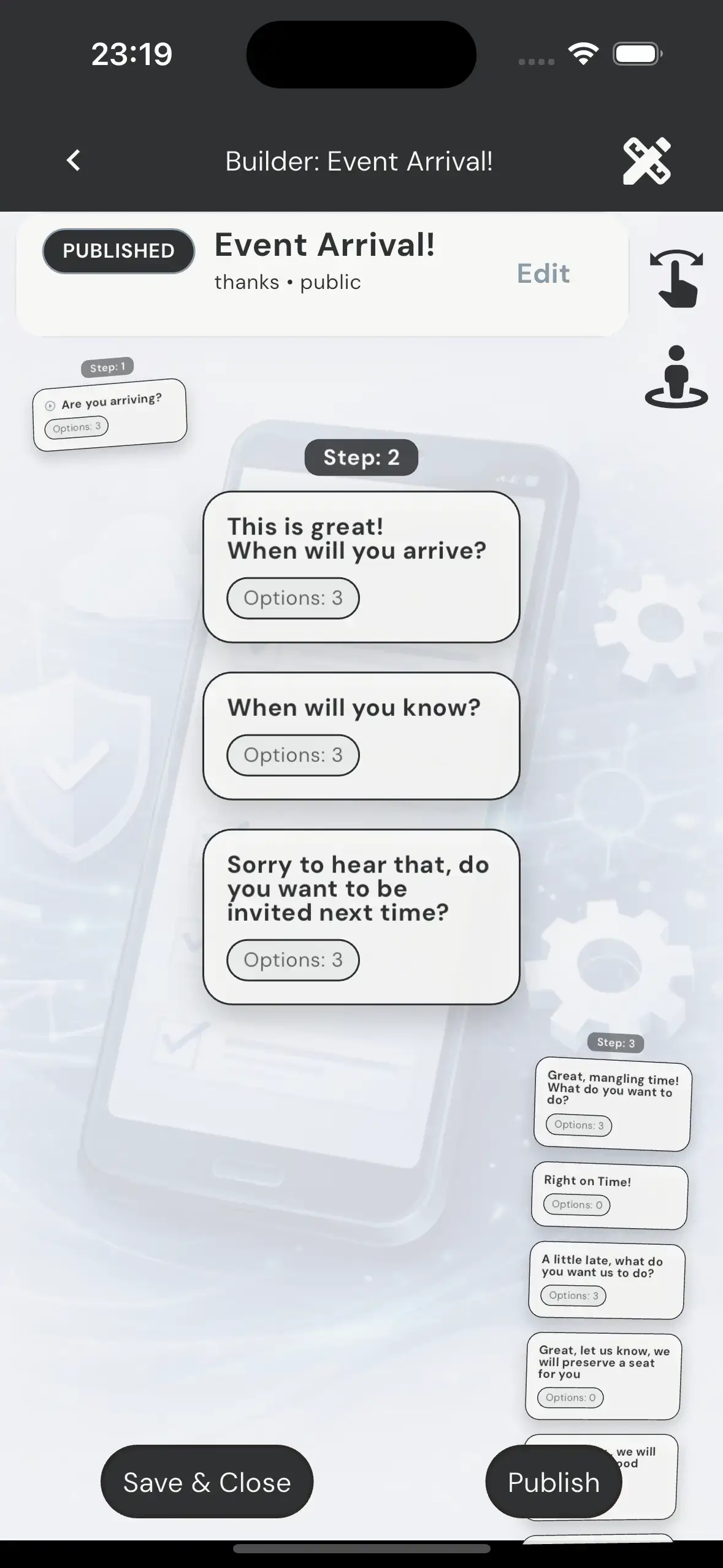
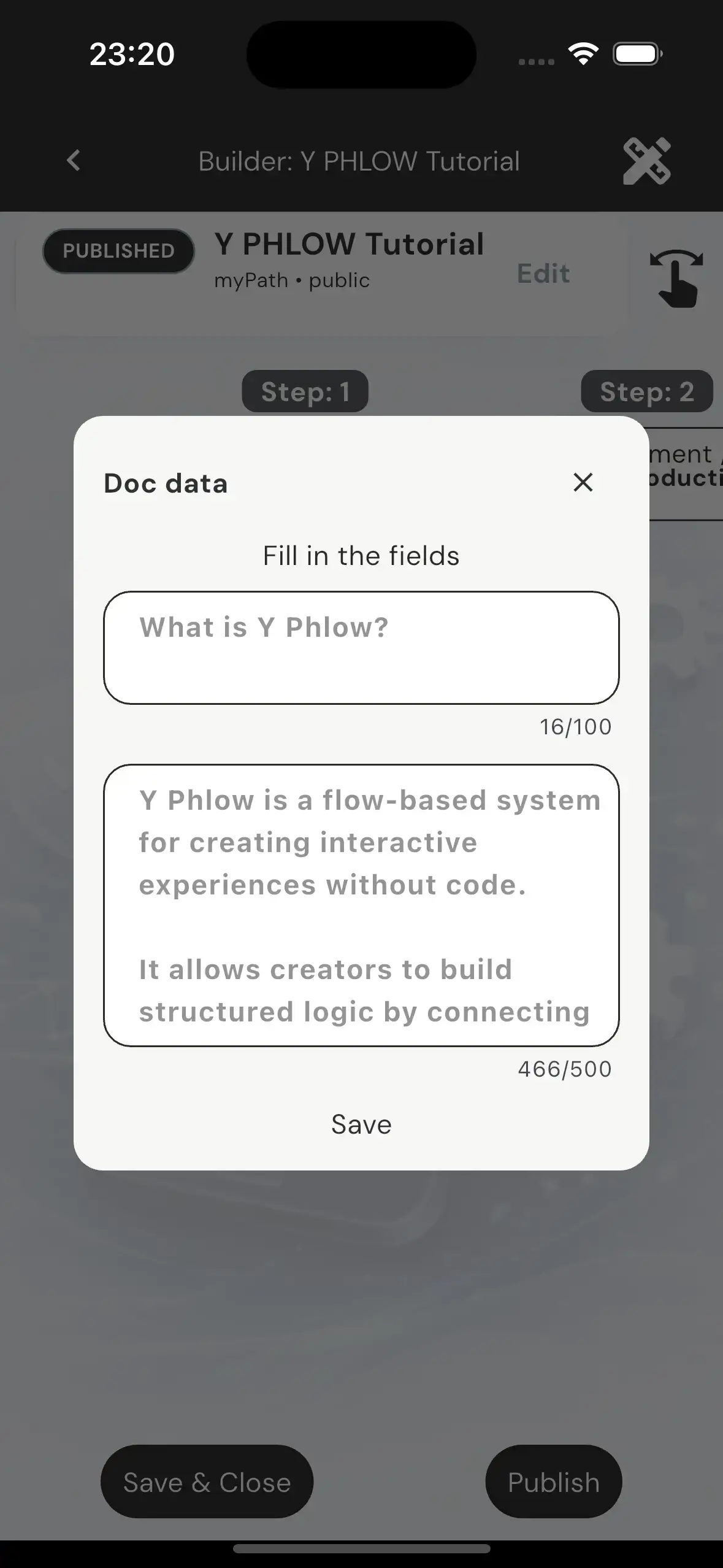
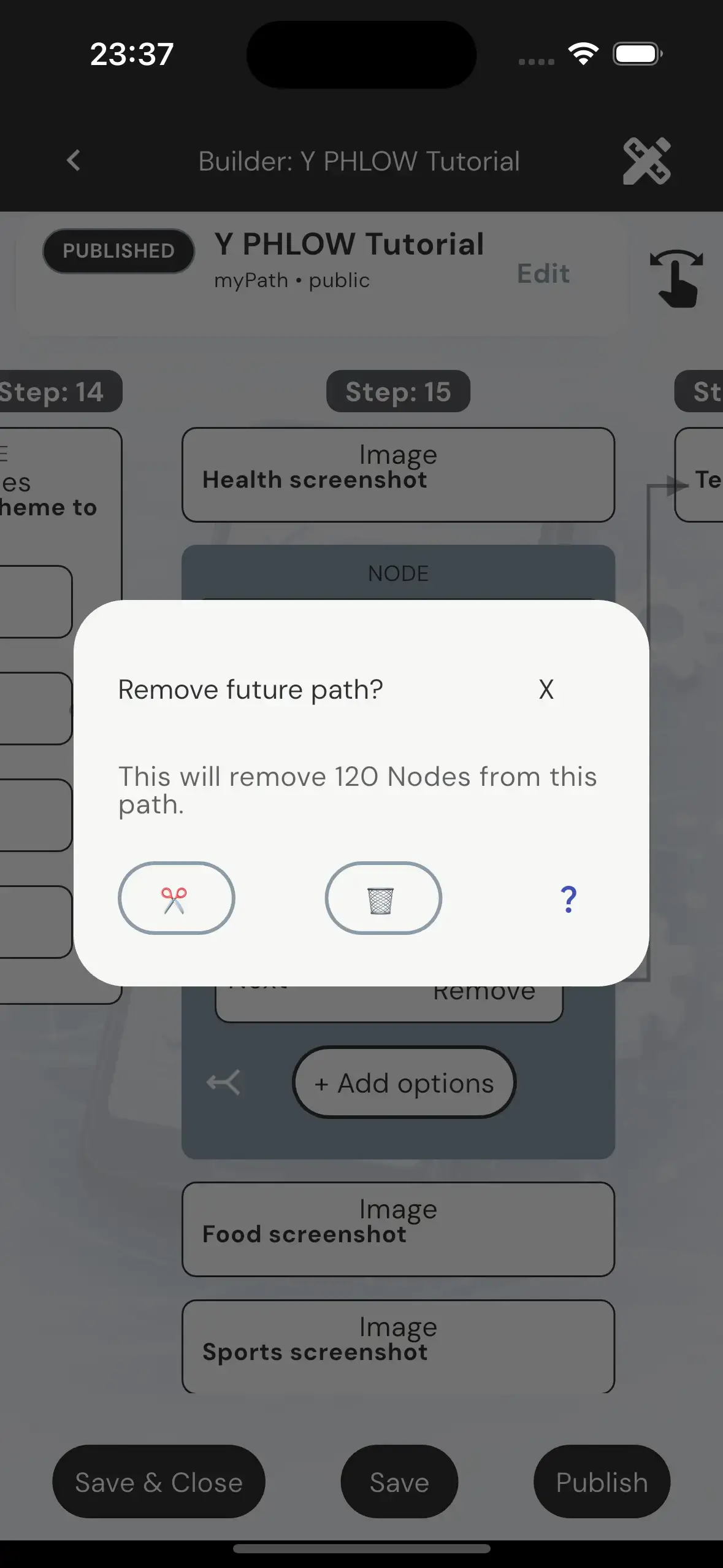
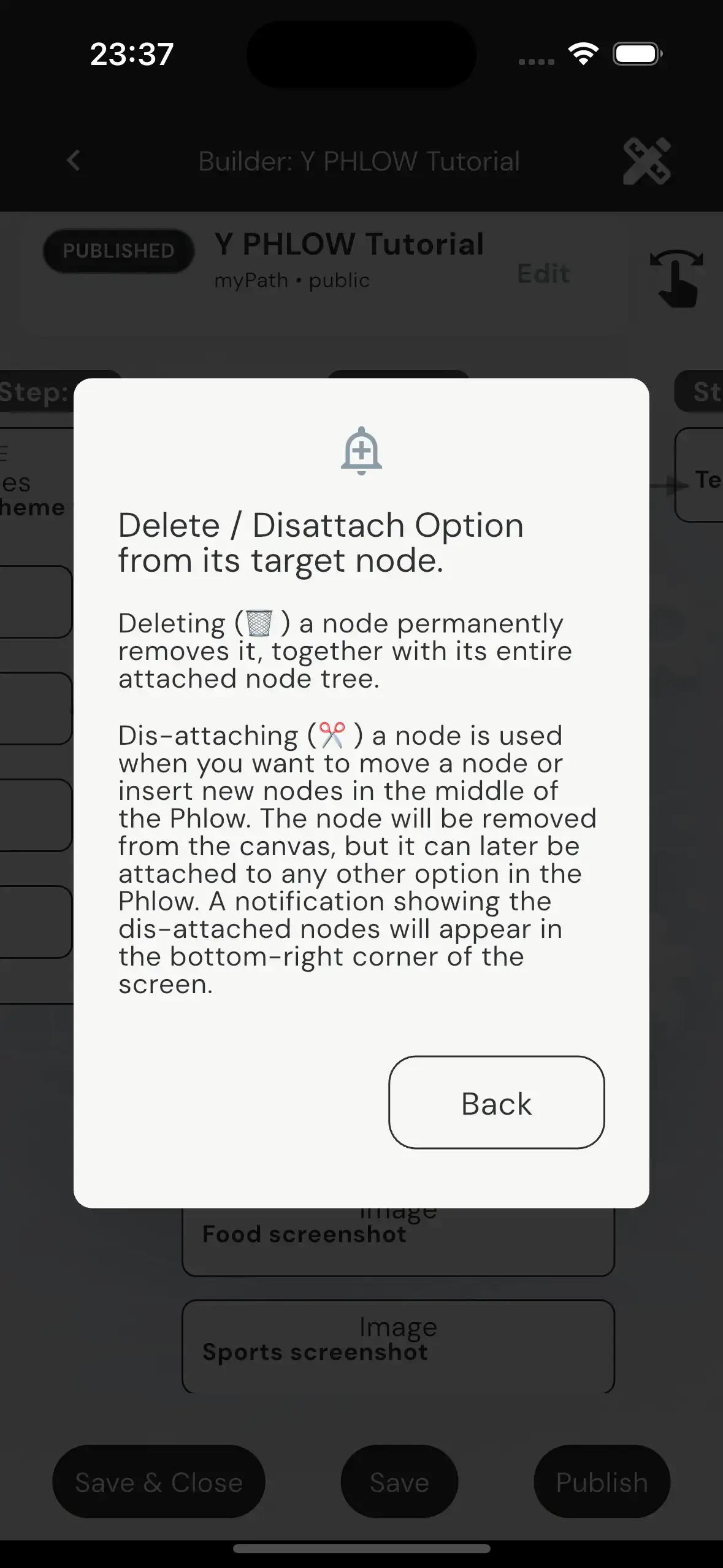
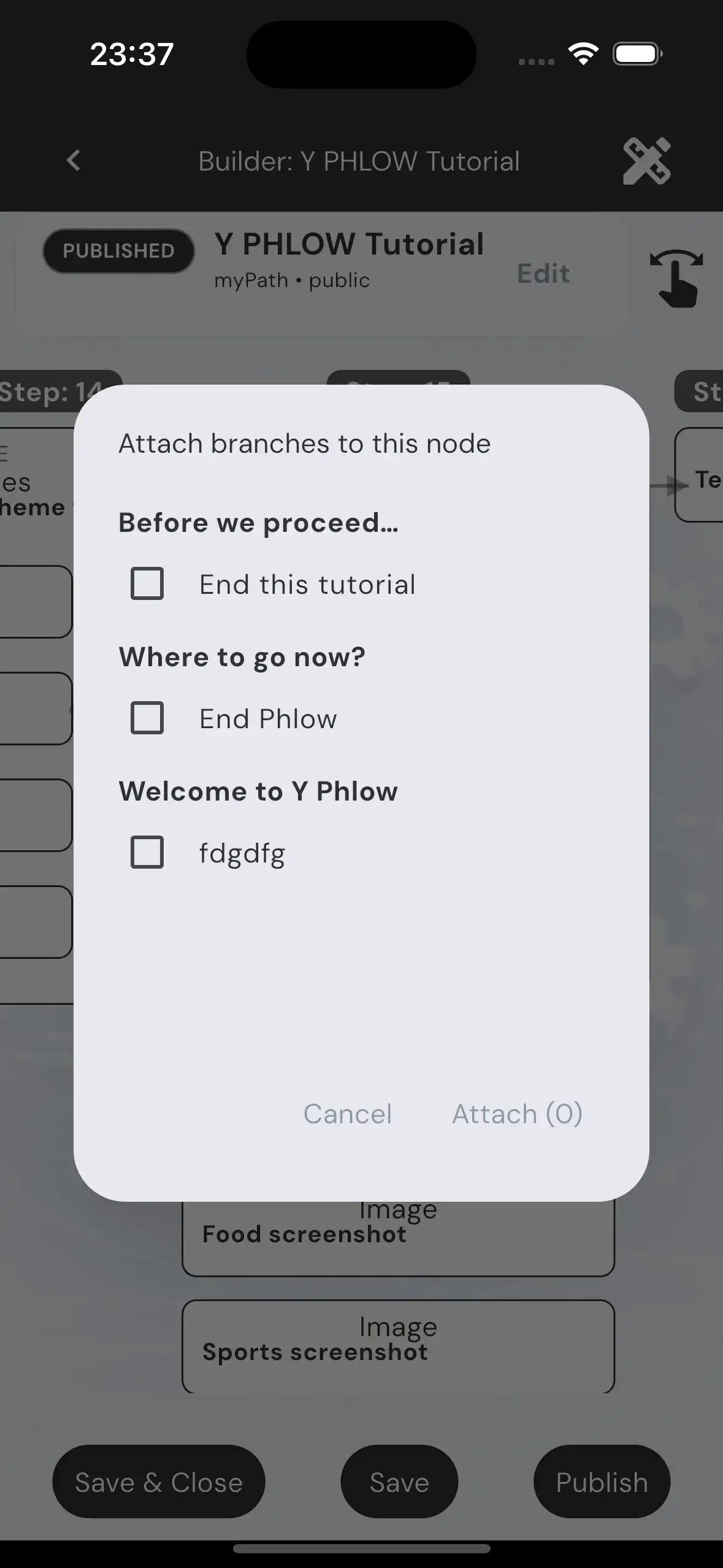
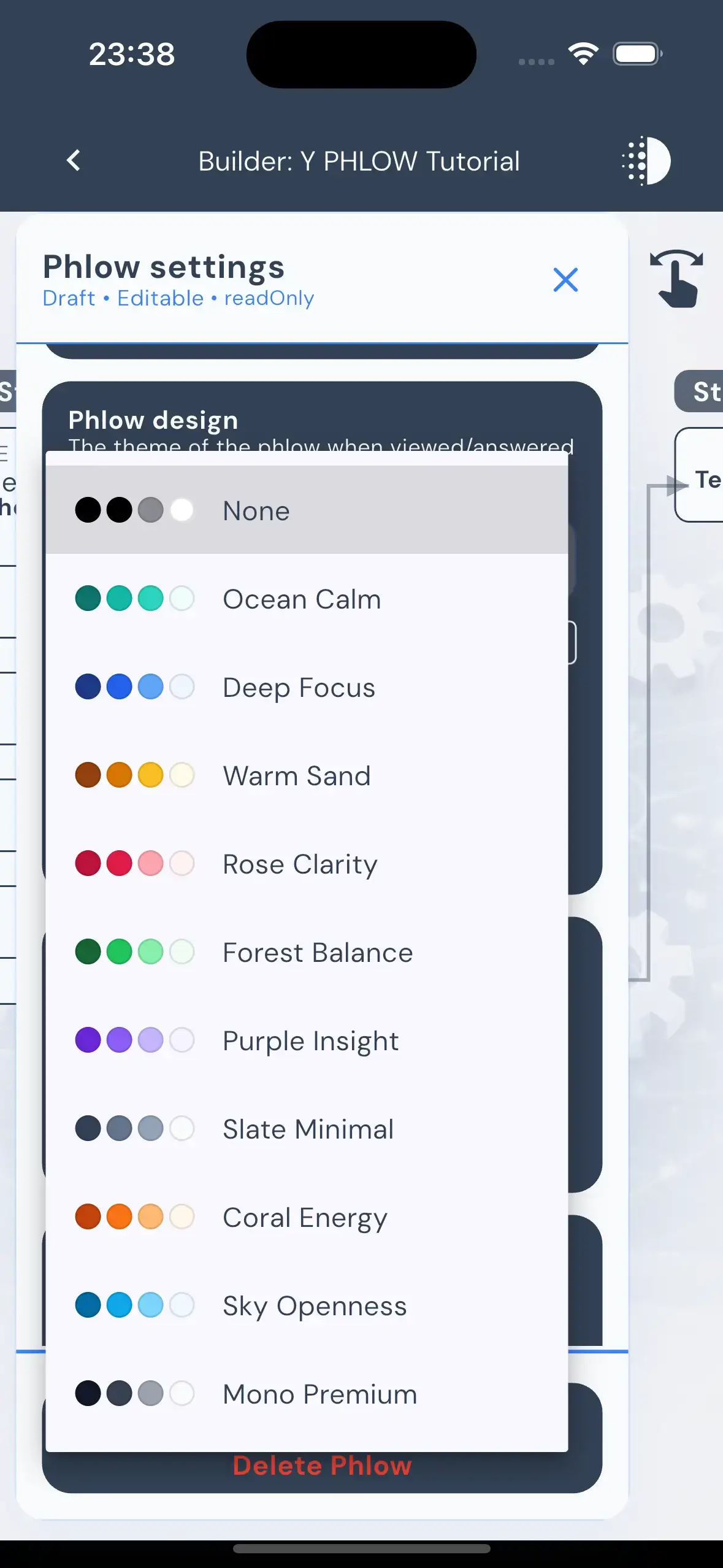

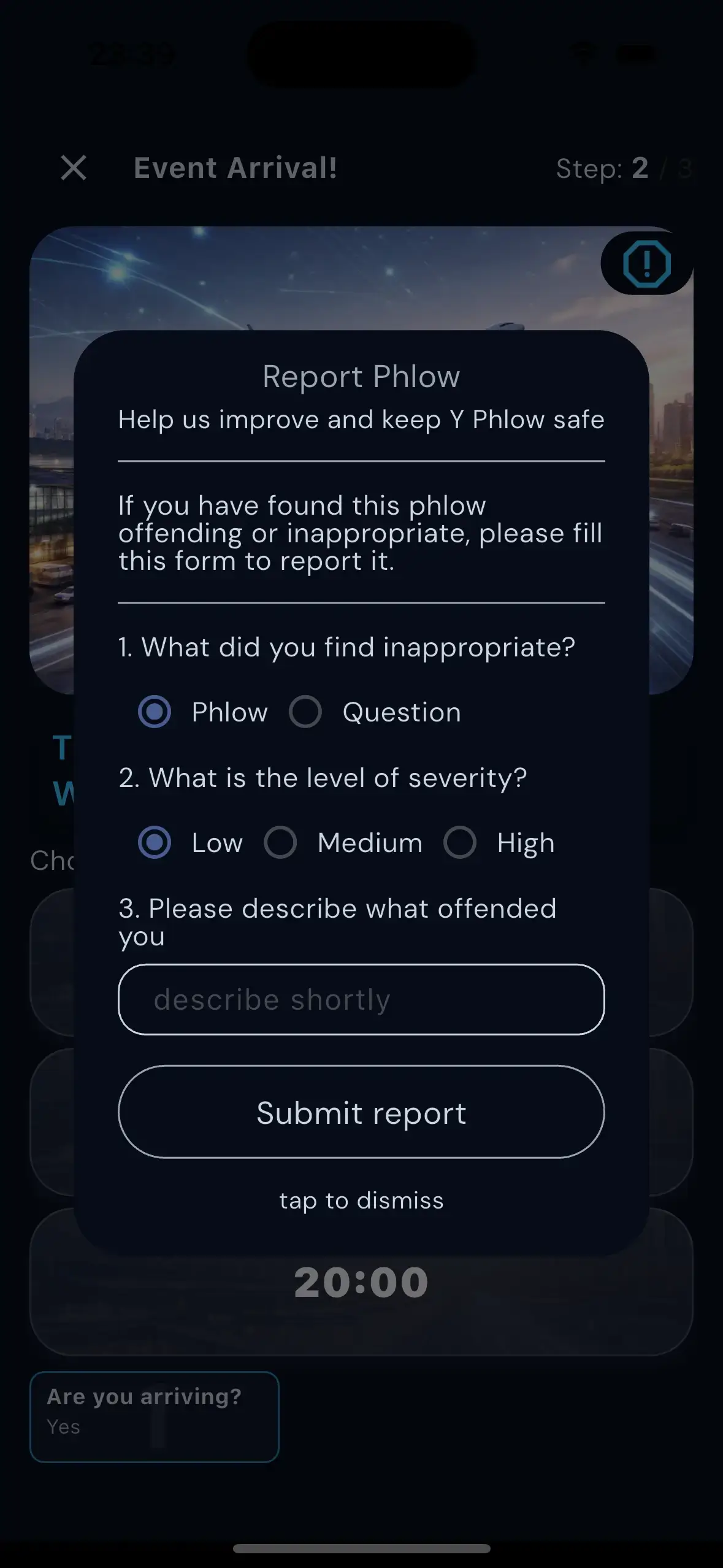
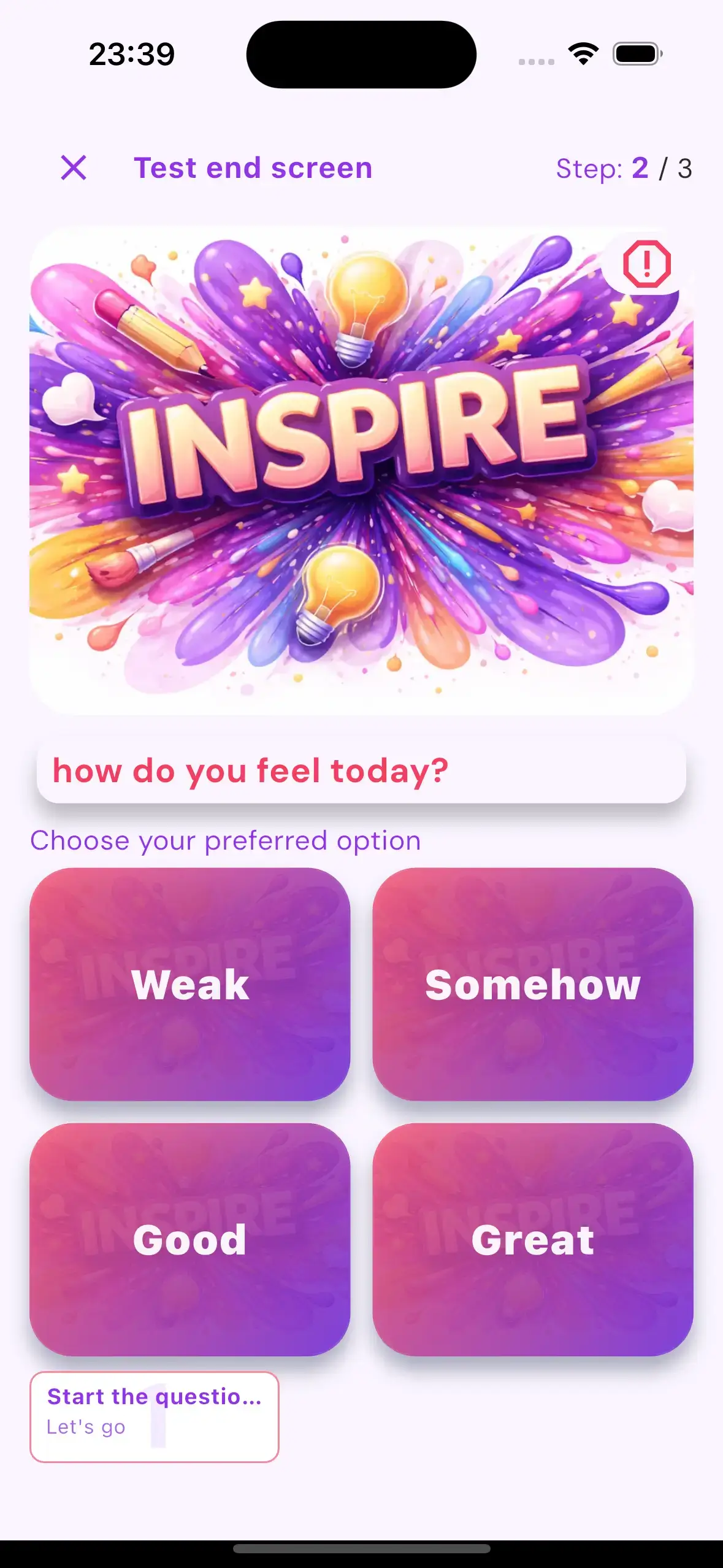
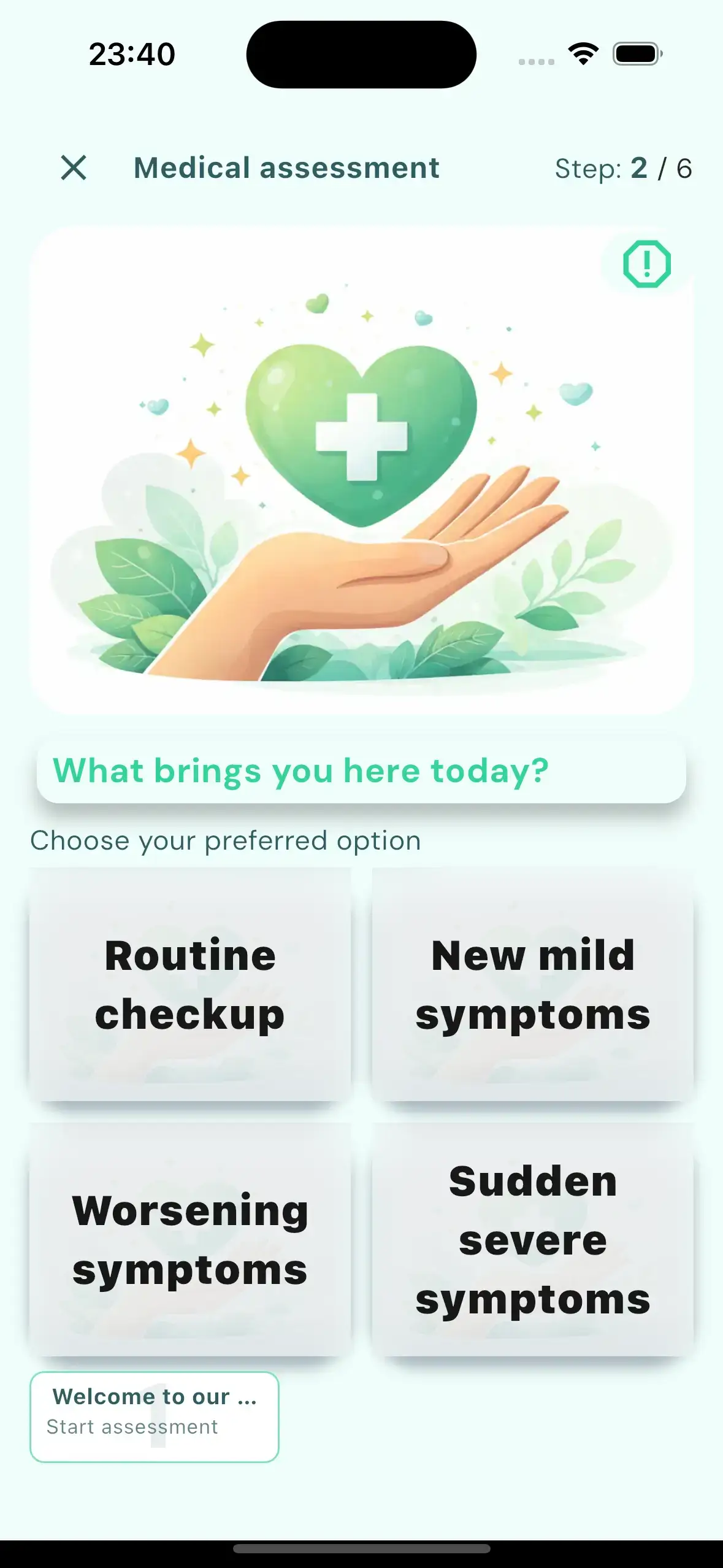
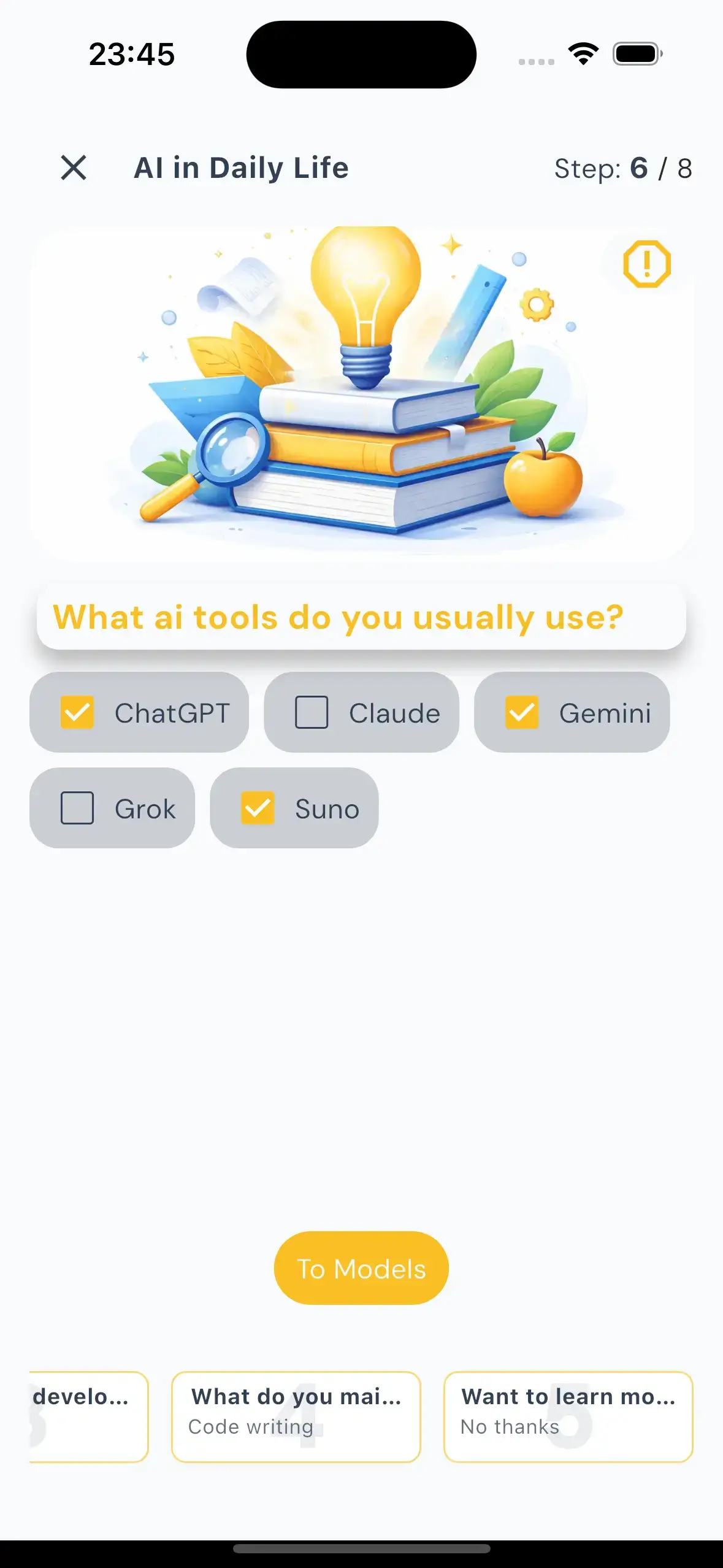
At a practical level, Y Phlow follows a clear lifecycle: the author creates a Phlow, shares it with an audience, participants move through the experience, and the system collects activity, statistics, and insights that help explain what happened and what can be improved.

ARCHITECTURE
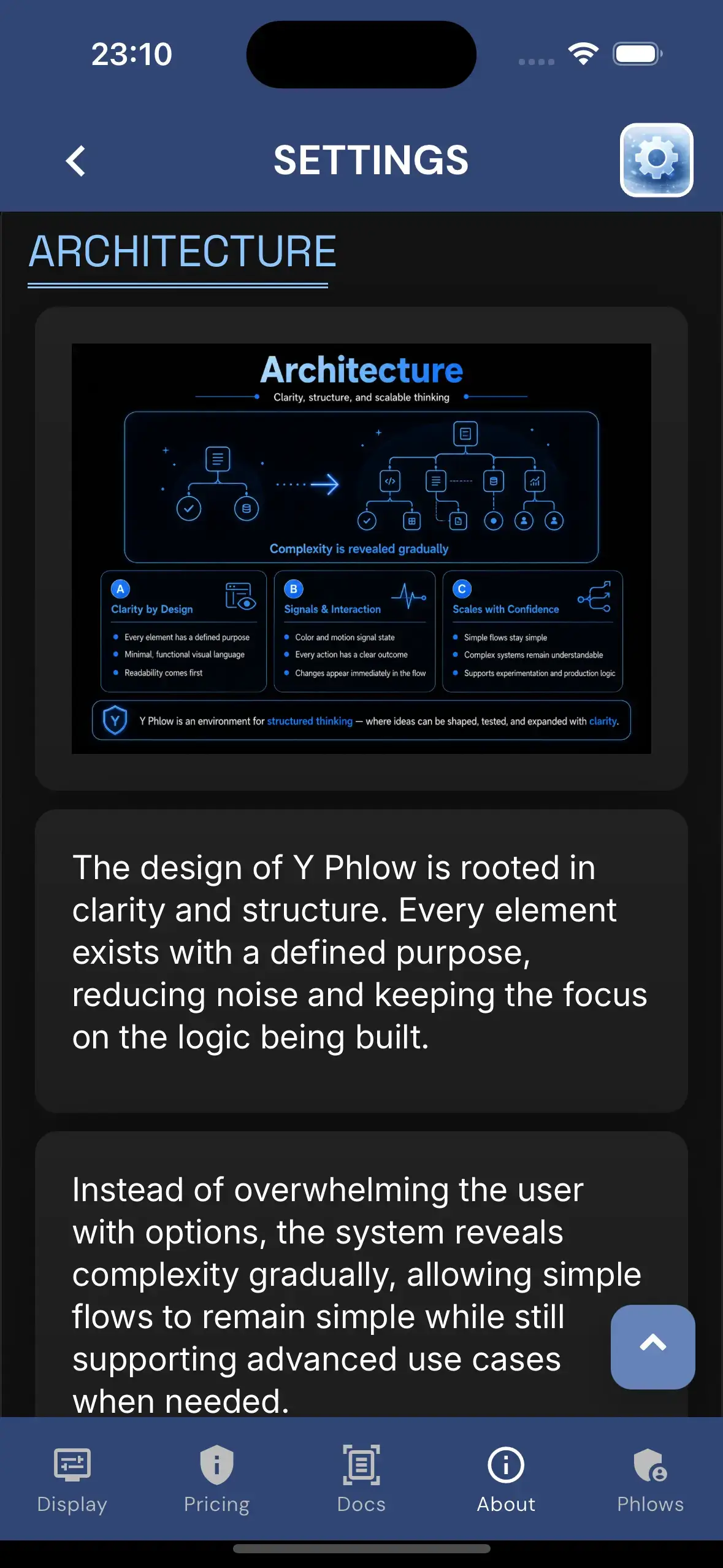
The design of Y Phlow is rooted in clarity and structure. Every element exists with a defined purpose, reducing noise and keeping the focus on the logic being built.
Instead of overwhelming the user with options, the system reveals complexity gradually, allowing simple flows to remain simple while still supporting advanced use cases when needed.
The visual language is intentionally minimal and functional. Nodes, connections, and states are presented in a way that prioritizes readability and immediate understanding.
Color and motion are used carefully — not as decoration, but as signals that communicate state, transitions, and relationships between elements.
Interactions are designed to feel precise and predictable. Every action has a clear outcome, and every change is immediately reflected in the structure of the flow.
This approach allows users to build with confidence, knowing that the system behaves consistently even as flows grow in size and complexity.
A key principle behind Y Phlow is the ability to scale ideas without losing clarity. What begins as a small flow can evolve into a complex system while remaining understandable.
The structure is designed to support both quick experimentation and long-term, production-level logic.
Ultimately, Y Phlow is designed not just as a tool, but as an environment for structured thinking — where ideas can be shaped, tested, and expanded in a controlled and intuitive way.
DESIGN

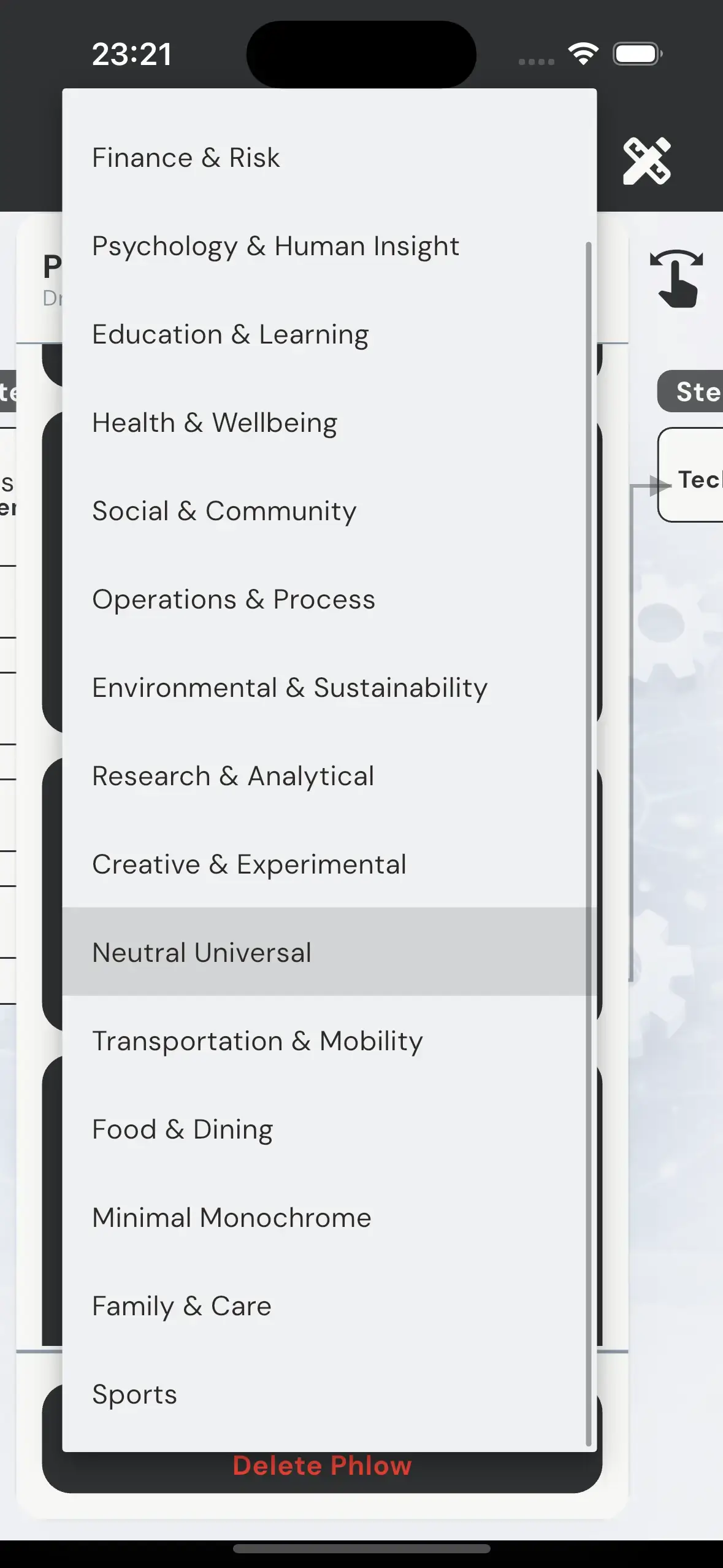
Y Phlow includes a system of design themes, each defining a complete visual and behavioral layer for a Phlow.
A theme is not limited to colors or styling. It controls the full experience — including imagery, color palette, typography, button styles, spacing, overlays, and motion behavior.
Each theme encapsulates a precise combination of visual identity and interaction patterns, from background composition and contrast mode, to animation profiles, motion intensity, and selection behavior.
This allows every Phlow to present its content in a way that matches its intent — whether structured and analytical, calm and introspective, or bold and high-energy.
For example, a business-oriented Phlow can adopt a structured and restrained visual language, while a technology-focused Phlow can shift toward high contrast, dynamic motion, and a more futuristic tone.
Similarly, flows centered around human insight or learning can use softer transitions, warmer palettes, and more gradual interaction patterns.
Themes are selected by the author during creation, applying a consistent design system across the entire flow without the need for manual adjustments.
Private Design
In addition to the public theme library, Y Phlow also supports Private Designs: custom design themes created for specific authors or organizations. A Private Design is available only to its assigned author when creating or editing a Phlow, allowing selected users to work with a visual identity tailored to their brand, audience, or use case. Once a Phlow is created with a Private Design, the experience is rendered normally for every participant: its artwork, colors, typography, motion behavior, and interaction style are all preserved for viewers, even if the design itself is not available for them to select.
This ensures that even complex flows maintain a coherent and intentional visual identity from start to finish.
The theme library includes over 20 designs and continues to evolve, expanding the range of experiences that can be created.
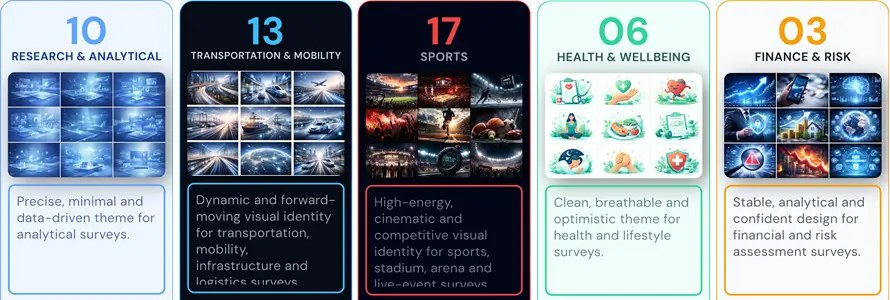
All themes can be explored in the Theme Encyclopedia within the app, where each design is presented in context, including its visual style and motion characteristics.
By combining structure with expressive design layers, Y Phlow allows the same underlying logic to take on entirely different forms — adapting to the purpose it serves.
PHLOW EVALUATION

Y Phlow supports built-in evaluation mechanisms that allow each flow to produce a meaningful outcome for the participant.
As users progress through a Phlow, values can be assigned to their selections, enabling the system to collect and process data throughout the entire experience.
Each option within a node can carry evaluation data. As participants move forward, these values accumulate, forming the basis for the final result.
This approach allows evaluation to remain distributed and contextual, rather than relying on a single calculation at the end.
Different evaluation modes are available, allowing flows to be tailored to specific needs — from simple scoring models, to rule-based logic, compliance checks, or combinations of multiple approaches.
This flexibility makes it possible to use the same system for assessments, decision support, validation processes, or structured analysis.
At the end of the Phlow, the collected data is translated into a clear outcome, such as a score, a pass or fail result, or a compliance status.
The result reflects the full path taken by the participant, providing a consistent and traceable evaluation of their input.
By embedding evaluation directly into the flow structure, Y Phlow enables the creation of experiences that are not only interactive, but also measurable and actionable.
SAFETY AND MODERATION

Y Phlow includes a strict safety and moderation layer to ensure that all published content meets clear and consistent standards.
Before a Phlow can be published, it undergoes an automated moderation process that analyzes all content across its nodes and options.
This process is designed to detect offensive, inappropriate, or unsafe material, ensuring that every Phlow aligns with a defined 'family-safe' threshold.
Phlows that do not meet this standard are blocked from publication.
In cases of repeated or intentional violations, administrative actions may be taken to maintain the integrity of the platform.
In addition to automated moderation, Y Phlow empowers participants to report content directly.
A reporting option is available within every node, allowing users to flag either an entire Phlow or specific elements as inappropriate.
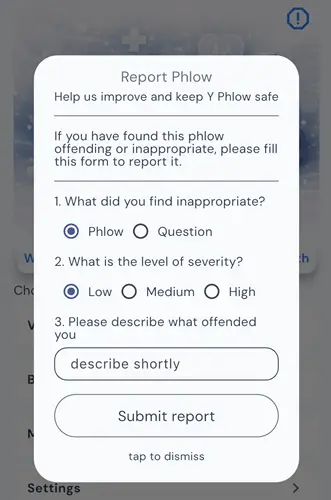
This combination of automated moderation and community feedback ensures that Y Phlow remains a safe and reliable environment for both creators and participants.
STATISTICS AND INSIGHTS

Y Phlow provides a comprehensive statistics layer, allowing authors to monitor and understand how participants interact with their published flows.
Authors can track participation in real time, gaining visibility into how users progress through each stage of the Phlow.
Each node includes its own distribution data, with clear breakdowns showing how participants respond to every available option.
This structure enables detailed analysis at a granular level, making it possible to identify patterns, drop-off points, and dominant choices across the flow.
In addition to raw data, Y Phlow offers AI-generated insights that help interpret the results.
These insights highlight meaningful trends and observations, supporting authors in understanding the broader implications of participant behavior.
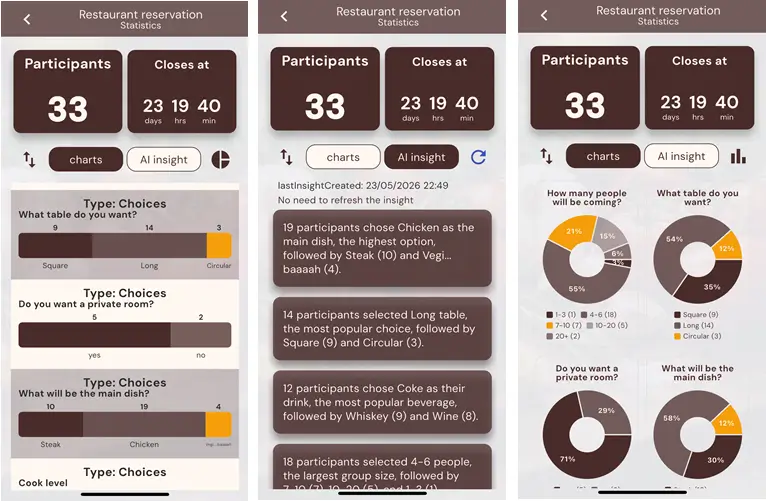
By combining structured data with intelligent analysis, Y Phlow transforms participation into actionable understanding.
PHYLLIS - AI ASSISTANT

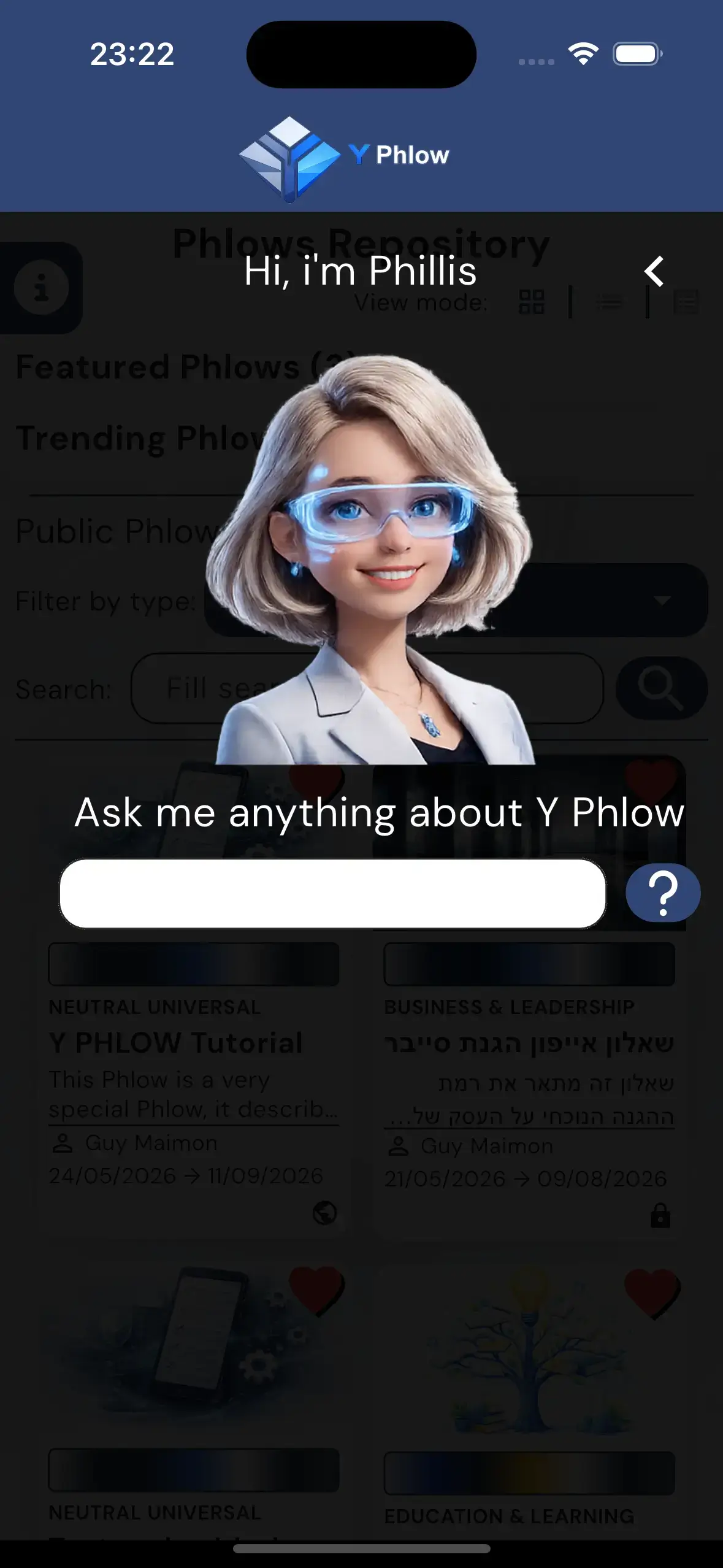
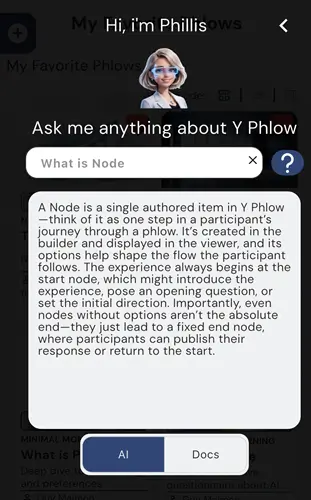
Y Phlow includes an integrated AI assistant, Phyllis, designed to support users throughout the entire experience.
Phyllis is equipped with the full knowledge base of Y Phlow, enabling it to answer questions about features, structure, and best practices.
Whether navigating the platform or building a Phlow, users can rely on immediate, context-aware guidance.
Phyllis is accessible from the main interface as well as during the creation process, providing assistance exactly where it is needed.
Its role is to reduce friction, clarify decisions, and help users move forward without interrupting their workflow.
By embedding assistance directly into the system, Y Phlow ensures that support is always available without requiring external documentation or guidance.
Phyllis reflects the broader approach of Y Phlow — combining structure, clarity, and accessibility into a single, cohesive environment.
PHLOW CREATION PROCESS

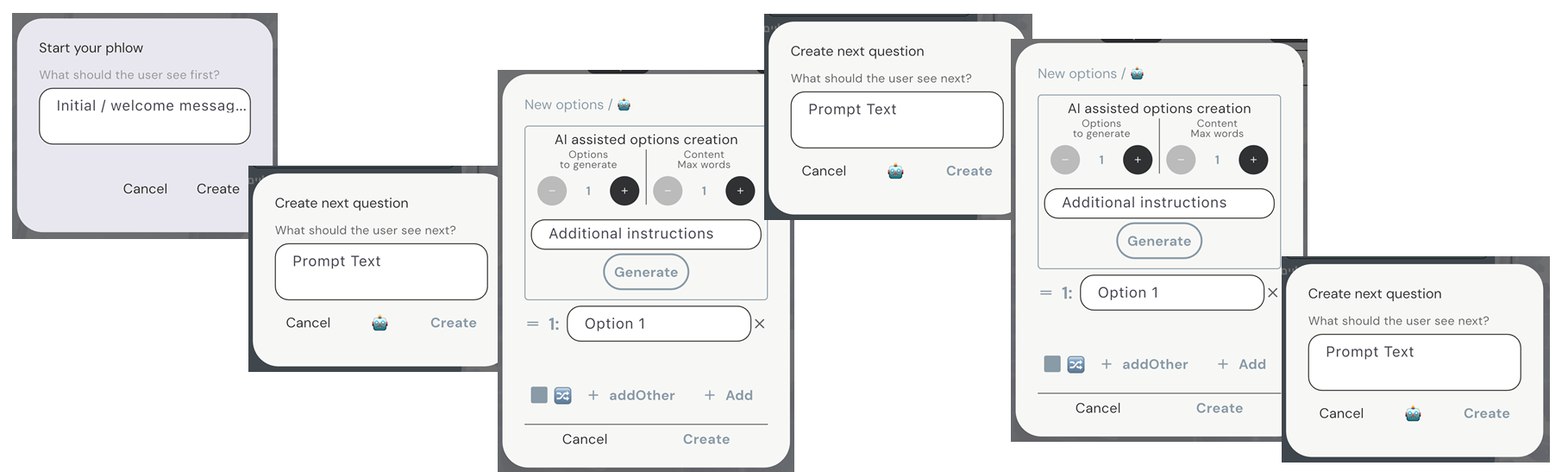
A Phlow begins as a draft the moment the author opens the creation screen, even before any content is defined.
The building process starts with the creation of a start node. This is the first authored step and must be defined manually by the author.
The start node establishes the initial context and direction of the entire Phlow.
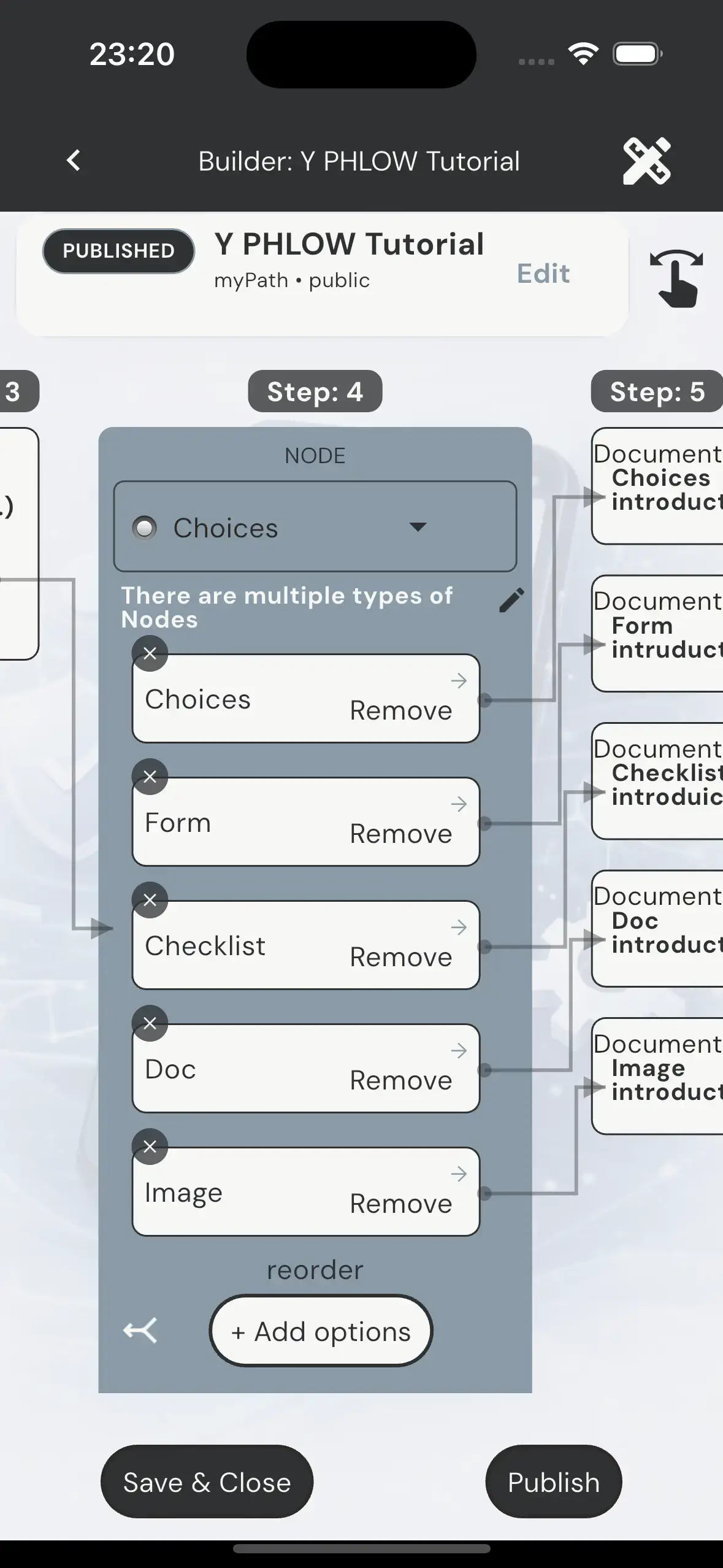
From that point forward, the Phlow is built through a repeated pattern: creating options, and connecting each option to a next node.
The entire creation process is conducted on a visual canvas, which serves as the central workspace for building a Phlow.
The structure is presented through a two-dimensional view, with optional depth-based visualization, allowing the author to understand the flow both locally and as part of a broader structure.
At every step, the author works on a single active node while simultaneously seeing its context — including parent nodes, sibling nodes, and connected child nodes.
This continuous visibility ensures that each decision is made with full awareness of where it comes from and where it leads.
Visual connectors link nodes and options, forming clear paths between steps and making the overall structure immediately understandable.
This visual representation simplifies complex branching logic, allowing the author to follow and shape participant routes with clarity and precision.
By combining structure with visual continuity, the canvas transforms the building process into an intuitive and controlled experience.
Each option represents a possible path, and each connected node becomes the next step in that path.
By continuing this process, the author gradually expands the Phlow into a branching structure where different participants may follow different routes.
Routes may diverge into separate paths or converge into shared nodes, allowing flexible and efficient design of complex logic.
The builder is centered around the active node. At any moment, the author focuses on a single node while seeing its context — including parent nodes, sibling nodes, and connected child nodes.

This approach allows the author to build step by step, while always understanding the structure in relation to the full Phlow.
Authors move through the structure by navigating between nodes, making any node active and continuing the build from that point.
This enables both linear progression and non-linear editing, depending on how the Phlow evolves.
Nodes can be reused across multiple paths by attaching available options to existing nodes.
This allows different routes to converge into shared logic without duplicating content.
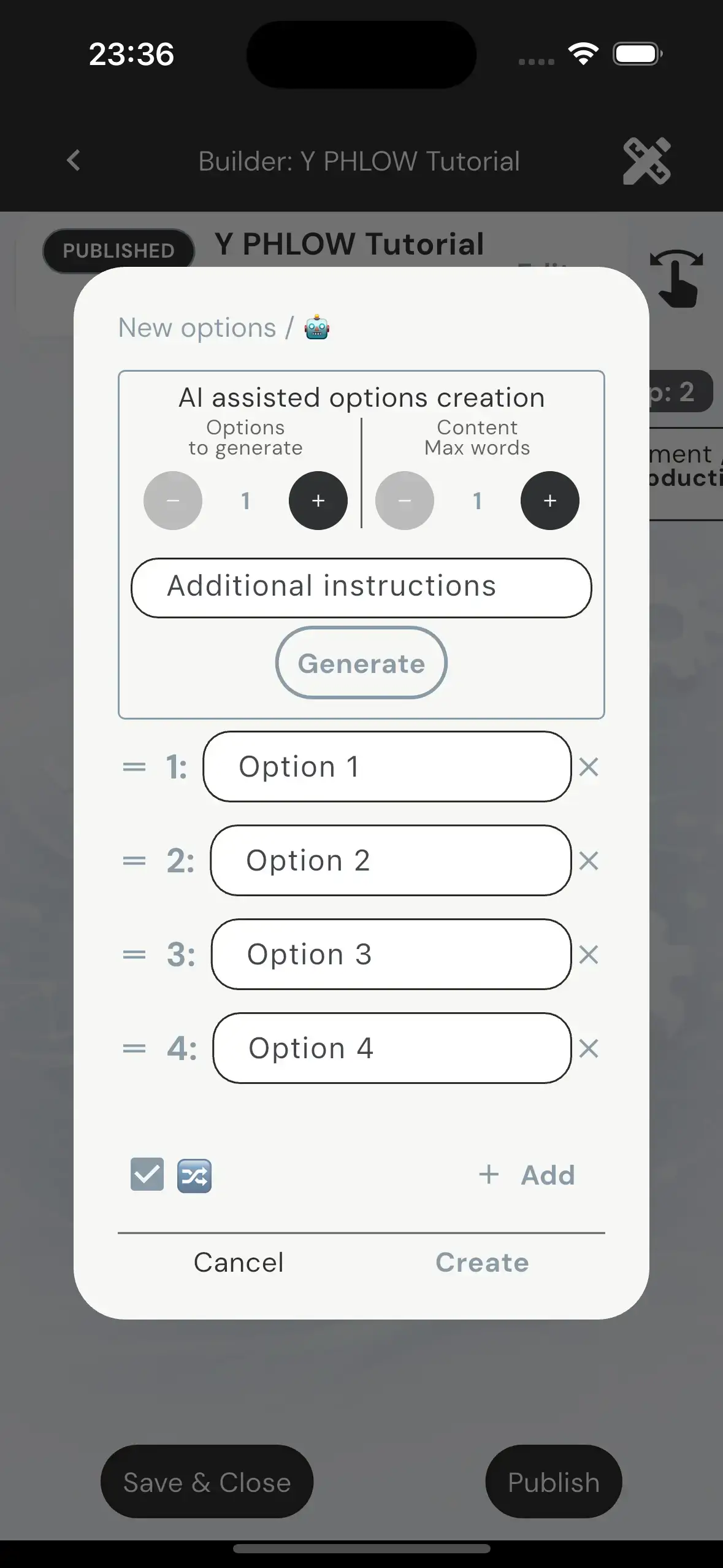
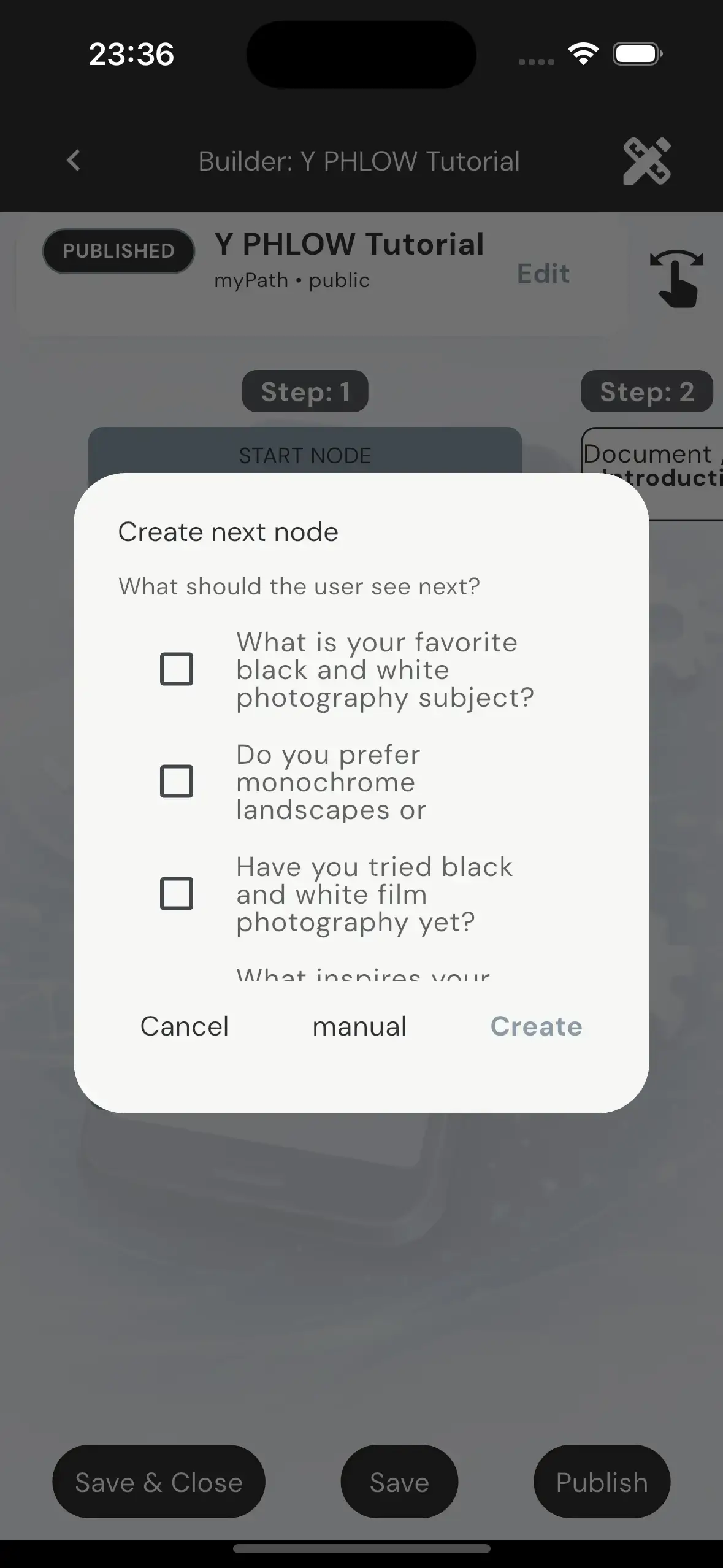
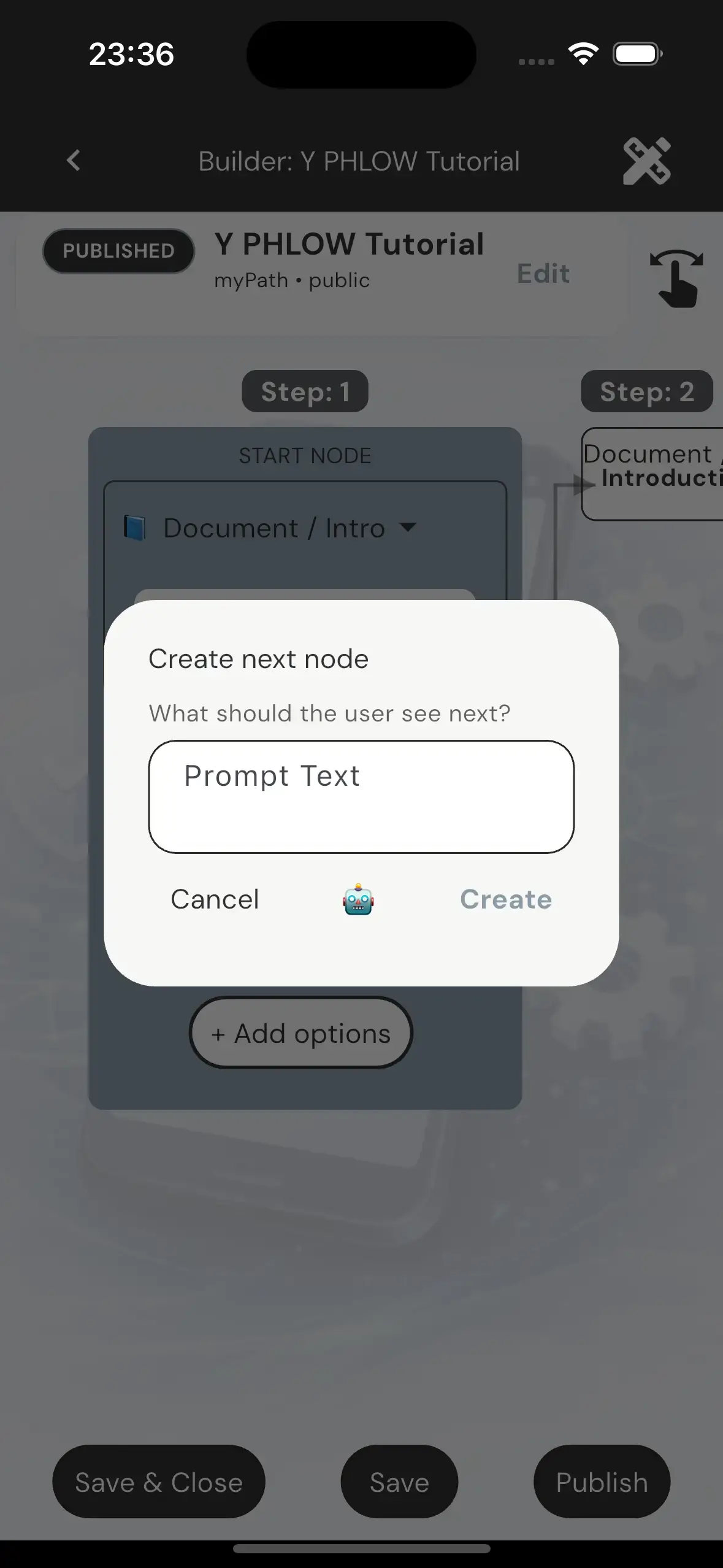
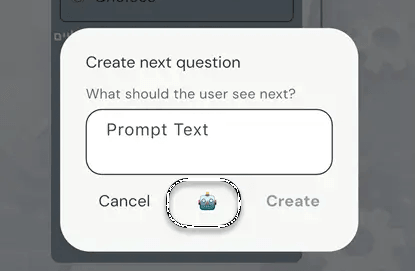
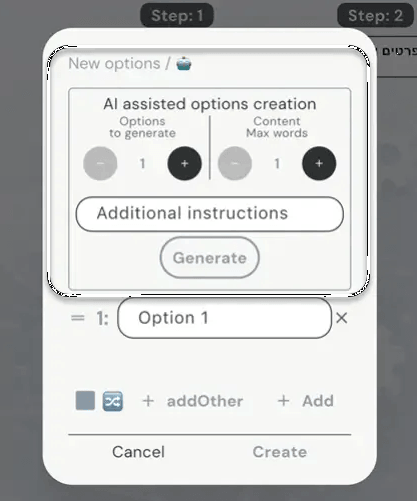
Throughout the creation process, AI assistance is available to support the author.
Options and node prompts can be generated based on the current context, helping accelerate creation while maintaining relevance and consistency.
The author remains fully in control, with the ability to accept, refine, or replace any generated content.
The author remains fully in control, with the ability to accept, refine, or replace any generated content.
AI assistance enhances the process, but does not replace author intent or decision-making.
A Phlow can be saved as a draft, edited over time, and published only when ready.
Publishing includes moderation and validation before the Phlow becomes available to participants.
By combining structured building with contextual assistance, Y Phlow enables the creation of complex, adaptable flows through a controlled and intuitive process.
NODES

A Node is the core building unit of a Phlow. It represents a single step in an interactive flow, where the participant experiences a prompt, optional content, and a set of navigation options that determine the next step in the journey.
A Phlow is composed of multiple nodes connected together in a directed structure. Each participant experiences only one active node at a time, based on the option they selected in the previous step. The underlying graph may branch and converge, but the participant always follows a single path through it.
Navigation in a Phlow is strictly controlled by the author. Each option in a node defines the next destination node. The system does not allow reverse navigation through options, ensuring that the structure remains deterministic and forward-driven. Participants may only move backwards through the breadcrumb system, which resets and rebuilds the path from the selected point.
Nodes are not uniform. Each NodeType defines a different interaction model and layout structure. While all nodes share the same structural shell, their internal content behaves differently depending on type.
There are seven node types: Choices, Form, Checklist, Attachment, Image, Doc and Confirmation. Each type defines how content is presented, how the participant interacts with it, and how much of the screen is allocated to each section such as artwork, prompt, content, and options.
Choices nodes are the default interaction type. They contain a prompt, theme-based artwork, and a set of options. Each option leads to another node, forming the branching structure of the Phlow.
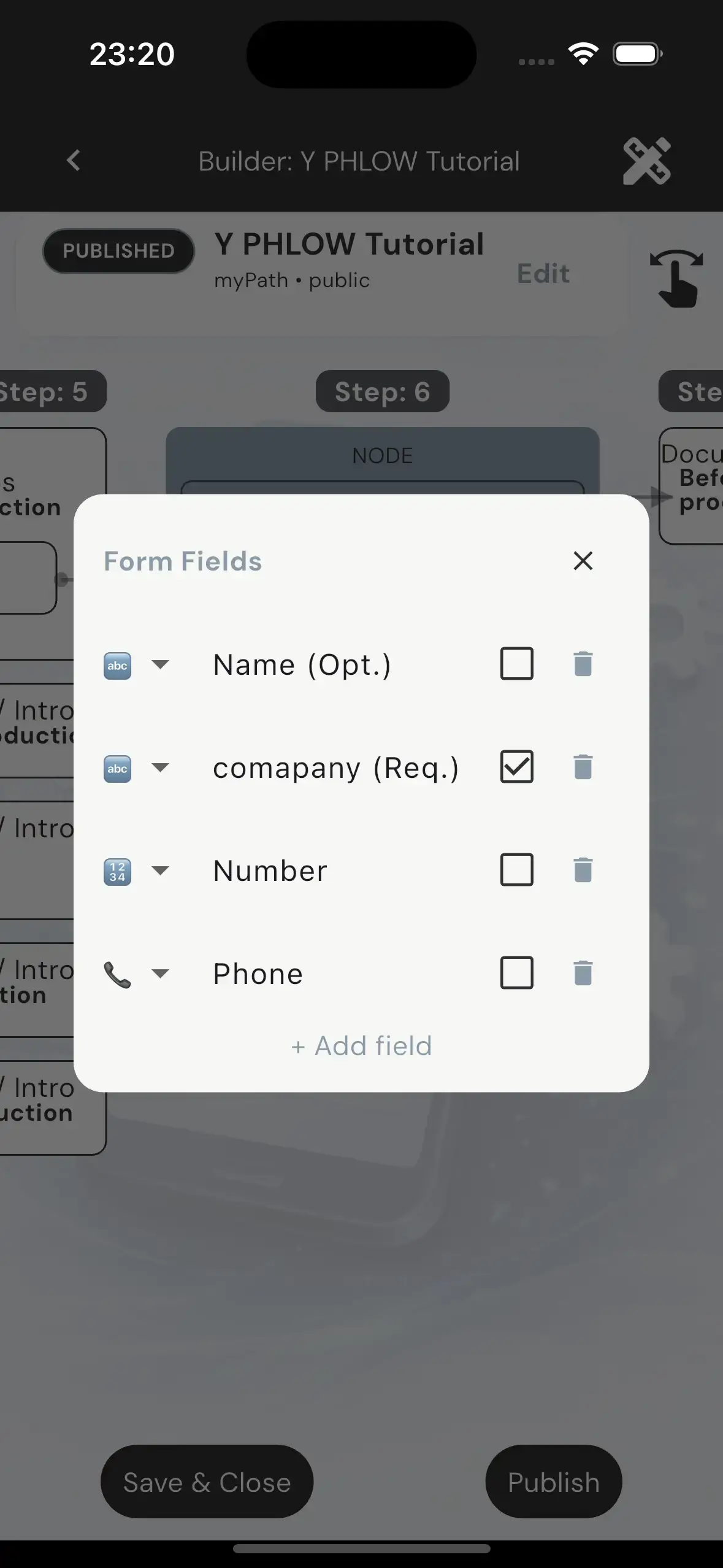
Form nodes introduce structured input. They include a prompt, reduced artwork, and a content area composed of input fields. These fields may be required or optional, but they do not affect navigation logic. Navigation is always controlled by options.
Checklist nodes allow participants to select multiple items from a scrollable, wrapped layout of checkboxes. Unlike forms, checklist selections are optional and do not impose validation rules. They exist purely as a flexible selection layer within the node.
Attachment nodes allow participants to add their own file during their journey, for the use of the author, the layout of the node represents a field where the participant can select a file from his device and attach it, This node is useful when the author might need broader range of information from the participant, in example, the ability to attach VC to a response to a Phlow about recruitment.
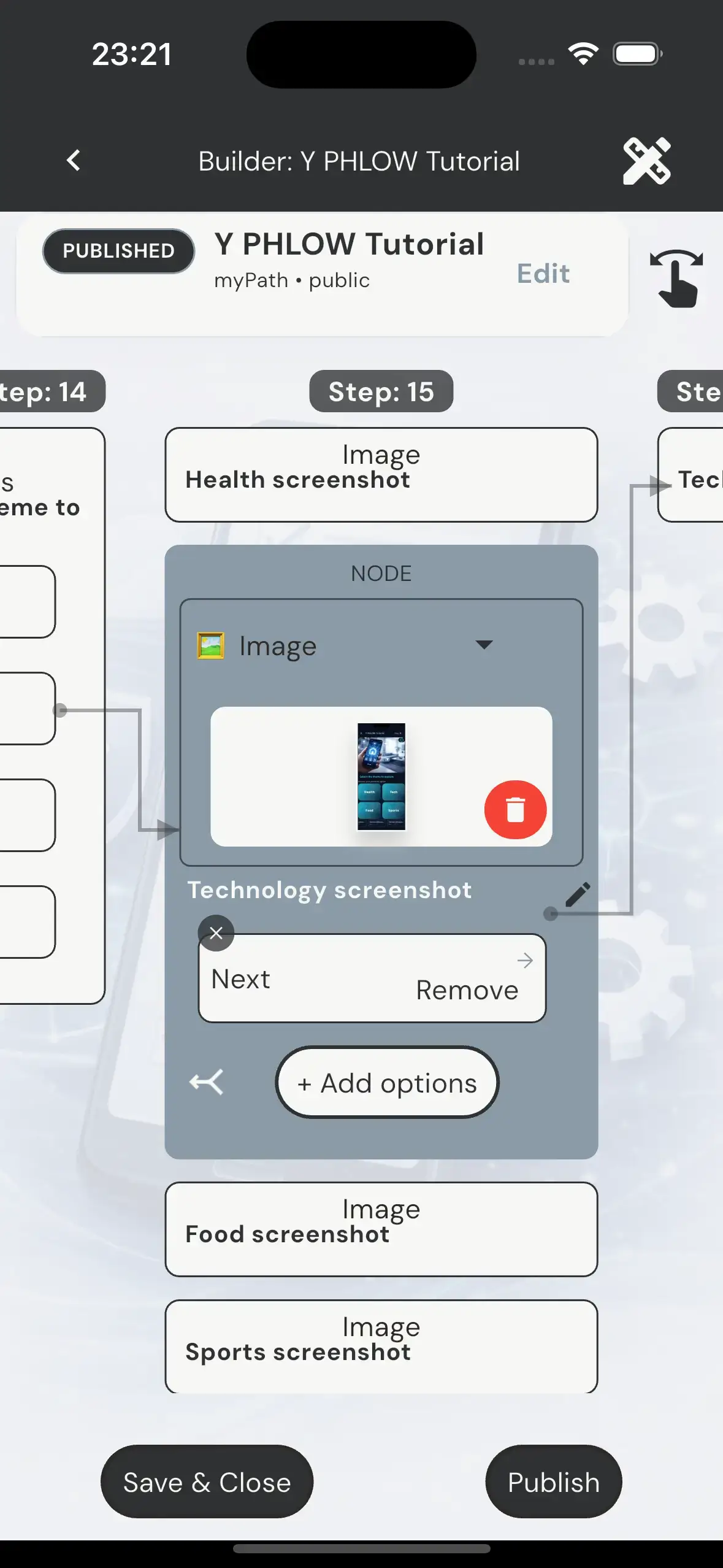
Image nodes are identical in structure to Choices nodes, but replace theme-based artwork with a fixed image defined by the author. This image serves only as visual context and has no impact on navigation or logic.
Doc nodes are informational nodes that present structured text content. They include a short title and a scrollable text area of up to 500 characters. These nodes are purely descriptive and do not involve input or selection behavior.
Confirmation nodes are informational nodes just like the Doc node, except that in this node type, the participant must check a checkbox, that appears in the bottom, approving they have read and agree to the conditions or terms, it is useful for consent, Eula, approvals etc.

Nodes do not have titles. The only global title in the system belongs to the Phlow itself and appears at the top of the viewer screen. Nodes are defined solely by their Prompt, Content, Options, and navigation behavior.
CHANNELS
What Channels Are
Channels provide a permanent, recognizable home for a creator’s published Phlows. Instead of placing every published Phlow inside one enormous public repository, Y Phlow lets users intentionally follow the creators that interest them and access their work through dedicated Channels.
A Phlow does not have to belong to a Channel. Authors can keep a Phlow standalone and distribute it directly through a link, QR code, or invitation. Assigning it to a Channel is a deliberate publishing decision that makes it available to that Channel’s followers.
Creator Channels
Every creator can create and manage a personal Creator Channel from the Workspace area. The Channel has its own name, description, artwork, visibility, permanent address, follower count, and number of attached Phlows.
Authors assign a Phlow to their Channel from the Phlow’s Distribution settings. The assignment is saved together with the other Phlow details and can later be changed or removed. A Phlow can belong to only one Channel at a time.
Discovering and Following Channels
Users access Channels from the Discover area of the Home screen. They can search for public Channels or scan a Channel QR code shared by its owner. Following creates a membership that adds the Channel to the user’s Followed Channels list.
Channel links use a dedicated /channel/ address and can identify a Channel by its unique ID or readable slug. Channels do not use the invitation-token mechanism available to certain standalone Phlows.
Viewing Channel Phlows
Each followed Channel appears as a collapsible card showing its artwork, description, number of followers, and number of Phlows. Expanding the card loads and displays its published Phlows using Y Phlow’s half-width card layout.
Only one Channel remains expanded at a time. Y Phlow loads a Channel’s Phlows only when the user opens it, rather than downloading every Phlow from every followed Channel during startup. Previously loaded Channel content is cached for quicker access.
Sharing a Channel
A Channel owner can share a permanent link or display a QR code from the My Channel screen. Another user can scan that QR code inside the Channels area, review the resolved Channel, and choose to follow it.
Channel artwork helps give each Channel its own visual identity. Owners can select, crop, replace, enlarge, or delete the artwork while managing their Channel.
Channel Notifications
Followers can independently enable or disable notifications for each Channel. The notification bell appears in the expanded Channel controls: an outlined bell means notifications are disabled, while a filled bell means they are enabled.
When enabled, the user may receive a push notification when a new Phlow is added to that Channel. Following and notifications remain separate choices—a user can continue following and viewing a Channel without receiving alerts.
Unfollowing a Channel
The Unfollow action is available inside the expanded Channel card. Y Phlow requests confirmation before removing the membership. Once confirmed, the Channel disappears from the user’s Followed Channels list and its notification preference is removed with the membership.
ADAPTIVE FRAMEWORKS

Adaptive Frameworks are protected, reusable methodologies packaged as adaptive journeys. Created by Y Phlow or by professional authors, they allow organizations to distribute proven processes while enabling controlled White-label customization without compromising the original framework.
When a user acquires an Adaptive Framework, Y Phlow creates a dedicated copy and transfers ownership of that copy to the acquiring author. The result is a White-label Phlow — an independent version of the original framework that can be branded, customized where permitted, and published to the author's own audience while preserving the original methodology.

Most Adaptive Frameworks are distributed as protected White-label experiences. They combine the flexibility to personalize content and branding with the confidence that the original methodology, navigation, decision logic, and evaluation model remain intact. This allows organizations to deliver consistent, high-quality experiences without compromising the integrity of the framework.
Introduction

At the Adaptive Framework level, the framework's methodology is fully protected. Navigation paths, node relationships, routing logic, evaluation rules, and the overall decision flow cannot be modified by the acquiring author. This guarantees that every White-label implementation preserves the integrity, consistency, and intent of the original adaptive experience.
While the framework's methodology remains protected, authors retain full control over its presentation and branding. They can personalize elements such as the Phlow title, description, logo, branding information, informational content, and color mood, creating an experience that reflects their own identity while preserving the integrity of the original framework.
To preserve the integrity of the original framework, the Design Theme and its associated artwork library remain protected. Authors can personalize branding and content where permitted, while the visual identity and overall experience remain consistent across every deployment. This approach ensures that Adaptive Frameworks combine the reliability of a proven methodology with the flexibility of White-label customization.
Although the Design theme is locked in a Read-only Phlow, the author can select "Color mood" which overrides the basic colors of the design theme.
Per demand, a new color mood can be added to Y Phlow, for a specific author or group of authors, this customized mood will override the design theme just like the predefined color moods.
Inside a Read-only Phlow, each individual Node can define its own editing permissions.
A Node can be configured as either:
- Editable
- Read-only
Editable Nodes allow the duplicated author to modify the content of the Node without affecting the structure of the Phlow itself.

The level of customization available depends on the Node Type. Editable Nodes allow authors to adapt the content while preserving the underlying framework. Depending on the node, customization may include:
- Changing the prompt
- Modifying option labels
- Changing the Node Type
- Editing form fields
- Editing checklist items
- Updating document content
Even when a node is editable, the framework's methodology remains protected. Authors cannot modify the number of options, evaluation values, navigation targets, or routing between nodes, ensuring that the original decision logic and execution path remain intact.
This approach enables meaningful content customization while preserving the integrity of the original adaptive framework and its decision logic.
Read-only Nodes represent the protected components of the framework. Their content, behavior, and configuration cannot be modified by the acquiring author, ensuring that critical guidance, evaluations, and navigation remain exactly as designed by the original framework creator.
Some protected Read-only Nodes can expose selected customization surfaces through a capability called CanAttach.
CanAttach allows the framework creator to keep the node locked while still permitting specific presentation-level changes, such as replacing attached content or adapting selected text. This capability is available only on Read-only Nodes, making it a precise way to allow limited White-label customization without opening the node’s structure or logic for editing.

When CanAttach is enabled, the acquiring author can personalize selected content while the framework's structure, navigation, and methodology remain fully protected. Depending on the Node Type, permitted customization may include:
- Changing the prompt of any Node Type
- Replacing the image of an Image Node
- Editing the title and content of a Document Node
All other aspects of the node remain protected. Navigation, option structure, evaluation values, and routing logic cannot be modified, ensuring that the adaptive experience continues to behave exactly as intended by the original framework creator.
This layered protection model enables powerful White-label customization while preserving the methodology, decision logic, and integrity of the original Adaptive Framework.
Final words
The Adaptive Framework architecture of Y Phlow is built around a simple principle: protect the methodology, empower the author. By combining layered protection with controlled White-label customization, Y Phlow enables professional knowledge to become reusable, scalable, and consistently delivered across organizations, industries, and audiences.
By combining protection at the framework, node, and content levels, Y Phlow enables Adaptive Frameworks to be safely reused, branded, and personalized for different organizations, industries, and audiences—without compromising the original methodology, navigation, or decision logic.
This approach enables Adaptive Frameworks to function both as protected methodologies and as customizable White-label experiences, allowing professional knowledge to be distributed at scale while preserving consistency, reliability, and the integrity of the original framework.
CLOSING NOTES
While this overview covers the core concepts, the full depth of Y Phlow is best understood through experience. Explore the Phlows repository and start building your own flows.
✨ Did you notice the hidden pattern?
Hover or tap the cards and watch the right border.
The colors follow a logic of their own.
Think you’ve figured it out?
Tell us: info@yphlow.com
Built and designed by Yahalom Software